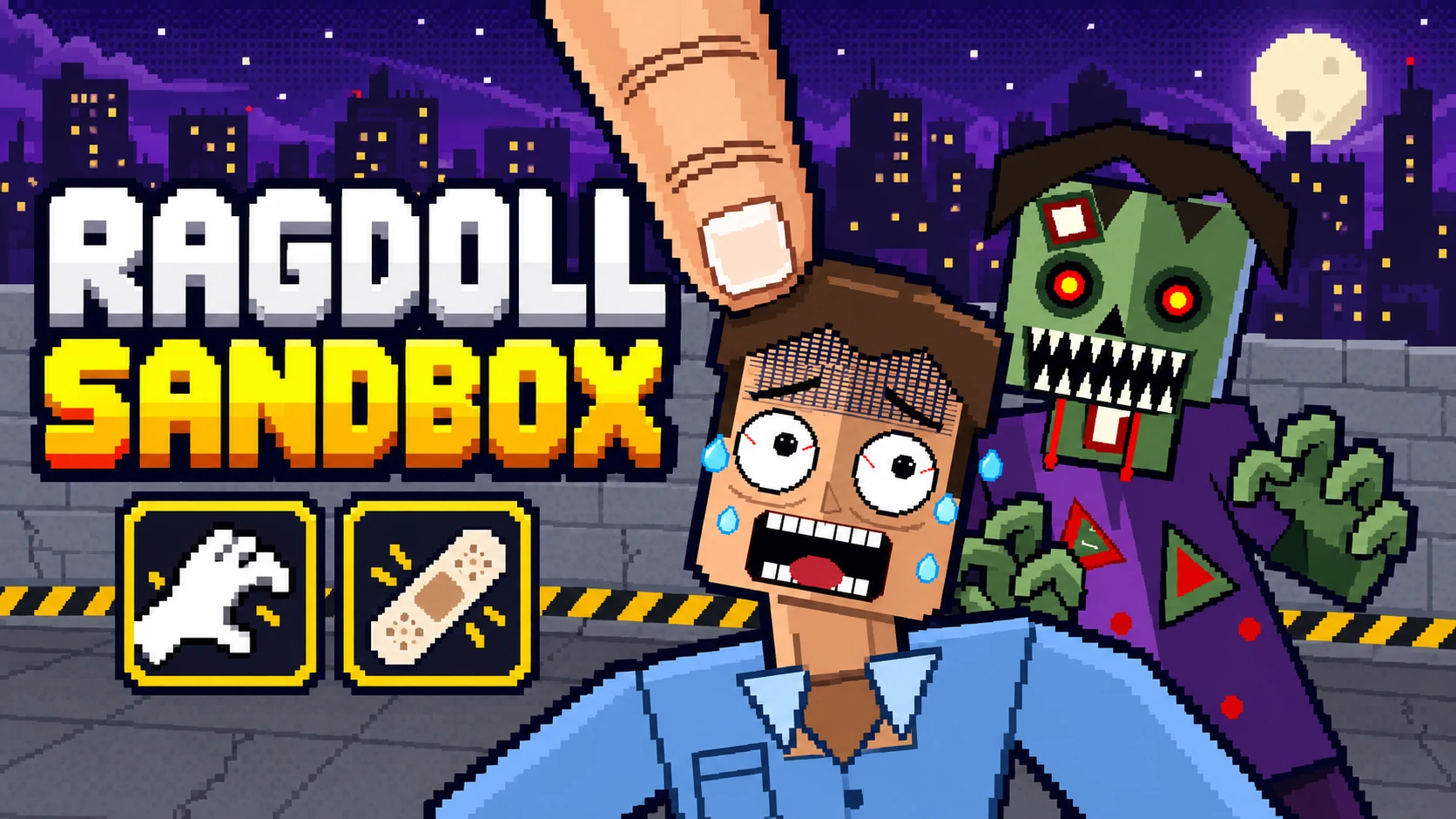

ABOUT THIS GAME
Play Pixel Ragdoll Sandbox Game Online
Ragdoll Sandbox drops you straight into a physics playground: grab the dummy, try a tool, and watch what changes. Want to take part? Use Control to move a character yourself. Want to make the scene? Use Build to place walls and platforms, or open Person to join a battle. Ragdoll Sandbox is worth a click if you enjoy making your own experiments and following unpredictable reactions. Expect blood, dismemberment, and a lot of tools to explore.
Ragdoll Sandbox: Before You Start
| Detail | What to expect |
|---|---|
| Game | Ragdoll Sandbox |
| Category / tags | Simulation · Sandbox · 2D · Physics · Ragdoll |
| Play style | Free sandbox, Build, Control, battles, and Zombie mode |
| Layout | Landscape playfield with mouse and touch controls |
| Platform | Web browser |
| Available on Pixel Game | October 27, 2026 |
| Your goal | Set up a scene, try a tool, and compare the reactions |
| Content | Blood, gore, and dismemberment |
Ragdoll Sandbox opens with a dummy and tool buttons ready to use. You decide what to try next. If you like experimenting with moving bodies, changing conditions, and watching AI characters respond, explore more simulation games after your first scene.
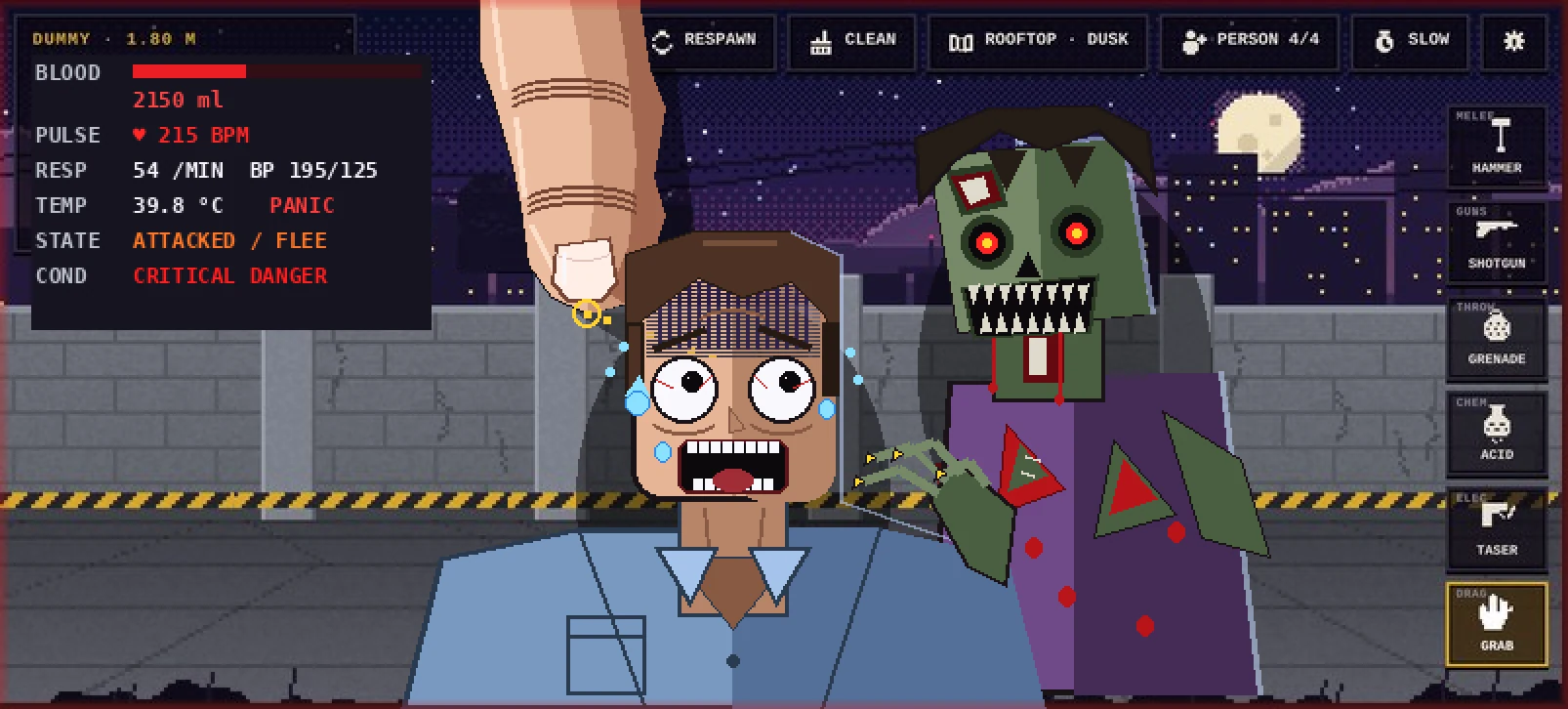
Try Grab first, then add another character to see how the scene changes.
How to Play Ragdoll Sandbox
- Start with Grab. In Ragdoll Sandbox, choose Tools, find Grab, and hold and drag the dummy. Get used to moving it before trying a busier setup.
- Choose one tool. Select a category, then use Q / E or the mouse wheel to cycle its tools. Read the hint: a click, a drag, and a held input can do different things.
- Watch the feedback. Check the upper-left panel for blood, pulse, breathing, temperature, state, and condition. Press P to pause or X to inspect the X-ray view.
- Add a character. Open Person and choose a bystander, medic, fighter, zombie, or another available role. Start with one addition so you can follow its behavior.
- Choose your setup. Leave Zombie mode off for your first experiment, or enable it in Person if you want the dead to rise. Open Sandbox to change gravity, game speed, armour, or map hazards.
- Compare another attempt. Use Respawn for the main dummy and Clean to clear up the scene. Repeat with one different tool or setting.
For your first Ragdoll Sandbox experiment, move the dummy with Grab, let go, and use slow motion to watch the landing. That gives you a feel for the physics before adding more characters or effects.
Choose what you want to do in Ragdoll Sandbox
| If you want to… | Start here |
|---|---|
| Experiment with physics | Stay in the sandbox, choose a tool, and read its hint |
| Move and fight as a character | Press Control / G; use the movement and action buttons |
| Make a breakable scene | Press Build / U; choose a material and drag to paint |
| Join or watch a battle | Open Person, then choose Join Green, Join Tan, or Watch |
| Try a zombie scenario | Open Person, add a zombie or runner, or switch on Zombie mode |
Ragdoll Sandbox lets you choose how involved you want to be. Start by watching a simple interaction, then try Control when you want to make the next move yourself.
Ragdoll Sandbox Controls
Click inside Ragdoll Sandbox before using keyboard shortcuts. The ? button opens the full control list; the current tool's hint explains its gesture.
| Control | Action |
|---|---|
| Click / tap | Use the selected tool |
| Hold and drag with Grab | Grab and move a character |
| Drag with a gun, then release | Aim from the point you pressed, then fire |
| Q / E or mouse wheel | Previous / next tool in sandbox play |
| P | Pause / resume |
| Space | Slow motion; drops a payload when using the drone |
| R / C | Respawn the dummy / clean up |
| X | Toggle X-ray |
| I / Scan | Open the anatomy scan |
| G / Control | Enter / leave character control |
| U / Build | Enter / leave Build mode |
| N / M | Open Person / change map |
| Right drag / arrow keys | Move the camera |
| Ctrl + mouse wheel or + / − | Zoom |
| Z | Reset zoom |
| V | Toggle free camera / return to following the dummy |
| Two-finger drag / pinch | Move / zoom the camera on touchscreens |
| Ctrl + Z | Undo when an undo action is available |
| Esc / ? | Close panels / open controls |
Ragdoll Sandbox uses different gestures for different tools. Guns fire when you release an aimed drag; Grab needs you to keep holding. If a tool seems unresponsive, read its hint before clicking again.
Ragdoll Sandbox controls while Control is on
| Control | Action |
|---|---|
| A / D | Walk left / right |
| Shift | Run |
| W / S | Jump / crouch |
| J / click | Punch, swing, or fire |
| K | Kick |
| L, then L again | Grab, then throw |
| Weapon bar | Choose a melee weapon or gun |
| Q | Switch between fists and weapon |
| E | Ride / dismount a horse |
| Tab / Switch | Switch the character you control |
| G / Exit | Return to sandbox tool use |
In Ragdoll Sandbox's Control mode, Q swaps fists and weapon, and E handles riding. Leave Control before using the sandbox's Q / E tool cycling. Touch players can use the movement and action buttons that appear on screen.
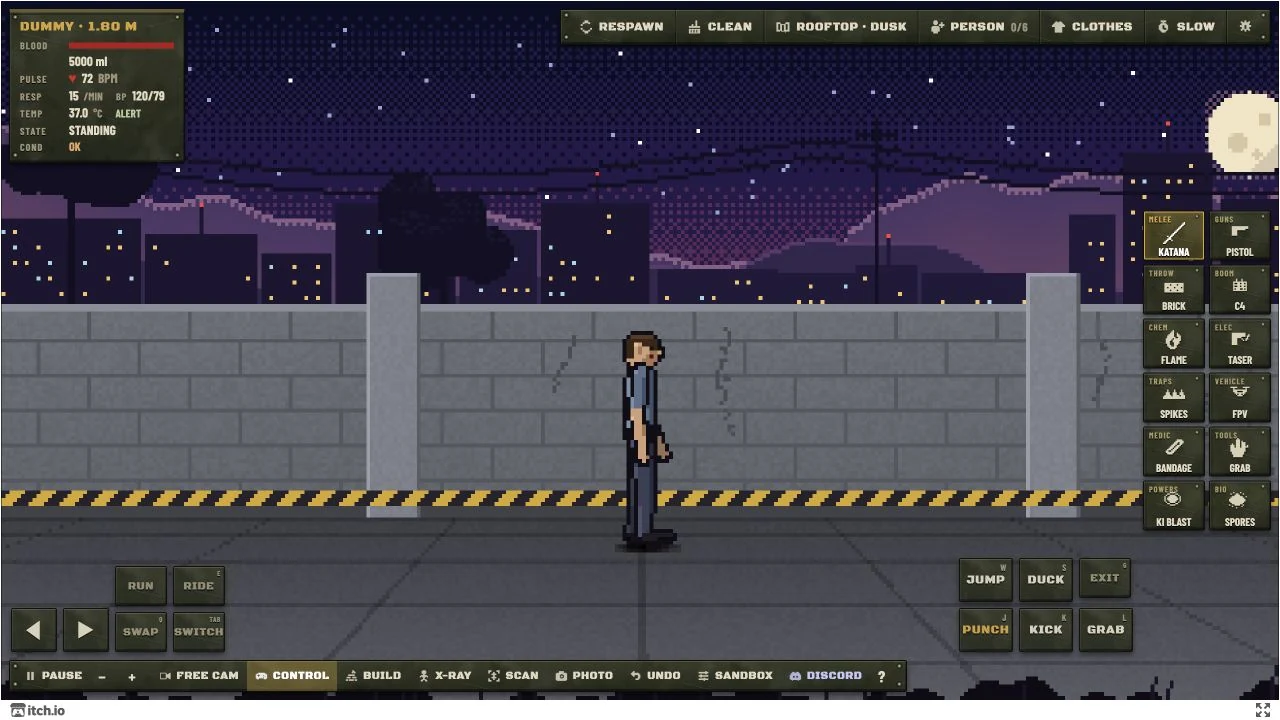
Turn Control on to move a character yourself; use Exit to return to tools.
What Can You Try in Ragdoll Sandbox?
Tools that change how you interact. Ragdoll Sandbox groups its tools into Melee, Guns, Throw, Boom, Chem, Elec, Traps, Vehicle, Medic, Tools, Powers, and Bio. Start with a category you can follow easily, then cycle through its choices. Powers and Bio add held and charged actions, so pay attention to the hint before releasing an input.
Build a scene, then test it. Open Build, choose brick, concrete, wood, glass, or steel, and drag to paint. Add ramps, stairs, platforms, doors, crates, sandbags, or a bunker. Use Undo to correct a stroke and Save / Load to keep a build. Return to the tools when you are ready to see how your construction holds up.
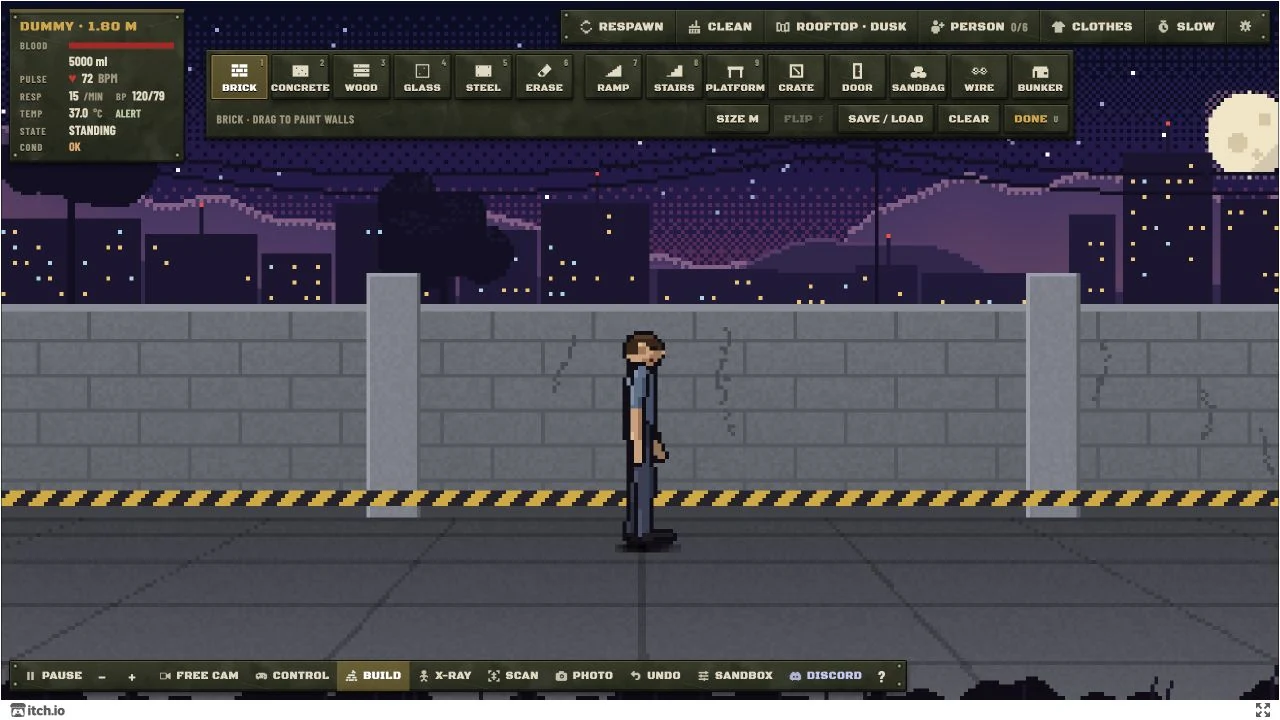
Choose a material, drag to build, and press Done before testing your scene.
Control a character or join a side. Use Control to walk, run, jump, and fight directly, then Switch to take over someone else. In Person, Military vs military lets you set up Green and Tan forces, choose sandbag cover and cavalry, and join either side or watch. If your controlled soldier dies in battle, you take over a teammate.
Characters with different jobs. Add a bystander to watch or react, a medic to attempt treatment, or a fighter to start a confrontation. Police, soldiers, riot cops, and paramedics give you more combinations to test. A character's role helps you choose the scene; its response is part of what you are there to observe.
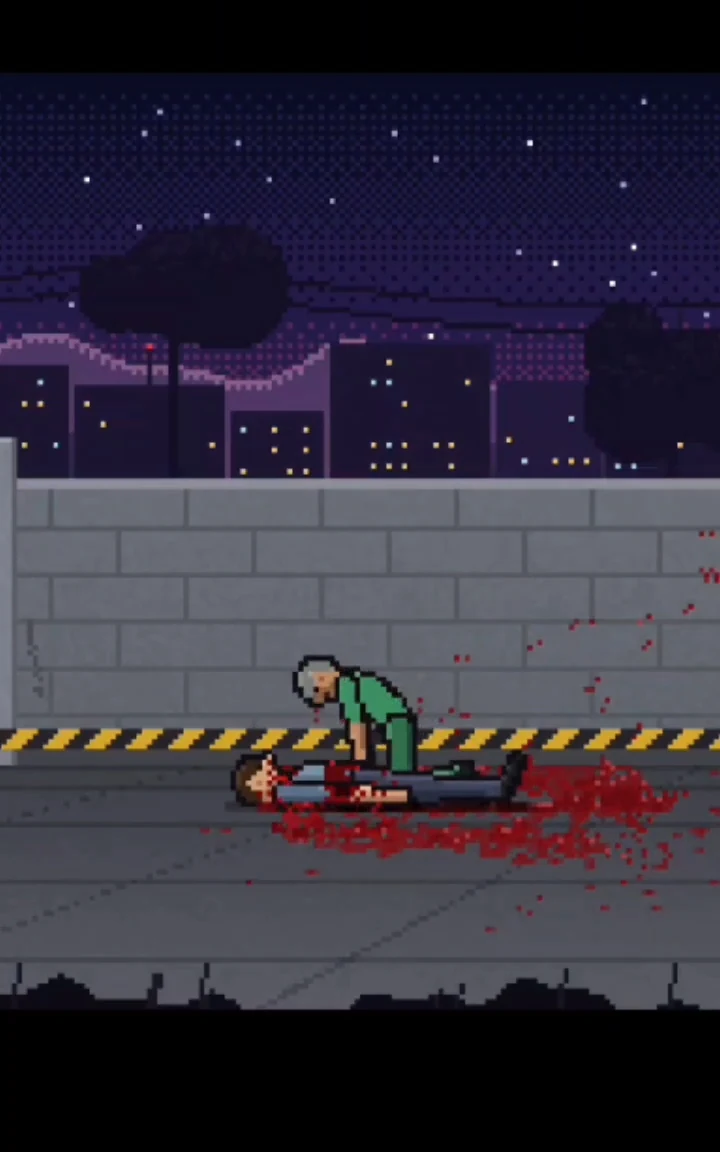
Add a medic and watch how the treatment attempt affects the dummy's condition.
Zombie mode when you want a changing crowd. Open Person and enable Zombie mode to let the dead rise after a short delay. Try a small setup first: more active characters make it harder to tell which interaction caused a change.
Slow motion, X-ray, Scan, and live vitals. Ragdoll Sandbox lets you slow down a quick reaction, pause it, and inspect beneath the surface. Scan offers skin, muscle, organs, skeleton, vessels, nerves, and layered views; tap a part for more information. Use the state and condition readouts alongside the movement to decide what to try next.
A scene you can tune. Adjust gravity and game speed in Sandbox, toggle armour or map hazards, and change maps with the map button. Three saved-scene slots offer Save and Load controls when you want to return to a setup.
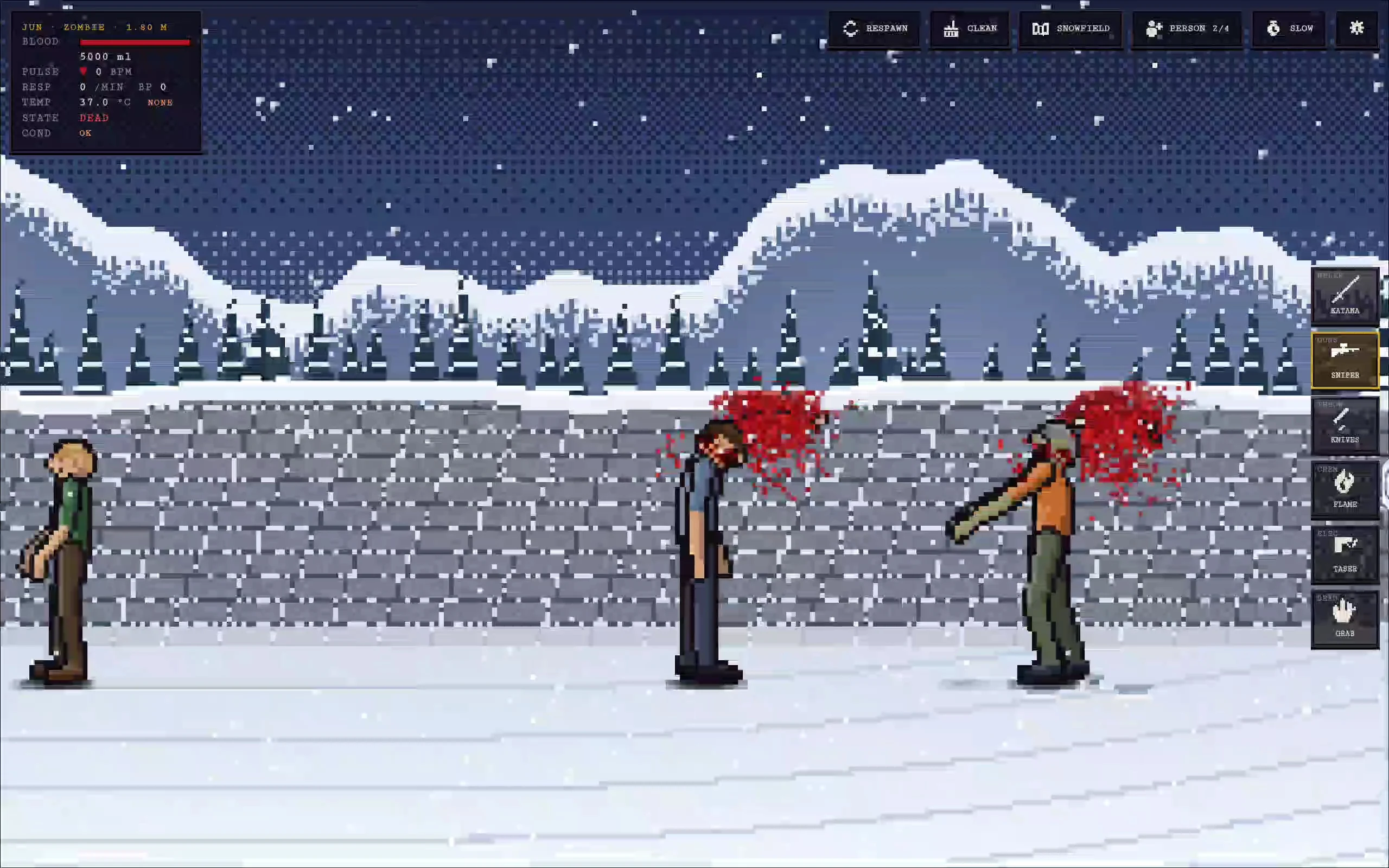
Keep the character count low while learning to follow reactions and condition changes.
What Do You Practice in Ragdoll Sandbox?
Ragdoll Sandbox gives you a reason to practice observation, aiming, and comparing cause and effect. Change one setting, repeat an action, and notice what differs. Grab asks you to judge movement and release timing; camera controls and pause help you keep track of the result when the scene gets busy.
Tips for Playing Ragdoll Sandbox Online
- Keep the first setup simple. One dummy, one tool, and one change make the feedback easier to read.
- Use the hint as your next instruction. Ragdoll Sandbox tools do not all respond to the same gesture.
- Pause before adding more. Find the character you want to inspect, then resume when you are ready to watch.
- Compare from a fresh attempt. Respawn before testing a different action on the main dummy.
- Control the background chaos. Turn off map hazards in Sandbox if they interfere with the experiment you are trying to follow.
- Save a useful setup. Use a saved-scene slot before trying a more complicated sequence.
- Recover the camera. Use V to return to following the dummy and Z to reset the zoom.
Is Ragdoll Sandbox Worth Playing?
Try Ragdoll Sandbox if you like opening a toolbox and asking, “What happens if I do this?” The appeal comes from setting up an interaction, watching the physical response, and trying a different approach. Build gives you something to construct and test; Control and military battles let you take part when you want more direct action. AI roles, adjustable conditions, and inspection tools give you several ways to change the same scene.
Ragdoll Sandbox suits players who are happy to choose their own next step. If you prefer a level list, a score target, or gentle physics puzzles, the open-ended play and graphic violence may make it a poor fit. Start with Grab and a short experiment to see whether the reactions are what you enjoy.
Play Ragdoll Sandbox Online
Start Ragdoll Sandbox in the player above without a separate installation. Use fullscreen for more room around the tool buttons. On a phone or tablet, turn the screen sideways and use tap, drag, and two-finger camera gestures. Choose Tools and Grab, move the dummy once, and follow what happens next.
Ragdoll Sandbox FAQs
Is Ragdoll Sandbox free to play online?
Yes. Start Ragdoll Sandbox in the browser player on this page without installing a separate app.
Which Ragdoll Sandbox mode should I start with?
Begin in the default sandbox with Zombie mode off. Learn Grab and the camera controls, then open Person to try Zombie mode when you want the dead to rise during your scene.
What should I do when the Ragdoll Sandbox dummy stops responding?
Check the state and condition panel first. Use Respawn or R for a fresh main dummy, and Clean or C to clear up before another attempt.
Can I play Ragdoll Sandbox on a touchscreen?
Yes. Ragdoll Sandbox supports taps and drags for tools, plus two-finger movement and pinch zoom for the camera. The selected tool's hint tells you which gesture to use.
Does Ragdoll Sandbox contain gore?
Yes. Ragdoll Sandbox includes blood, dismemberment, and visible injuries. Choose another game if you want a gentle physics sandbox.