ABOUT THIS GAME
Play Pixel DuRag Man: Time Rift Game Online
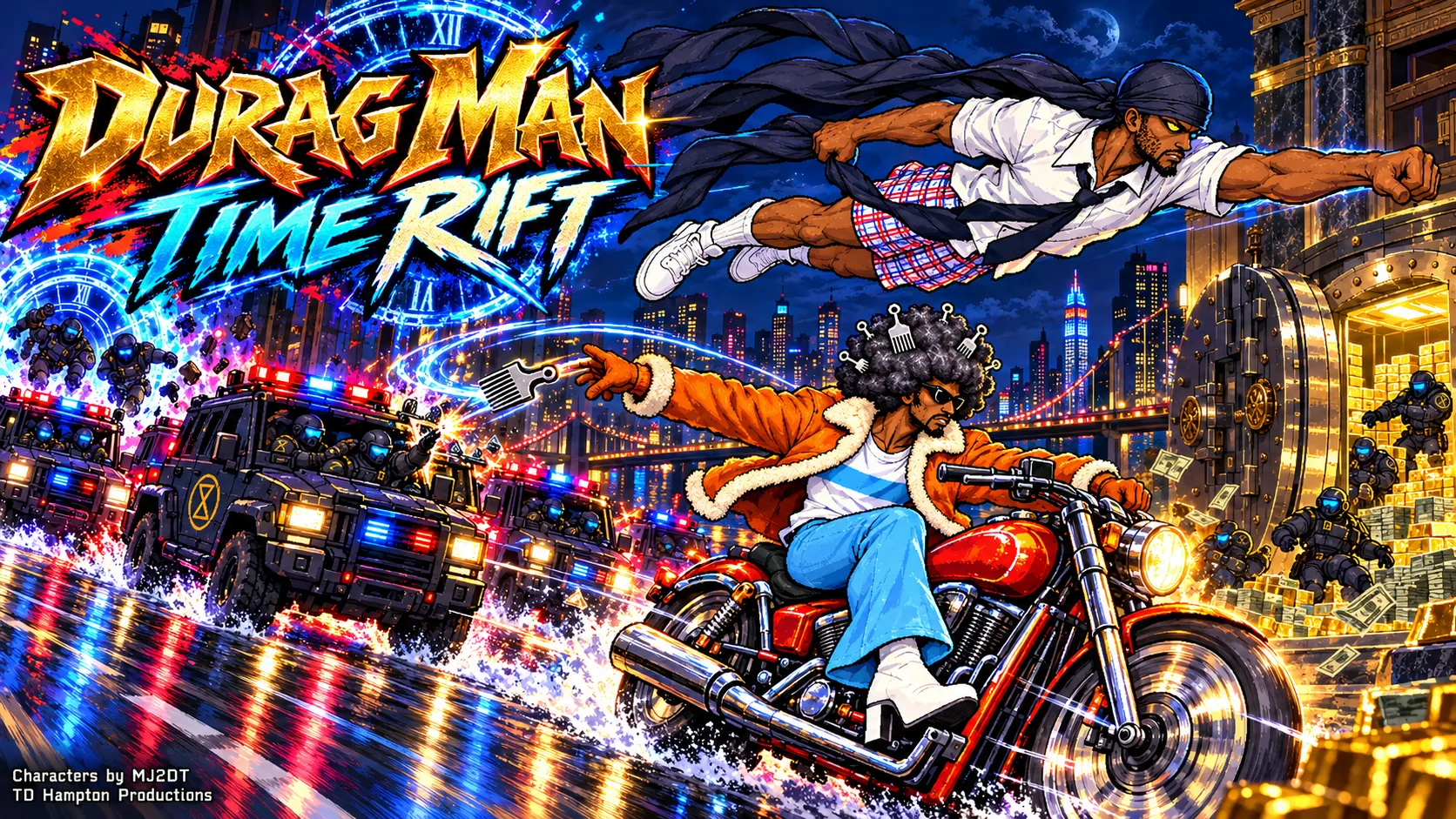
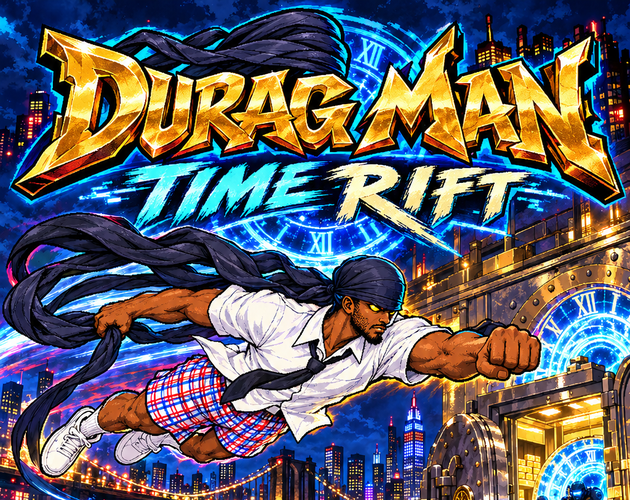
Pixel DuRag Man: Time Rift Game follows DuRag Man and The Pick on a mission to reclaim a night of stolen time from First Rift Bank. Battle the Time Police, break into the treasury, then make a getaway with The Pick on a bike and DuRag Man flying overhead. Play solo or team up locally with a second player.
Pixel DuRag Man: Time Rift Game Overview
| Detail | Information |
|---|---|
| Original game | DuRag Man: Time Rift |
| Category / tags | Arcade · Action · Beat 'em up · Superhero · Heist · Local Co-op |
| Orientation | Landscape |
| Platform | Web browser on computers, phones, and tablets |
| Other editions | Separate Windows, macOS, and Linux desktop builds |
| Players | 1–2, solo or local co-op |
| Input | Keyboard, touch controls; Xbox, PlayStation, and Switch Pro gamepads |
| Available on Pixel Game | October 18, 2026 |
| Core objective | Reclaim stolen time from First Rift Bank and escape the Time Police |
| Creator | T.D. Hampton Productions; characters and lore by MJ2DT |
What Is DuRag Man: Time Rift?
DuRag Man: Time Rift is a free superhero beat 'em up by T.D. Hampton Productions, with solo play and local two-player co-op. DuRag Man and The Pick fight the Time Police to recover stolen time from First Rift Bank, then escape with The Pick on a motorcycle and DuRag Man flying overhead.
The game combines street and bank combat, a timed treasury raid, and a vehicle getaway. Its two playable heroes have different attacks and defensive abilities, so choosing who leads changes how you approach a fight.
Where Can I Play DuRag Man: Time Rift Online for Free?
Play DuRag Man: Time Rift in the game player at the top of this page on Pixel Game. Wait for it to load, then click or tap inside to use the game's menu. The trailer farther down this page is a video; start the playable game in the player above.
Can I play without downloading or signing up?
Yes. The browser version is free to play without a Pixel Game account, a separate installer, or a browser extension. Your browser retrieves the game files when the player loads, so an internet connection is needed to start. The separate desktop editions are optional and are not required to play here.
Playing DuRag Man: Time Rift in a Browser, on PC, or on Mobile
The browser version supports computers, phones, and tablets. Use a keyboard or supported controller on a computer. On a phone or tablet, turn the device sideways and use the on-screen controls. Landscape gives you space to see the fight and reach the touch buttons.
| Device / way to play | How to start | Input and practical notes |
|---|---|---|
| PC or laptop browser | Open the player and click inside | Keyboard or a supported gamepad; fullscreen gives you a larger view |
| Phone or tablet browser | Turn to landscape and tap inside the player | On-screen controls; Settings lets you change touch-control visibility |
| Local co-op | Set Players to 2 on the character-select screen | One device with two keyboard layouts, keyboard plus controller, or two controllers |
| Desktop edition | A separate Windows, macOS, or Linux installation | Optional; no desktop installation is needed for this browser page |
Controller detection and performance depend on the browser and device. For a shared-keyboard session, use WASD for Player 1 and the arrow keys for Player 2.
How to Play Pixel DuRag Man: Time Rift Game
Start the embedded game above and click inside the player for keyboard focus. Fight from the street into the bank, clear the lobby, and hack the security door. Defeat Captain Hourglass to open the vault, then collect as much as possible before the rift locks down.
The escape changes the action: The Pick rides while DuRag Man flies, and attacks fire backward at the pursuing Time Police. Dodge traffic, boost through gaps, and face the Rift Enforcer.
DuRag Man can turn his durag into a hammer, blade, or whip. The Pick throws returning afro picks and can reflect bullets. Swap heroes in solo play to try both styles, or control one hero each in local co-op.
Your first heist
- Open the player at the top of this page and choose Start the heist once the game menu appears.
- On the character-select screen, leave Players: 1 for solo play or select two players for local co-op. Try Casual difficulty while learning, then click a hero to lead the heist.
- Follow the tutorial to practice movement, J attacks, K specials, and L guards. Space lets DuRag Man fly or The Pick dodge.
- Fight through the bank, hold the interact input at the security door, and defeat Captain Hourglass to reach the treasury.
- Collect loot before the rift closes, then dodge traffic and use boost during the getaway. Press P or Esc to review the pause menu and move list.
Pixel DuRag Man: Time Rift Game Controls
The default Player 1 keyboard inputs are WASD to move, J to attack, K for a special, and L to guard. Space changes function with the hero and stage: flight, dodge, or vehicle boost. If you rebind inputs in Settings, use your saved bindings instead of the defaults below.
| Player 1 control | Action |
|---|---|
| WASD / arrow keys | Move; hold a direction to sprint |
| J | Attack |
| K | Special |
| L (hold) | Guard |
| Space | Fly, dodge, or boost, depending on hero and stage |
| Q | Swap hero in solo play |
| U | Super when Drip is full |
| R / 1–3 | Change DuRag Man's weapon |
| E (hold) | Interact |
| P / Esc | Pause |
For two players sharing a keyboard, use WASD for Player 1 and these Player 2 controls:
| Player 2 control | Action |
|---|---|
| Arrow keys | Move |
| Comma (,) | Attack |
| Period (.) | Special |
| Slash (/) | Guard |
| Right Shift | Fly, dodge, or boost |
| Right bracket (]) | Super |
| Left bracket ([) | Change durag weapon |
| Semicolon (;) | Interact |
Keyboard inputs can be rebound in Settings. Local co-op supports a shared keyboard, keyboard plus controller, or two controllers. A second controller can press its Menu/Start button during a run to join.
On an Xbox-layout controller, move with the stick or d-pad, press X to attack, Y for a special, hold RT to guard, and press A to fly, dodge, or boost. LB swaps heroes, RB changes weapons, LT or both bumpers triggers a super, B interacts, and Menu pauses. The game also supports PlayStation and Switch Pro prompts and controller rumble.
Is DuRag Man: Time Rift Multiplayer?
Yes. DuRag Man: Time Rift supports local two-player co-op on one device. In solo play, a computer-controlled partner fights alongside you, and Q swaps which hero you control. In co-op, each player controls one hero and hero swapping is disabled.
| How you want to play | Setup | What each player controls |
|---|---|---|
| Solo | Players: 1 | You control the lead hero; the computer controls the partner |
| Shared keyboard | Players: 2 | Player 1 uses WASD and J/K/L; Player 2 uses arrows and comma/period/slash |
| Keyboard + gamepad | Players: 2 | One player uses the keyboard and the other uses the controller |
| Two controllers | Connect both gamepads | Each player controls one hero; a second controller can join mid-run |
Choose Players: 2 (co-op) on the character-select screen. A second controller can also press Menu/Start during a run to join. Check that both players can move before starting a shared-keyboard fight, and keep Player 1 on WASD so the arrow keys remain available for Player 2.
Can I play online co-op with a friend on another device?
This build has local co-op and does not include an online co-op or room-code mode. Daily Heist gives players the same daily seed, and run cards let you share results; these features do not connect two devices into a live co-op session. For a browser game with Online Versus, see Martin: No Filter Fighters.
Pixel DuRag Man: Time Rift Game Features
- Two heroes: Fly and transform cloth weapons as DuRag Man, or throw returning picks and reflect bullets as The Pick.
- Local two-player co-op: Share the heist with a friend, including mid-run joining with a second controller.
- Three supers: Unleash Cloth Cyclone, Pick Storm, or the tag-team Time-Breaker when both heroes' Drip meters are full.
- Timed defense: Perfect Wraps slow time and make the next hit critical; The Pick can also use a timed dodge for Afro-Time.
- Three bosses: Face Sgt. Second-Hand, Captain Hourglass, and the Rift Enforcer.
- Four modes: Play the story heist, Daily Heist, Rift Survival, and unlockable Boss Rush.
- Challenges and outfits: Work through 12 challenges to unlock six outfits, selected on the character screen.
Pixel DuRag Man: Time Rift Game Modes
| Mode | What to expect |
|---|---|
| Story heist | Fight through the bank and make your getaway |
| Daily Heist | The same daily seed for everyone |
| Rift Survival | Endless waves in the bank lobby |
| Boss Rush | A boss-focused mode unlocked by finishing the heist |
Challenges reward milestones such as a 50-hit combo, 20 Perfect Wraps or Afro-Time dodges, an S rank, and clearing the treasury before the clock runs out. Finishing the heist unlocks Boss Rush.
Pixel DuRag Man: Time Rift Game Characters
| Hero | Signature abilities | Super |
|---|---|---|
| DuRag Man | Flight; cloth hammer, blade, and whip; a protective durag wrap | Cloth Cyclone |
| The Pick | Returning afro picks; a three-pick fan; a guard that reflects bullets | Pick Storm |
In solo play, press Q to try the other hero while your partner continues fighting on CPU. In local co-op, Player 1 chooses the lead hero and Player 2 controls the other. Fill both heroes' Drip meters and use the super input to unleash the tag-team Time-Breaker.
Explore DuRag Man and The Pick in their original in-game artwork. Both previews start paused. Use the arrows or pose menu to browse, or click Auto play to continuously cycle through every pose in order. DuRag Man has 20 poses and The Pick has 18, including movement, attacks, and defensive stances. Manual controls pause playback; only the Auto play button resumes from the current pose.
Pixel DuRag Man: Time Rift Game Stage Artwork
Explore the bank and escape route through original background artwork from the game. These images show the environments without the combat characters or interface.

First Rift Bank Lobby 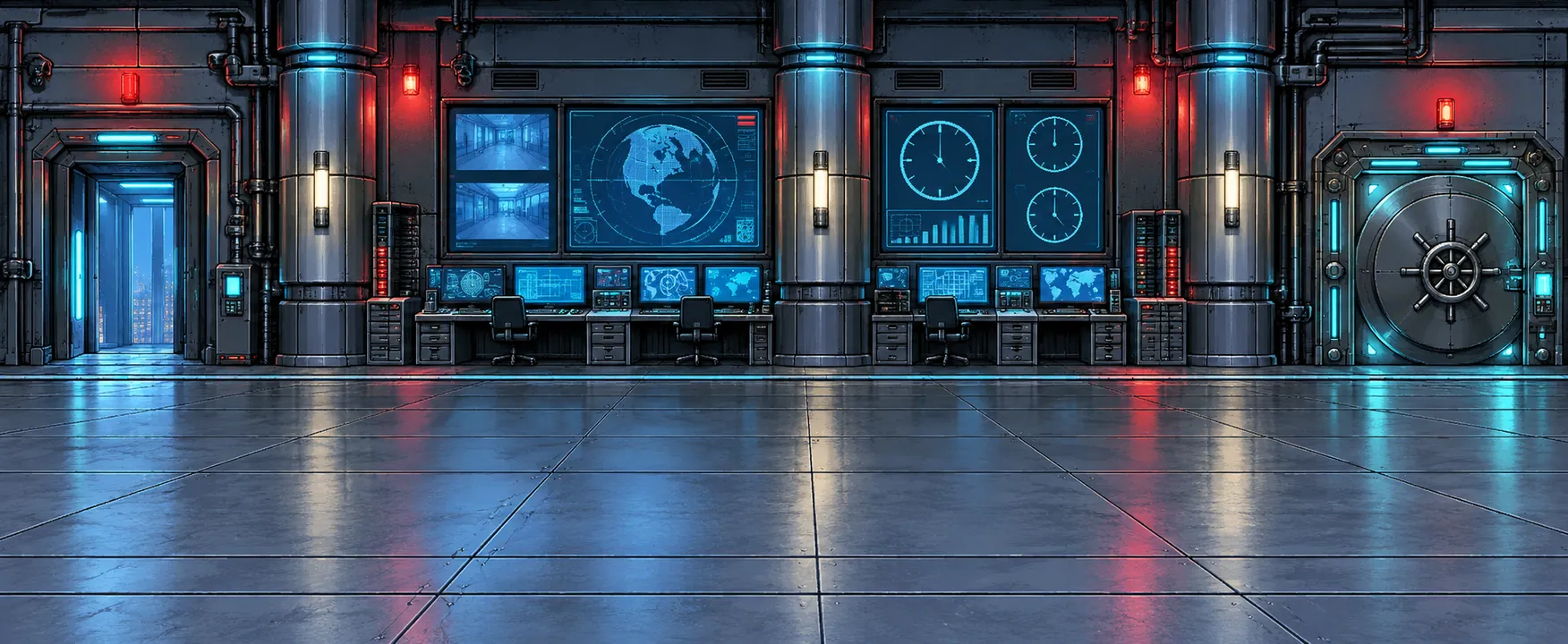
Security Hall 
Open Vault 
Night Bridge
What Skills Can Pixel DuRag Man: Time Rift Game Help You Practice?
Timing guards and dodges gives you a way to practice reacting to incoming attacks. Switching weapons and heroes asks you to coordinate movement with different attacks. In co-op, you can practice sharing space and coordinating supers with another player.
Tips for Playing Pixel DuRag Man: Time Rift Game Online
- Tap guard just before a hit to trigger a Perfect Wrap, slow time, and set up a critical hit.
- Catch The Pick's returning projectile to reset its cooldown.
- Chain hits to build Drip. With both heroes' meters full, U releases the tag-team Time-Breaker.
- Keep the treasury timer in mind while collecting loot.
- During the getaway, watch traffic and use boost to get through gaps.
- Click inside the player if keyboard inputs stop reaching the game, and use fullscreen for a larger view.
How can I get better at DuRag Man: Time Rift?
Start with the story heist on Casual and learn one hero before swapping frequently. Practice landing a short attack sequence, then guarding or dodging instead of continuing to attack through incoming hits. Once you can defend, work on Perfect Wrap timing and catching The Pick's returning projectile. In Settings, Replay tutorial enables the tutorial for your next heist so you can review the basics again.
Use the pause menu's Restart this stage option for another attempt from the stage checkpoint. In co-op, coordinate your attacks to build both Drip meters, then save the tag-team super for a moment when both players can benefit.
Why Play Pixel DuRag Man: Time Rift Game?
The heist combines close-range superhero combat with a vehicle escape. Two different heroes, timed counters, and local co-op give you several ways to approach each fight. Daily Heist, survival waves, challenges, and Boss Rush offer more to try after the story run.
Play Pixel DuRag Man: Time Rift Game Online
Use the player above for the browser version. Watch the trailer below.
Pixel DuRag Man: Time Rift Game Credits
- Characters and lore: MJ2DT (TikTok).
- Game, design, and production: T.D. Hampton Productions.
- Trailer music: Original score made for the trailer.
Browser Play, Privacy, and Saved Progress
The game player runs the browser edition, so a separate executable or extension is not required. The playable game and embedded YouTube trailer use external services. Pixel Game's Privacy Policy and Cookie Policy explain the site's disclosures.
The game uses browser storage for settings, challenge and outfit unlocks, and saved story checkpoints when storage is available. A Continue option appears when a saved story run exists. Keep using the same browser and profile to access that local progress. Clearing the game's stored site data removes its local saves, and progress does not automatically transfer between browsers or devices. Saving depends on the embedded game's access to browser storage.
Why Is DuRag Man: Time Rift Not Loading or Responding?
If the player is blank or appears stuck, check the connection, give the first load time to finish, and reload once if necessary. If the game menu is visible but the controls do nothing, click or tap inside the player first. Loading and keyboard focus are different issues.
| What you see | What to try |
|---|---|
| Black or empty player | Check the connection, reload once, or try another current browser. A managed network may restrict the embedded game host. |
| Pixel Game's outer loading bar reaches 99% | Wait for the embedded page to finish loading. The percentage is an estimate, not an exact count of downloaded game assets. |
| The outer bar clears, but the game is still starting | Allow the game's own startup to finish. The outer player confirms that the embedded page loaded. |
| Keyboard inputs do nothing | Click inside the game and check the controls table or your remapped bindings in Settings. |
| A controller is not detected | Confirm it is connected, then press a controller button. Browser and device support can affect detection. |
| Touch controls are missing | Turn to landscape and check Settings → Touch controls. Select Always to keep the touch buttons visible. |
| Player 2 cannot move | Check Players: 2, use WASD for Player 1 and arrows for Player 2, or let a second controller join with Menu/Start during a run. |
| Music or sound is silent | Click or tap inside the game, then check Music and Sound effects. Audio may need a user interaction before it starts. |
If the issue continues, contact Pixel Game with the game page URL, device, browser, and the screen where the problem occurs.
What Games Are Similar to DuRag Man: Time Rift?
For more character-based combat on Pixel Game, try Martin: No Filter Fighters. If you prefer aiming and weapon battles, try Pixel Shooter. Both offer browser action with different goals from DuRag Man's cooperative heist.
| Game | What it shares with DuRag Man: Time Rift | Main difference |
|---|---|---|
| Martin: No Filter Fighters | Playable characters, specials, supers, and local play | A versus fighter with sidekick assists and an Online Versus mode |
| Pixel Shooter | Action that rewards movement, timing, and positioning | A weapon-based shooter with individual, team, and objective battles |
Choose DuRag Man: Time Rift above when you want a story heist or to fight alongside a friend on the same device. Choose Martin for fighter-versus-fighter matches, or Pixel Shooter for shooting battles.
Pixel DuRag Man: Time Rift Game FAQs
Can I play with a friend?
Yes. The game supports local two-player co-op on one device, with a shared keyboard, keyboard plus controller, or two controllers. A second controller can join during a run by pressing Menu/Start. This build does not have online co-op between separate devices.
What is the difference between the two heroes?
DuRag Man flies and changes his durag into a hammer, blade, or whip. The Pick throws returning afro picks and reflects bullets with his guard.
How do I unlock Boss Rush?
Finish the heist to unlock Boss Rush from the More Modes menu.
How do I use the Time-Breaker super?
Fill both heroes' Drip meters by chaining hits, then press U to trigger the tag-team super. With a controller, use the super input shown by the game's button prompts.
Can I play in a browser or use a controller?
Yes. The player above runs the browser version in landscape with keyboard controls and Xbox, PlayStation, and Switch Pro controller support. Phones and tablets can use the on-screen touch controls; turn the device sideways and check touch visibility in Settings if needed.