ABOUT THIS GAME
Play Pixel Sharpshooter Online
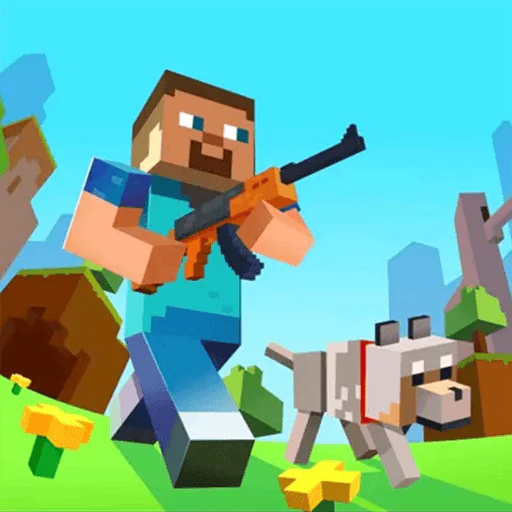
Pixel Sharpshooter is a 3D pixel-style action shooter where you equip weapons, progress through locked levels, choose a difficulty, and fight enemies and powerful monsters.
Success is not only about firing at a target. You also need to move around the battlefield, control your view, manage ammunition, reload when necessary, avoid enemy attacks, and use your available equipment at the right time.
Between battles, you can visit the Armory to manage weapons and improve your combat setup before taking on harder challenges.
How to Play Pixel Sharpshooter
Start from the Home screen, prepare your equipment, choose an available level, select a difficulty, and then enter battle.
1. Prepare from the Home Screen
The Home screen is the main hub of Pixel Sharpshooter. From here you can access the Armory, quests, rewards, profile options, and the Start button.
Your currencies and current power are displayed near the top of the screen, making it easier to see what resources you have available before entering a battle.
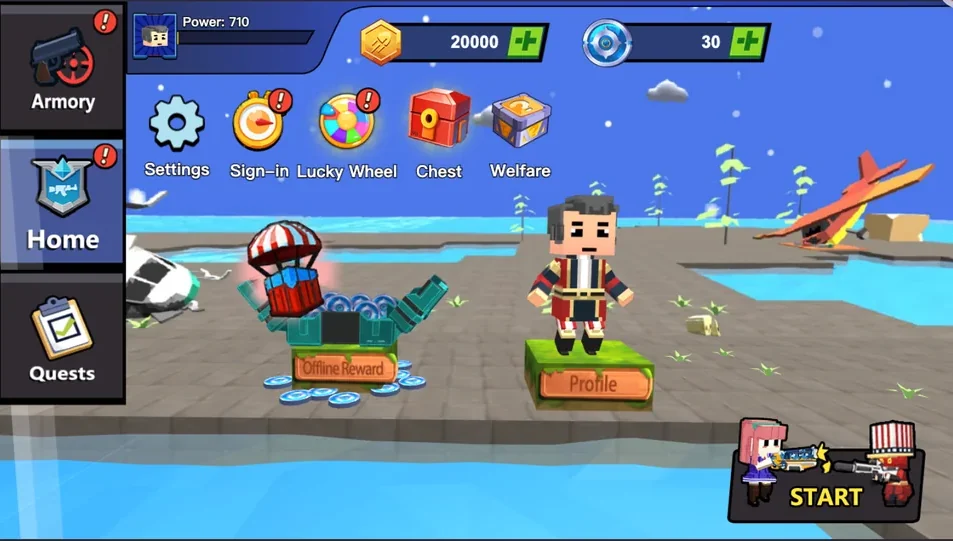
Use the Home screen to prepare your character, access the Armory, and start a battle.
2. Open the Armory and Manage Weapons
Select Armory from the left side of the Home screen to open your equipment collection.
The Armory displays useful weapon information such as Damage, Reload Time, Range, and Combat Power. You can browse available weapons, equip a weapon you already own, and spend available resources on upgrades or equipment.
Some weapons remain locked until their requirements are met.
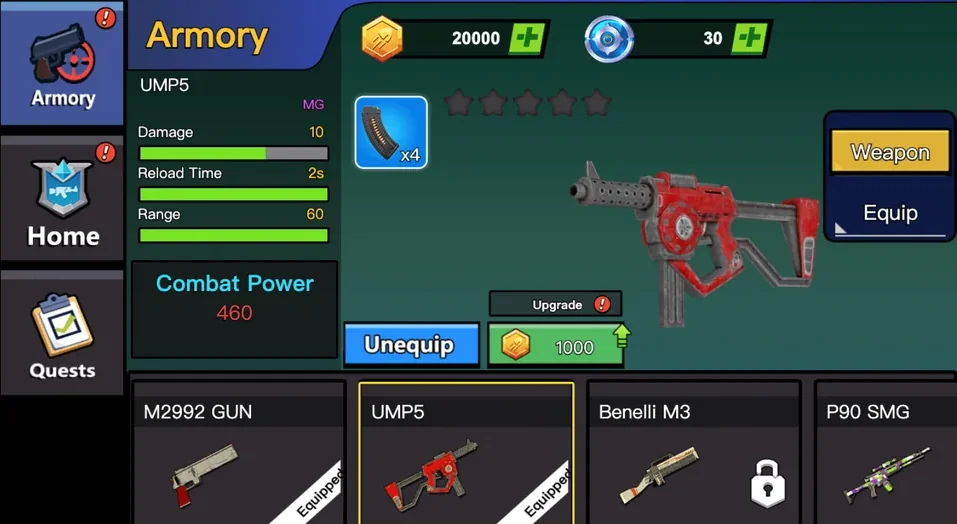
Compare weapon statistics, equip available weapons, and use your resources to improve your combat setup.
Level Progression
Pixel Sharpshooter uses sequential level progression.
When you first enter the level selection screen, only the currently available stage can be played. Later levels remain locked.
3. Complete a Level to Unlock the Next One
Choose an unlocked level to begin.
You need to successfully complete the available stage before the next level becomes accessible. This means progression happens step by step rather than allowing you to immediately skip ahead to later challenges.
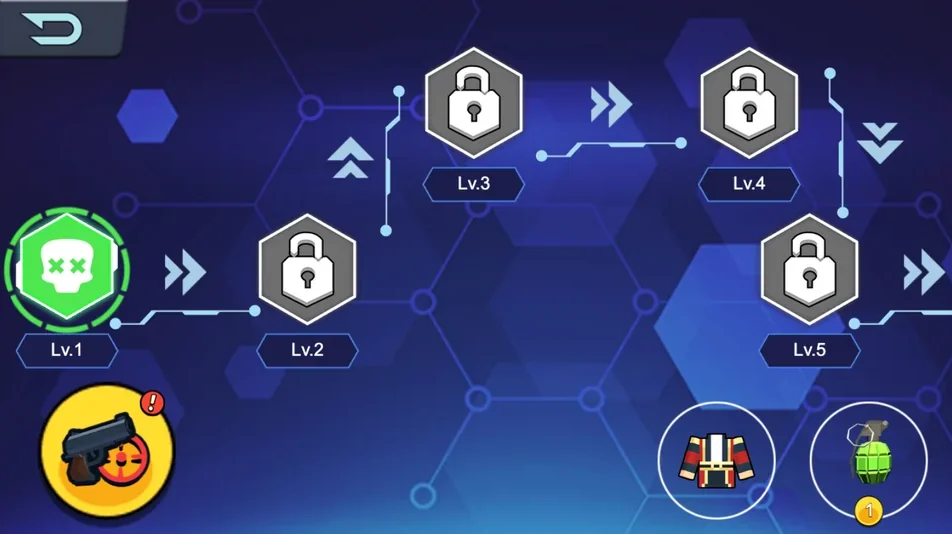
Complete the available stage to unlock the next level and continue progressing.
4. Learn the Shooter Controls
Before fighting, familiarize yourself with the main controls.
The game provides an on-screen guide showing how movement, camera control, firing, and reloading work.
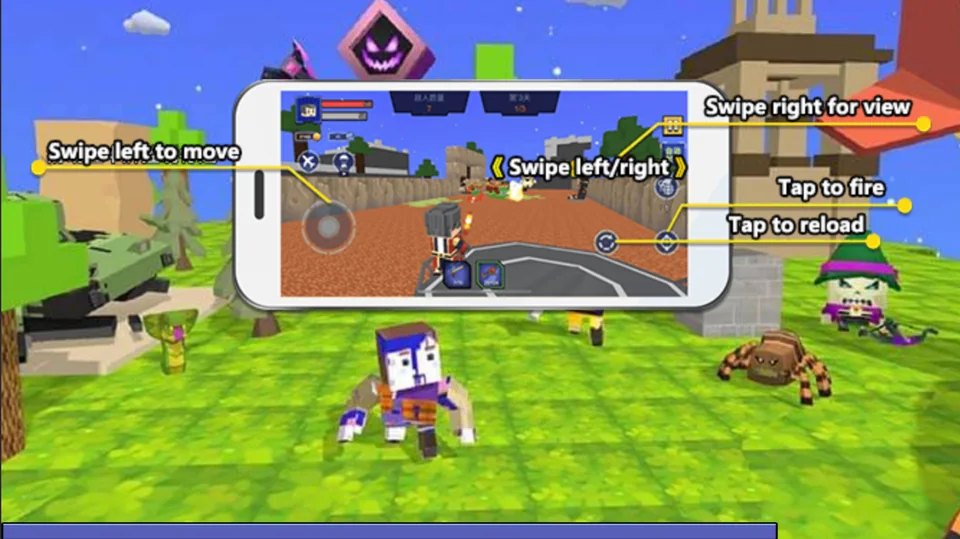
Learn the basic shooter controls before entering combat.
The control guide shows the following actions:
- Swipe left to move: Use the movement area to control your character.
- Swipe left/right to view: Adjust your view and aim around the battlefield.
- Tap to fire: Fire your equipped weapon at enemies.
- Tap to reload: Reload when you need more ammunition.
Understanding these controls is important because combat requires you to move and aim while reacting to enemy attacks.
5. Choose a Difficulty
Before entering the battle, select the difficulty you want to play.
The game presents multiple difficulty options, including Easy, Hard, and Hell. Some harder modes may remain locked until their requirements are met.
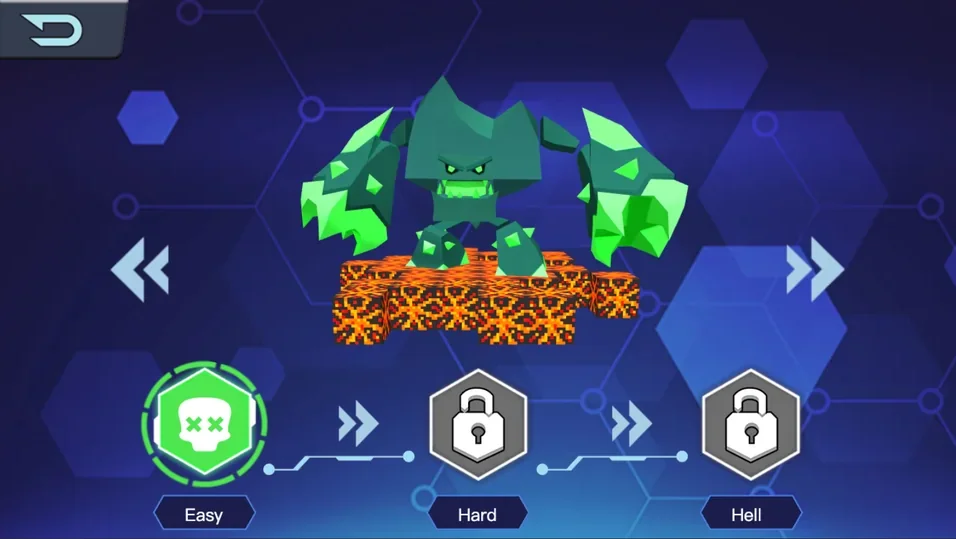
Choose an available difficulty before starting the fight.
If you are still learning the controls, starting with an available lower difficulty gives you an opportunity to become familiar with movement, aiming, firing, and enemy behavior before taking on more demanding challenges.
Fighting Monsters
Once combat begins, keep track of both your target and your own position.
Enemies can attack you, so standing still and focusing only on firing can leave you vulnerable.
6. Avoid Attacks and Defeat the Monster
Move around the battlefield to avoid incoming attacks while keeping the monster in view.
Aim at the enemy and use your equipped weapon to reduce its health. The enemy health bar at the top of the screen shows how much damage remains before the target is defeated.
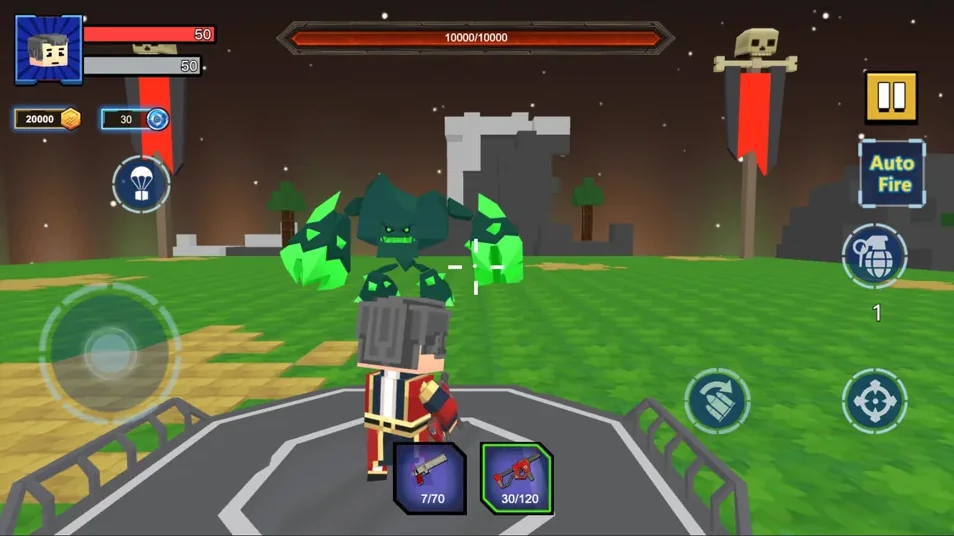
Keep moving to avoid monster attacks while aiming and firing your weapon.
During battle, pay attention to your health, ammunition, weapon selection, and available combat items. Reload when necessary and continue attacking while maintaining enough distance or movement to avoid taking unnecessary damage.
Weapons and Combat Power
Weapons are an important part of progression in Pixel Sharpshooter.
Different weapons display combat statistics that can help you understand how they perform. Damage affects offensive strength, Reload Time influences how quickly you can return to firing, and Range indicates how effectively the weapon can operate at distance.
The Armory also displays Combat Power, giving you another way to evaluate your current equipment.
As challenges become harder, returning to the Armory and improving your setup can help prepare you for later battles.
Pixel Sharpshooter Game Features
- 3D pixel shooter combat: Fight enemies in colorful block-style environments.
- Weapon Armory: Browse, equip, and improve different weapons and equipment.
- Weapon statistics: Compare damage, reload time, range, and combat power.
- Sequential level progression: Complete the current stage to unlock the next level.
- Multiple difficulty modes: Choose from available difficulty settings such as Easy, Hard, and Hell.
- Movement and aiming controls: Navigate the battlefield while controlling your view.
- Ammo and reload mechanics: Fire strategically and reload when your ammunition runs low.
- Monster battles: Avoid enemy attacks while dealing enough damage to defeat powerful targets.
- Combat items: Use available battle equipment when the situation requires it.
Combat Strategy
Keep Moving
Movement is one of your main defensive tools. If an enemy launches an attack, repositioning can help you avoid damage while keeping the target within view.
Keep the Enemy in Sight
Use the view controls to track the monster as you move. Losing sight of an enemy can make it harder to recognize the next attack.
Watch Your Ammunition
Firing continuously is only useful while ammunition is available. Pay attention to your weapon and reload before running out at a dangerous moment.
Use the Right Weapon
Check the Armory between battles. Weapon statistics such as damage, range, and reload time can affect how a weapon feels in combat.
Monitor Health Bars
Your character information is displayed during battle, while the enemy health bar appears prominently near the top of the screen. Use these indicators to understand how the fight is progressing.
What Skills Can Pixel Sharpshooter Help You Practice?
Pixel Sharpshooter is designed as an action game, but its gameplay involves several common gaming skills.
Reaction Time
Enemy attacks can require quick movement. Recognizing danger and repositioning before an attack connects is an important part of combat.
Hand-Eye Coordination
You need to coordinate movement, camera control, aiming, firing, and reloading while watching what happens on screen.
Spatial Awareness
Tracking your position relative to the enemy and the surrounding battlefield helps you decide where to move during combat.
Resource Management
Ammunition, weapons, upgrades, and combat items give you multiple resources to consider rather than simply firing continuously.
Decision Making
Combat requires frequent choices: attack or reposition, reload now or later, switch your approach, or use an available item.
Tips for Playing Pixel Sharpshooter
- Visit the Armory before difficult battles. Check your equipped weapon and available upgrades.
- Compare weapon statistics. Damage is important, but reload time and range can also affect combat.
- Learn the controls on an easier setting first. Become comfortable with movement, aiming, firing, and reloading.
- Do not stand still during monster attacks. Move when necessary to reduce the chance of taking damage.
- Watch your ammunition. Reload when you have a safe opportunity instead of waiting until the worst moment.
- Track the enemy health bar. It gives you a clear indication of your progress during a fight.
- Complete levels in order. Clearing the current stage is required to unlock later levels.
- Prepare before increasing difficulty. Harder modes can demand better control and a stronger combat setup.
Why Play Pixel Sharpshooter?
Pixel Sharpshooter combines pixel-style visuals with a more involved 3D shooter system.
The Armory gives you equipment decisions outside battle, while level progression provides a clear sequence of challenges. Once combat starts, the focus shifts to movement, aiming, firing, reloading, and avoiding attacks.
This combination gives the game both progression and action: prepare your equipment, enter a stage, defeat the enemy, unlock the next challenge, and continue improving your setup.
Play Pixel Sharpshooter Online
Prepare your weapons in the Armory, select an unlocked level, choose an available difficulty, and enter the battlefield.
Move to avoid enemy attacks, keep your target in view, fire when you have a clear opportunity, and reload when necessary.
Defeat the monster to complete the challenge and continue unlocking new Pixel Sharpshooter levels.