ABOUT THIS GAME
Play Pixel Mindustry Classic Game Online
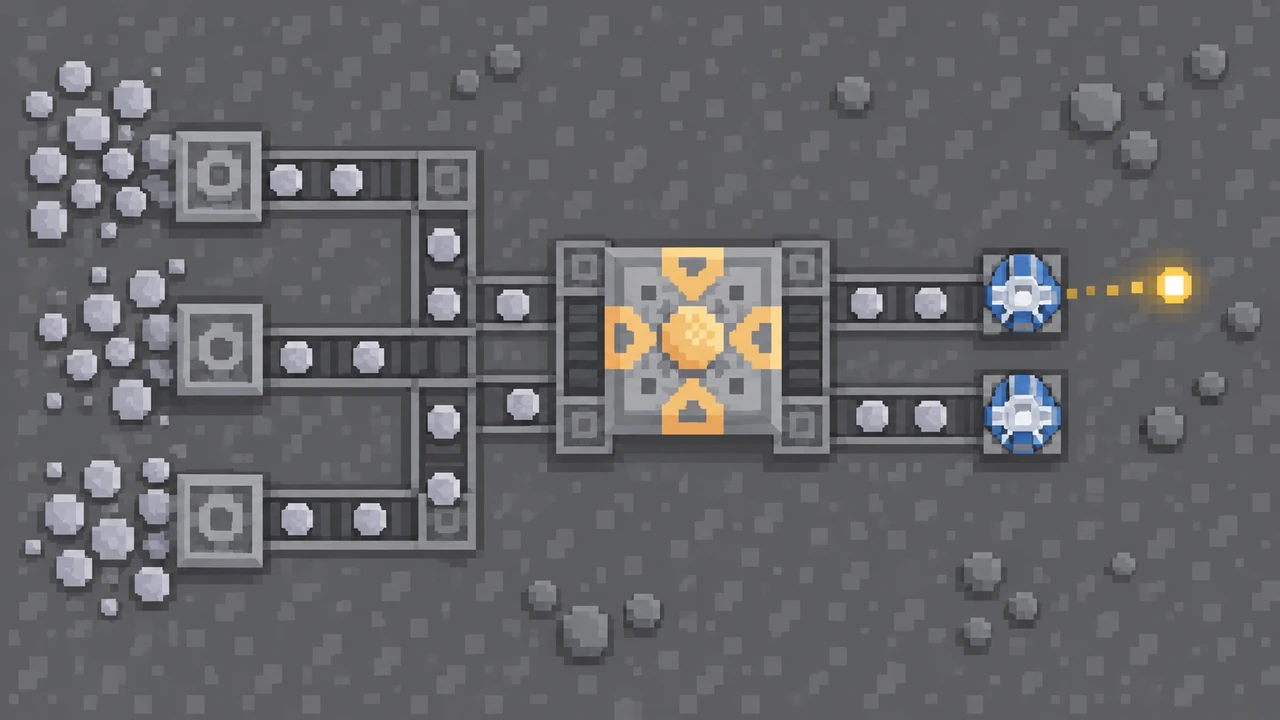
Mindustry Game Classic lets you build the factory that keeps your defenses firing. Connect a drill, watch stone travel along a conveyor, and give a turret enough ammunition to hold off the next attack. Try Mindustry Game if you like solving a practical problem and immediately seeing the result. Choose Waves for a timed defense challenge, Sandbox for unlimited building supplies, or Freebuild when you want to earn materials without a wave timer.
| Detail | What to expect |
|---|---|
| Game | Mindustry Game Classic |
| Version | Mindustry Classic · build 40 |
| Category / tags | Simulation · Tower Defense · Factory Building · Sandbox |
| Your goal | Protect the core while supplying your factory and defenses |
| Mode choices | Waves, Sandbox, and Freebuild |
| Starting tools | Stone Drill, Conveyor, and the stone-fed basic Turret |
| Orientation | Landscape |
| Platform | Web browser |
| Available on Pixel Game | October 29, 2026 |
How to Play Mindustry Game Classic
- Choose a guided start or a map. Open Play in Mindustry Game. Choose Tutorial to learn the tools step by step, or New Game to pick a mode and map.
- Start with building supplies. Place a Stone Drill on stone terrain and connect conveyors into the core. Different resources need the appropriate drill, so check the tool before placing it.
- Follow one item through the route. Point conveyors toward the destination. Check each corner and the final connection; a line is useful only when its items arrive.
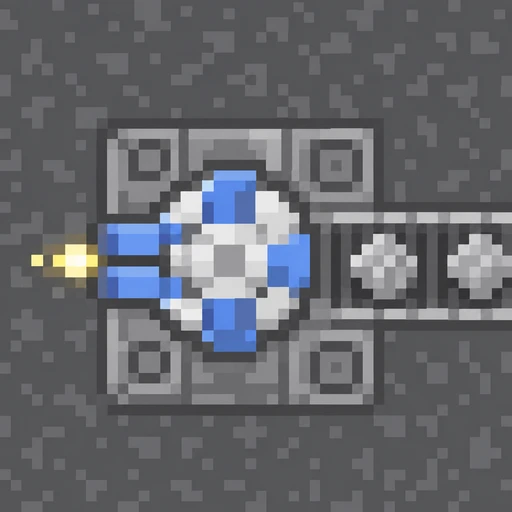
- Feed the basic Turret. Mindustry Game's first Turret uses stone ammunition. Give it a supply route and hover over it to inspect the green ammo bar.
- Watch an attack before expanding. Supplied turrets automatically shoot enemies in range. See where enemies approach and whether your weapons keep firing.
- Protect the core. A run ends if the core is destroyed. Pause to repair your plan, strengthen the exposed approach, and reconnect any interrupted supply line.
Choose Tutorial to learn the tools, New Game for a fresh map, or Load Game to continue a saved factory.
Mindustry Game Classic Controls
Click inside Mindustry Game before using the keyboard. Keep the block menu open while choosing a tool, then check its direction before placing it. These are the Classic desktop controls.
| Control / tool | Action |
|---|---|
| W, A, S, D | Move your mech |
| Shift while moving | Boost movement |
| Mouse and left mouse button | Aim and shoot when no building block is selected |
| Block menu at the bottom right | Select a drill, conveyor, turret, or another building block |
| Left mouse button | Place the selected block |
| Mouse wheel with a selection | Rotate the selected directional block |
| Right mouse button | Deselect a block; use on an unwanted block to remove it |
| Ctrl and mouse wheel | Zoom the view in or out |
| Space or the pause button | Pause; you can still select and place blocks |
| Question mark for a block | Read its requirements, ammunition, and statistics |
| Hover over a turret | Check its green ammunition bar |
In Mindustry Game, pausing gives you time to work out a connection. Your mech cannot move or shoot while paused, so resume when you are ready to test the result.
Choose Your Mindustry Game Mode
Choose Waves for a defense run. Mindustry Game gives you limited resources and automatic incoming waves. Finish a small supply network early, then use the gaps between attacks to fix shortages and cover another approach.
Choose Sandbox to test a layout. Mindustry Game gives you unlimited resources and removes the wave timer. Learn a new block, compare conveyor routes, or build a compact factory without waiting for materials.
Choose Freebuild for a slower resource challenge. Mindustry Game keeps resources limited but removes the wave timer. Build up your stockpile and production routes at your own pace.
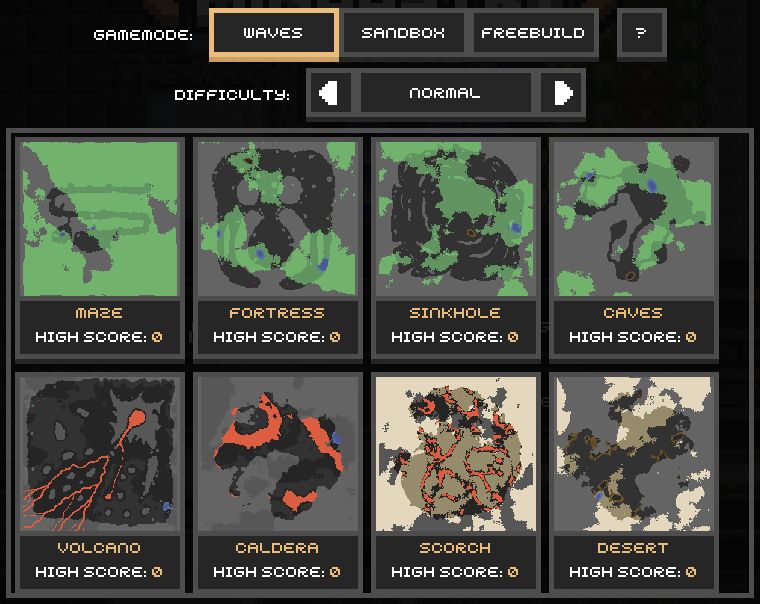
Pick your mode before selecting a map. Compare the terrain and resource space, then choose the challenge you want.
Mindustry Game offers maps including Maze, Fortress, Sinkhole, Caves, Volcano, Caldera, Scorch, and Desert. The level selector also shows difficulty and each map's high score. Try a different map when you want to rethink where the mines, routes, and defenses belong.
Mindustry Game Features: Drills, Belts, and Turret Ammo
Make the first delivery route easy to follow
Mindustry Game rewards a small system that works. Use drills to produce materials, conveyors to transport them, and the core to store building supplies. Keep the route readable so you can trace an item from its source to its destination. Expand after that first delivery works.
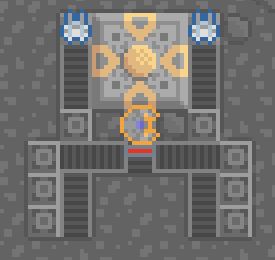
Follow each belt into the core or a turret. Check the receiving block before adding another branch.
Read the weapon before routing ammunition
Open the basic Turret's question mark in Mindustry Game. Its panel lists stone ammunition, ammo capacity, range, and firing statistics. Use the listed input when planning its belt route. If the weapon stops firing, check ammunition and enemy range before building another turret.
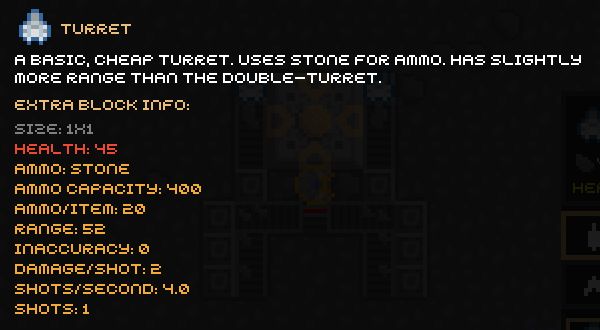
Read Ammo and Range first. Supply the required material, then check whether enemies enter the weapon's reach.
Split and cross routes with the right tool
Use a router in Mindustry Game to share an incoming stream across several outputs. Use a junction when two conveyor routes need to cross. Watch both destinations afterward: dividing one drill's output among more turrets also divides the supply available to each one.
As your Mindustry Game factory grows, processing materials gives you more building options. A smelter can produce steel from iron with coal as fuel. Read each recipe before adding it to the network, and keep its ingredient routes connected.
What Can You Practice in Mindustry Game?
Mindustry Game gives you practice planning routes, comparing supply with demand, and tracing a failure to its cause. A stopped turret may lead you back to a missing belt or an overworked drill. Change one part, watch what happens, and use that feedback to decide what the factory needs next.
Tips for Playing Mindustry Game Online
- Complete a short route first. In Mindustry Game, a few connected belts are more useful than several unfinished branches.
- Match the drill to the resource. Check that the selected drill can produce what your next building needs.
- Inspect the belt direction. Pay attention to corners and the final tile beside the receiving block.
- Check ammo before adding guns. Mindustry Game's green ammo bar tells you whether a turret is being supplied.
- Leave room for crossings. A spare corridor makes it easier to add a junction or another production route later.
- Watch shared supplies. Add production when multiple weapons compete for too few items.
- Pause to plan. Use Space when a repair needs more thought, then resume to test it.
- Use Sandbox to learn a tool. Try a compact setup before relying on it in a Waves run.
Is Mindustry Game Worth Playing?
Try Mindustry Game if seeing a reliable supply line form is part of the fun. The reward is concrete: materials reach the core, a turret stays loaded, and an attack ends with the factory still working. Different maps give you new spaces and approaches to plan around.
Mindustry Game suits players who enjoy building, checking a result, and revising a layout. Waves adds pressure, while Sandbox and Freebuild let you slow down. Expect some setup before the defenses take care of themselves. Build one working route first and see whether finding the next improvement makes you want to continue.
Choose Your Mindustry Version

Stay with Mindustry Game Classic here for Waves, Sandbox, and Freebuild. Want campaign progression, modern production tools, and worlds shared with other web players? Open modern Mindustry and choose the version that fits your next building session.
Play Mindustry Game Classic Online
Start Mindustry Game in the player above. Use fullscreen to read the grid, open Tutorial if you are learning the tools, and finish the first delivery route before expanding. For another construction challenge afterward, browse more simulation games.
Mindustry Game Classic FAQs
What should I build first in Mindustry Game?
Start with a Stone Drill and conveyors delivering into your core. Then supply the basic Turret with stone. Use Tutorial for guided placement practice.
Which Mindustry Game mode should I choose?
Choose Waves for automatic attacks, Sandbox for unlimited resources without a wave timer, or Freebuild for limited resources without a wave timer.
Why is my Mindustry Game turret not firing?
Check the required ammunition and the green ammo bar, then make sure enemies are in range. Trace the conveyor route if the weapon is empty.
Can I build while Mindustry Game is paused?
Yes. Press Space or the pause button. You can select and place blocks while paused, but your mech cannot move or shoot.
How do I switch from Mindustry Game Classic to modern Mindustry?
Open the modern Mindustry page. Both versions have their own player, so you can choose between Classic's modes and the modern campaign and web multiplayer options.