ABOUT THIS GAME
Play Pixel Mindustry Game Online
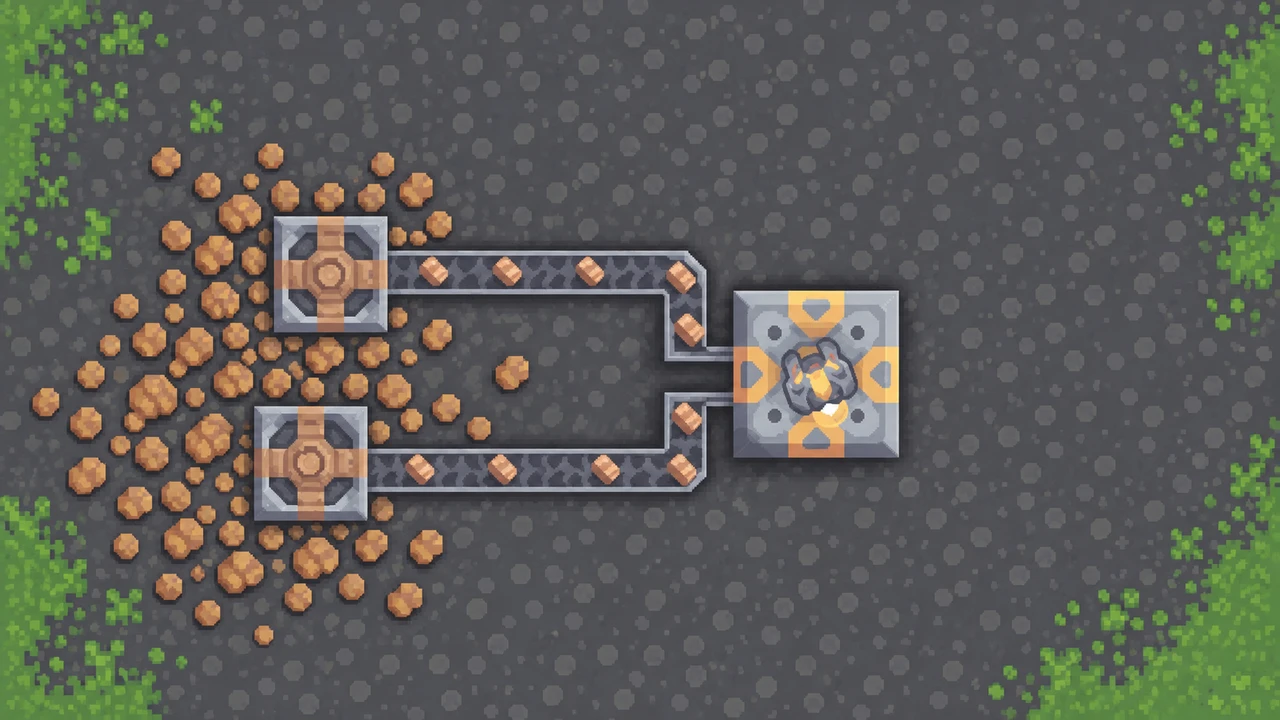
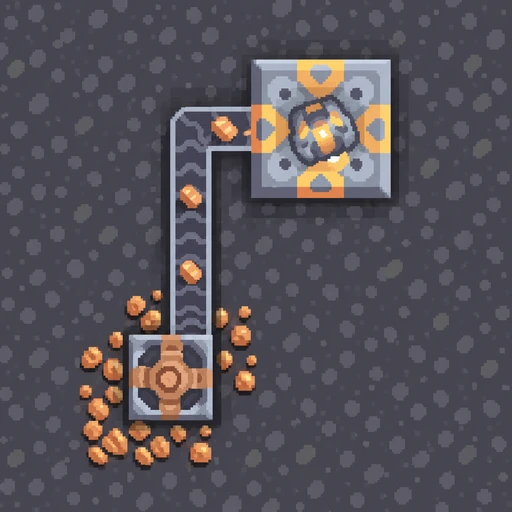
Mindustry makes every defense depend on the factory behind it. Mine copper, point conveyors toward your core, and keep ammunition moving into your turrets. Try Mindustry if you enjoy finding the missing connection and watching a stalled system start working. Choose Campaign for a longer project, Survival for incoming attacks, or Sandbox to test a layout. Mindustry also lets web players share a world, so one player can extend the mines while another handles defenses.
| Detail | What to expect |
|---|---|
| Game | Mindustry |
| Browser build | 159.7 |
| Category / tags | Simulation · Tower Defense · Factory Building · Multiplayer |
| Main goal | Grow your supply network and protect the core |
| Solo choices | Campaign and Custom Game |
| Custom modes | Survival, Sandbox, Attack, and PvP, depending on the map |
| Multiplayer | Host or join worlds with other players using this web version |
| Orientation | Landscape |
| Platform | Web browser |
| Available on Pixel Game | October 29, 2026 |
How to Play Mindustry
- Choose a starting goal. Open Play in Mindustry. Choose Campaign to follow sector objectives, or Custom Game to select a map. Sandbox is useful for learning the building tools without a wave timer.
- Place a drill on copper. Select Mechanical Drill from the production menu and place its footprint over a copper patch. Check the placement preview before confirming.
- Connect the drill to your core. Select Conveyor, then click and drag a route. Follow its arrows through every corner; the final belt must deliver into the core.
- Watch the feedback. Copper pieces should move along the belt, and the resource count at the top should rise as they arrive. If it stays flat, trace the route back to the drill.
- Give your defenses a supply line. Read a turret's input requirements before connecting ammunition. Early Serpulo Duo turrets can use copper, so a working copper route can support both building and defense.
- Expand after the first route works. Add production, processing, and coverage one step at a time. In Survival, watch each attack to see which approach or supply line needs attention.
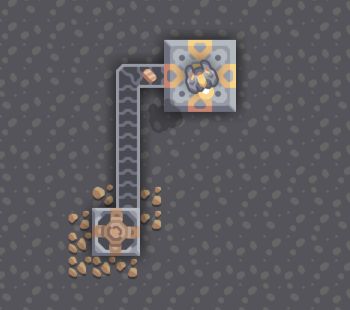
Follow the copper from the drill, around the corner, and into the core. Then check whether your resource count is increasing.
Mindustry Controls and Building Tools
Click inside Mindustry before using the keyboard. A keyboard and mouse give you room to place long routes and inspect small connections; fullscreen helps when the factory becomes crowded.
| Control / tool | Action |
|---|---|
| W, A, S, D | Move your current unit |
| Left mouse button | Place a selected block; shoot when no block is selected |
| Left-click and drag | Plan a line of selected blocks, such as conveyors |
| Right mouse button | Deselect a block; right-click and drag to deconstruct blocks |
| Mouse wheel with a selection | Rotate a directional block |
| Mouse wheel without a selection | Zoom the map |
| Left Ctrl while dragging belts | Find a conveyor route around obstacles |
| Space | Pause or resume a solo game |
| Escape | Open the game menu |
| Question mark in the build menu | Check a block's inputs, outputs, requirements, and statistics |
| Enter / Tab in multiplayer | Open chat / view the player list |
Place a short route, then remove what you do not need
In Mindustry, begin with a few conveyor tiles so you can check their direction. Right-click and drag over unwanted blocks to dismantle them. Rebuild the corner and watch the next item pass through before extending the line.
Watch how the placement line follows the pointer, then clear the unwanted section before trying another route.
Choose Your Mindustry Mode
Choose Campaign for a factory with a next step. Mindustry offers Serpulo and Erekir campaigns. Start with Serpulo if you want to learn the copper-drill-and-conveyor loop used here. Follow the sector objectives, research equipment, and use the planet map when you are ready to expand.
Choose Custom Game to pick your map and rules. Select a map, then check which modes it supports. Mindustry's map icons and available mode buttons help you find an appropriate challenge.
- Survival: Work with limited resources while automatic enemy waves test your defenses.
- Sandbox: Use unlimited resources and no wave timer to try a route, block, or factory layout.
- Attack: Build toward destroying an enemy base. Choose a map with an enemy core.
- PvP: Compete against other players on a map with opposing teams' cores.
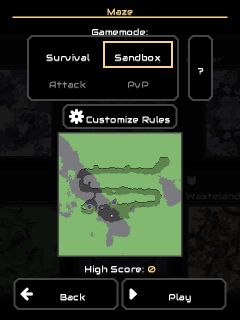
Choose Survival for wave pressure or Sandbox for experiments. If a mode is dimmed, pick a map that supports it.
Mindustry Features: Drills, Belts, and Defenses
Check what a tool can produce before placing it
Open the question mark for Mechanical Drill in Mindustry to compare its mineable resources and production rates. Its footprint matters: place it over useful ore, then connect the output. When you need faster production, check the tool's requirements and available upgrades before adding a machine that your factory cannot support.
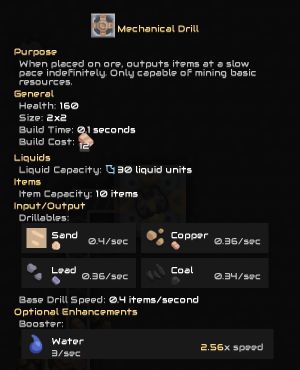
Check Drillables and the listed output rates, then choose a resource patch that the tool can mine.
Trace a shortage to its cause
Mindustry makes a supply problem visible. An empty belt near the destination suggests something is missing farther upstream. A backed-up belt can mean the destination is full, disconnected, or rejecting that material. Check one route from end to end before adding more branches. Use routers to share a stream and junctions where separate conveyor routes cross.
Keep weapons supplied while you expand
Mindustry turrets need enemies in range and the correct supplies to keep firing. Watch ammunition, power, or liquid requirements for the weapon you chose. Protect the transport route as well as the weapon: replacing a broken connection can restore several defenses at once. Once your core and supply routes are secure, develop the factories and units that fit your current objective.
Play Mindustry Multiplayer: Host, Join, and Build Together
Host a Mindustry world
Start a world, open the game menu, and select Host Multiplayer Game. Choose your player name, select Host, and set an optional room password. Tell your friends the room name and password.
Set a password when you want your friends to enter it before joining.
Join a Mindustry world
Use the same Mindustry web version as the host. Open Play → Join Game, find the world under Local Servers, select it, and enter its password if prompted.
Select your friend's room in Local Servers, then follow the password prompt.
Give each player a useful job
In Mindustry, split the work: one player extends resource production while another routes supplies or reinforces defenses. Watch the shared factory before changing a teammate's route.
Coordinate the next addition so both players help the same supply network.
Mindustry web multiplayer is still experimental, so connections can be unreliable. Play with other web players; joining standard desktop or mobile Mindustry clients is still being developed.
Save and Continue Mindustry
Use Save Game or Save & Quit before leaving Mindustry, then Play → Load Game to return. Export a save before moving devices, and import it on the destination device. Check that it loads before continuing a long session.
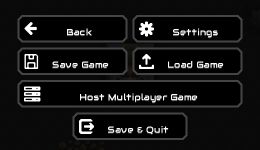
Save your factory before leaving, or open Host Multiplayer Game when you want friends to join.
What Can You Practice in Mindustry?
Mindustry gives you practice tracing cause and effect through a system. Follow an empty belt back to a drill, compare production with demand, and leave room for the next junction. In multiplayer, agreeing on the next supply goal also helps your group avoid building several unfinished routes at once.
Tips for Playing Mindustry Online
- Finish one working route first. In Mindustry, a short line that delivers copper is more useful than several disconnected branches.
- Watch the core counter. Moving items show that a belt works; an increasing stockpile confirms they are arriving where you need them.
- Check a tool's information panel. Compare its resources, inputs, and production rate before planning around it.
- Inspect corners and final connections. One reversed conveyor can interrupt the entire route.
- Match supplies to the weapon. Check the selected turret's requirements before routing ammunition, power, or liquids.
- Use Sandbox for unfamiliar layouts. Try the idea there, then bring it into a Survival run or campaign sector.
- Share one clear building goal. In Mindustry multiplayer, agree on the next mine, route, or defensive position before expanding.
- Save before a long break. Keep a return point when the factory is working well.
Is Mindustry Worth Playing?
Try Mindustry if fixing a bottleneck feels as satisfying as surviving an attack. You can see each improvement: copper reaches the core, a factory begins producing, or a supplied turret holds an approach. Campaign gives those improvements a longer purpose, while Custom Game lets you choose a shorter experiment or a defense challenge.
Mindustry suits players who enjoy planning, checking feedback, and revising their work. Multiplayer adds the appeal of building one factory together. Expect some setup before the action becomes busy; much of the fun comes from getting the system to work. Build one complete supply line first and see whether you want to make the next one better.
Choose Your Mindustry Version
Stay here for modern Mindustry's Campaign, Custom Game, and web multiplayer. Prefer a run built around Waves, Sandbox, or Freebuild? Open Mindustry Game Classic for the Classic player and its own controls and maps.
Play Mindustry Online
Start Mindustry in the player above and use fullscreen to read small connections. Choose Campaign or a Custom Game map, build your first copper route, and check the result before expanding. For another construction project afterward, browse more simulation games.
Mindustry FAQs
What should I build first in Mindustry?
Start with a Mechanical Drill over copper and a conveyor route into your core. Watch the stockpile increase, then connect suitable ammunition to your early defenses.
Which Mindustry mode should I choose?
Choose Campaign for progression, Survival for incoming enemy waves, or Sandbox to test a layout. Attack and PvP need maps with the appropriate opposing cores.
Can I play Mindustry with friends in a browser?
Yes. Host a world from the game menu; friends using the same web version join through Local Servers. Web multiplayer is experimental and desktop-client compatibility is still in development.
Why are my Mindustry supplies not arriving?
Check that the drill can mine the resource, conveyors face the right way, and the final connection reaches a compatible destination. Trace the whole route before adding production.
Can I continue my Mindustry factory later?
Use Save Game or Save & Quit, then return through Load Game. Export your save when transferring progress to another device.