
ABOUT THIS GAME
Play Pixel Home Builder Clicker Game Online
Home Builder Clicker lets you turn a timber frame into a home one tap at a time. Start with Craftsman House, upgrade the walls and roof, and watch each construction step change the building. Your improvements also raise your income per second, giving you cash for the next job. Try Home Builder Clicker if you enjoy steady progress, choosing what to upgrade next, and seeing a house take shape while you play.
| Detail | What to expect |
|---|---|
| Game | Home Builder Clicker |
| Category / tags | Simulation · Idle · Clicker · Building · Home Renovation |
| Play style | Tap to build, improve parts, and grow your income |
| House types | Craftsman, Victorian, Mill House, and Chinese |
| Orientation | Portrait and landscape |
| Platform | Web browser |
| Available on Pixel Game | October 29, 2026 |
| Your goal | Build up your house and use its income to fund further improvements |
How to Play Home Builder Clicker
- Begin with Craftsman House. Home Builder Clicker puts the building above its construction list, so you can follow the work and its cost together.
- Choose a building part. Start with entries such as Wall: Framing, Wall: Insulation, and Roof: Sheeting. Compare the price beside Upgrade with your cash at the top.
- Tap Upgrade to build. Use the button beside your chosen part and watch the timber, wall layers, and roof change as the house develops.
- Check the feedback. The part's progress bar moves toward its total, while the /sec readout tracks your income. Completed parts show a check mark.
- Tap the pink piggy bank for interest. Put the extra cash toward another construction upgrade.
- Follow the next building job. Continue through wall panels and waterproofing toward the red roof, porch steps, and lawn work.
In Home Builder Clicker, your next useful question is simple: can you finish a part now, or would another affordable upgrade help your income first?
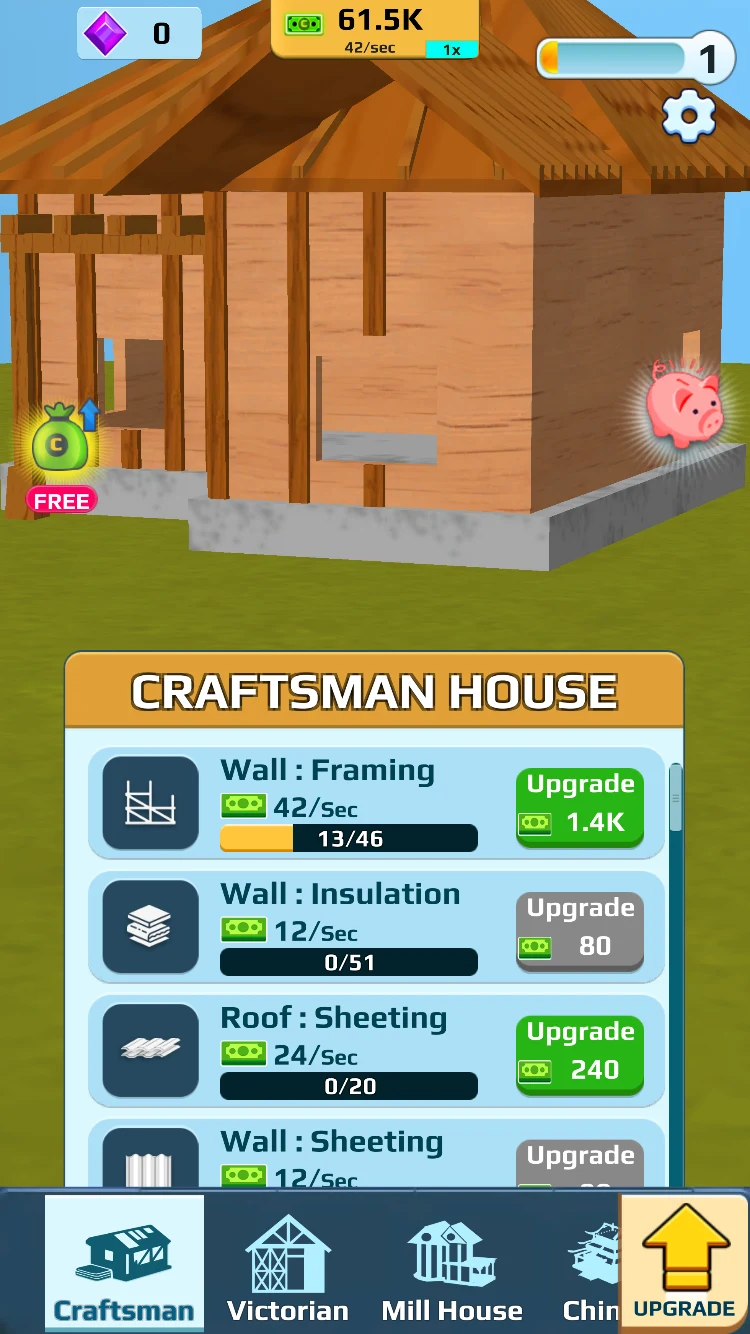
Start with the construction list. Compare each part's price, income, and progress before spending.
Home Builder Clicker Controls
Home Builder Clicker uses clicks or taps on its on-screen Upgrade buttons, house tabs, and piggy bank.
| Control | Action |
|---|---|
| Click / tap Upgrade beside a part | Spend the displayed cash to advance that building part |
| Click / tap the pink piggy bank | Collect interest |
| Click / tap a house tab at the bottom | Select a house type when available |
| Scroll / swipe the construction list | Find more wall, roof, staircase, and landscaping entries |
| Click / tap the large UPGRADE arrow | Open income and building-part boost options |
Use Home Builder Clicker's part names to find the job you want. The large UPGRADE arrow opens a different panel from the Upgrade button beside an individual construction part.
Home Builder Clicker House Types and Upgrades
Choose a house in Home Builder Clicker
The bottom tabs include Craftsman, Victorian, Mill House, and Chinese. Begin with Craftsman to learn how construction and income work, then select another available house tab when you want to explore a different style.
Finish one layer, then build the next
Home Builder Clicker gives each job its own progress count. Framing, insulation, sheathing, and waterproofing turn a bare structure into a more complete house. Check marks help you spot work you have finished so you can move to the next unfinished entry.
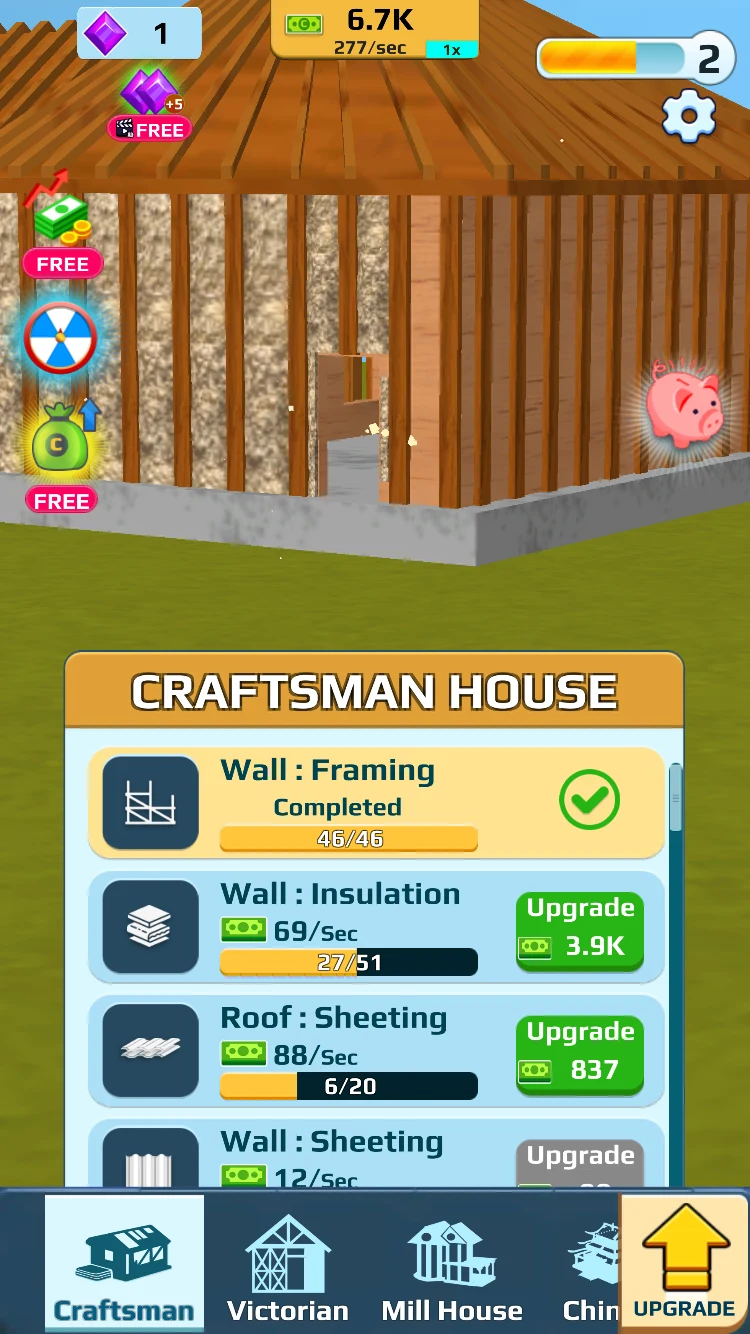
Once framing is complete, check insulation and roof sheathing for your next affordable step.
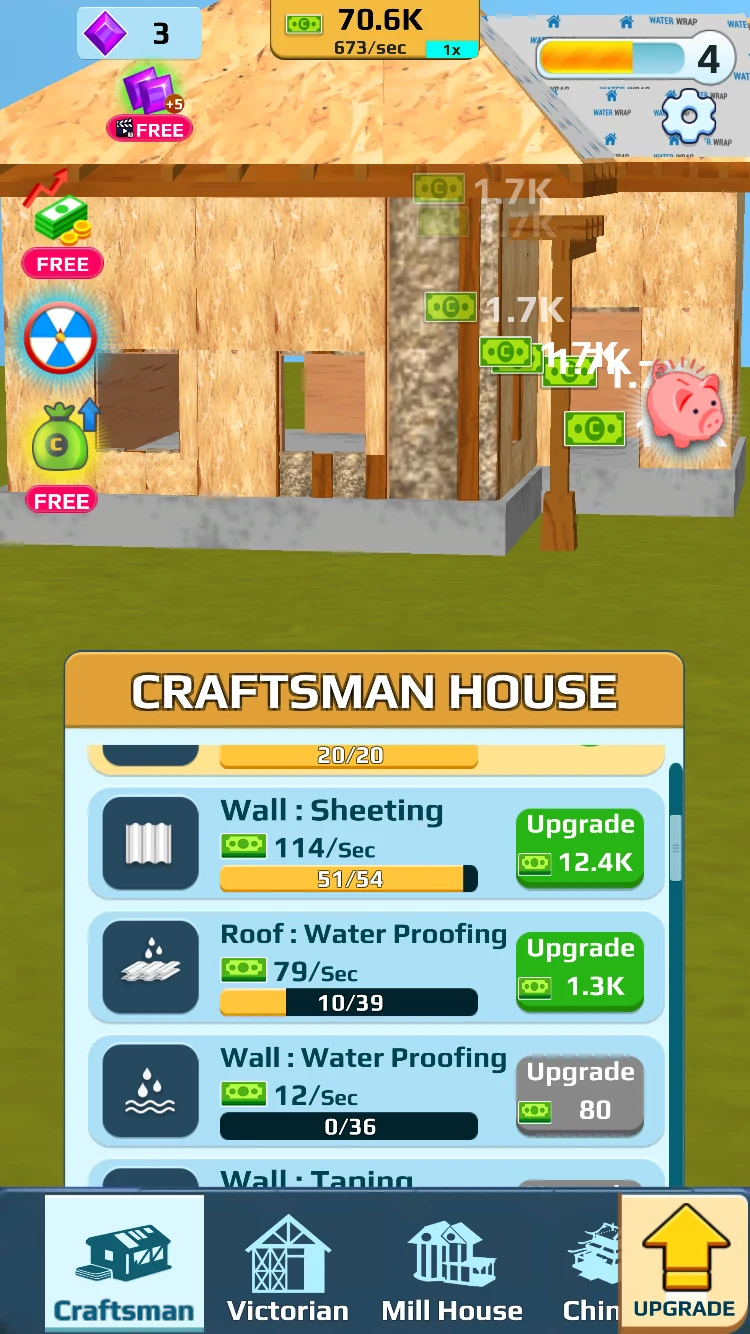
Follow the progress counts to finish a wall or roof layer before moving on.
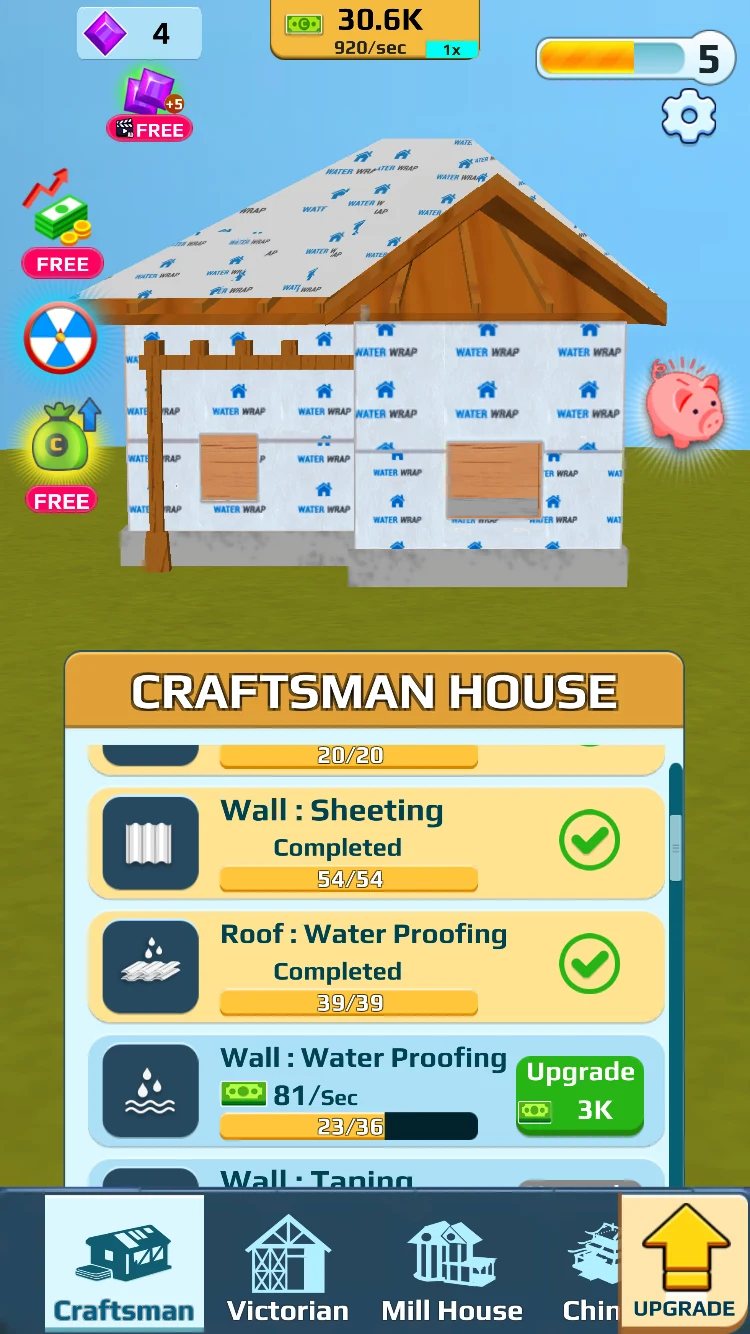
Completed rows make it easier to find the waterproofing work that still needs attention.
Keep building beyond the walls
As the Craftsman house develops, Home Builder Clicker brings staircase and lawn entries into your construction list. The red tiled roof gives you a clear milestone, while steps and landscaping give you another job to fund.
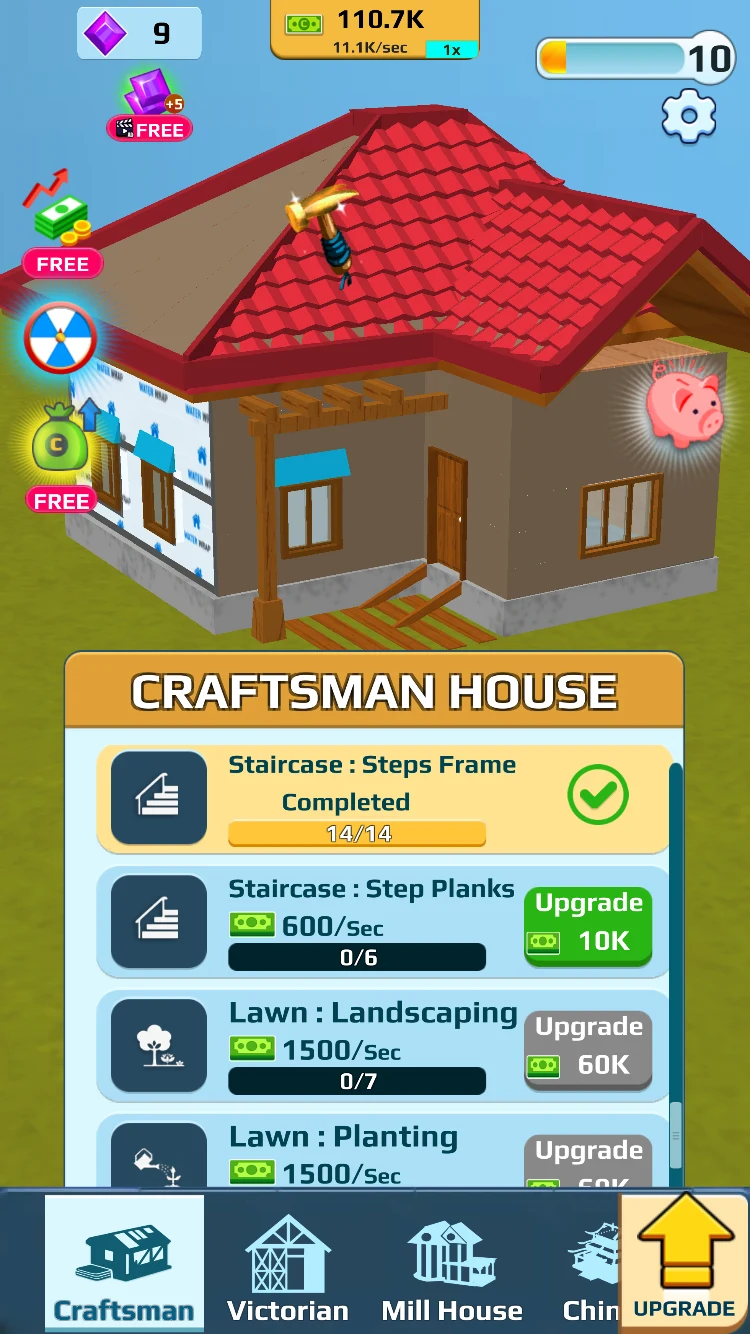
When the roof takes shape, check the staircase and lawn entries to choose your next improvement.
How to Earn and Spend Cash in Home Builder Clicker
Improve the house to raise idle income. The cash counter at the top of Home Builder Clicker includes an income-per-second figure. Building-part rows also show income values, letting you compare the parts you can afford. Check the top readout after an upgrade to see how your earning pace changes.
Collect piggy-bank interest. Tap the pink piggy bank beside the house to collect interest. Use that cash alongside your ongoing income to reach the next upgrade price.
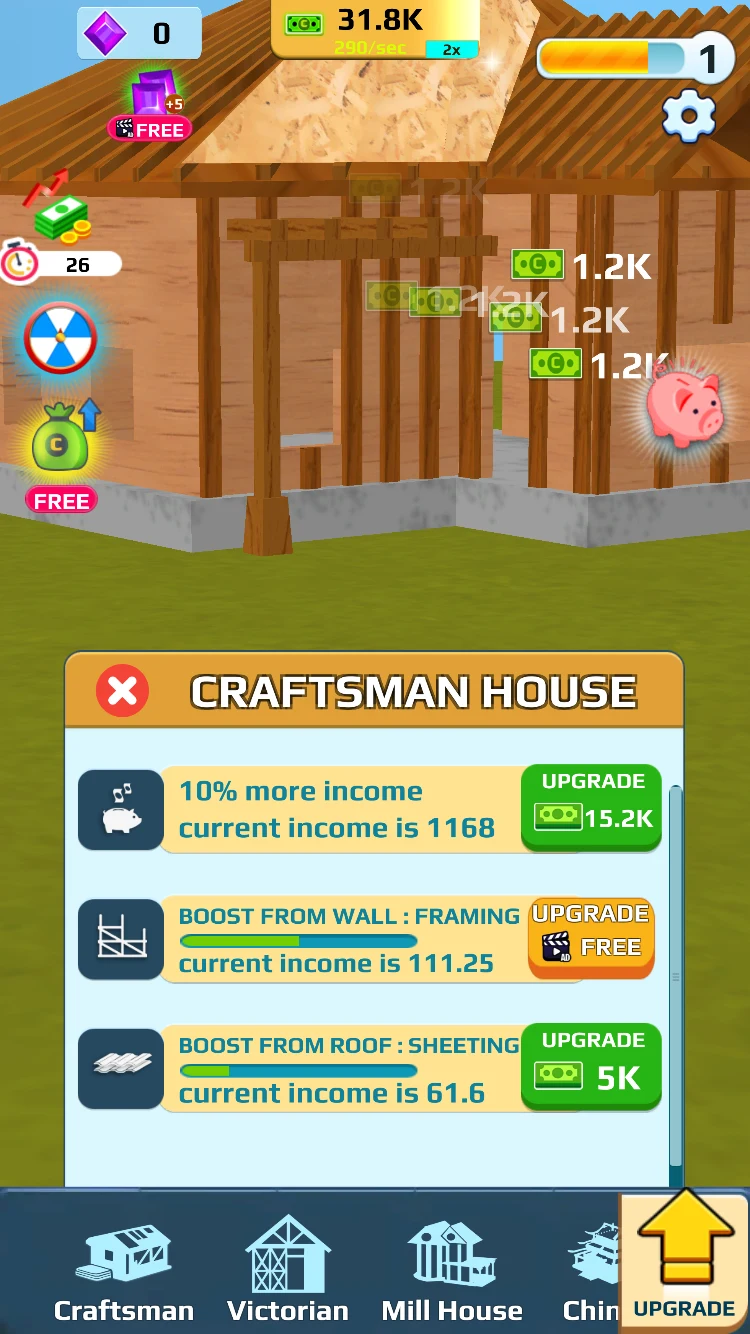
Collect interest from the piggy bank, then compare your cash with the next upgrade price.
Look at boosts when you want more income. The large UPGRADE arrow opens options such as 10% more income and boosts tied to framing or roof sheathing. Read the cost or prompt on each button before choosing one. Return to the construction list to keep building individual parts.
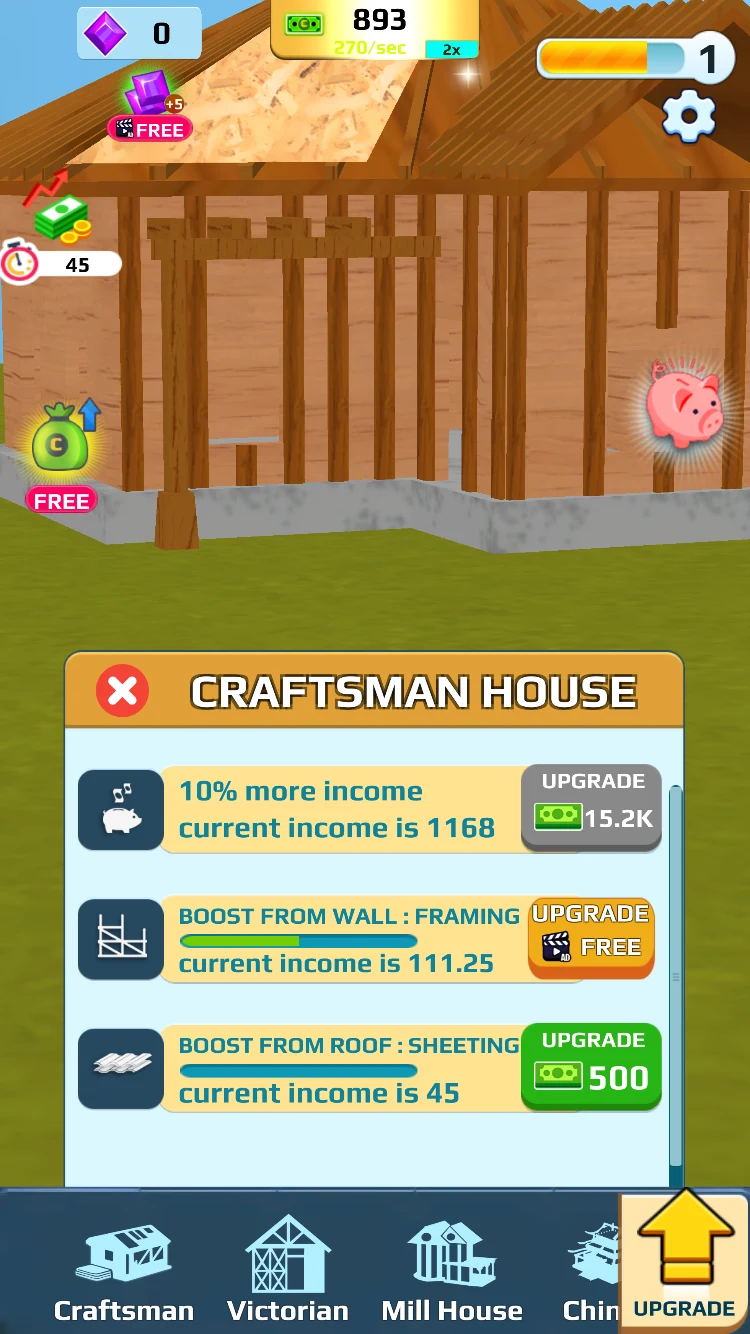
Compare the income options with the construction upgrades you could buy with the same cash.
What Can You Practice in Home Builder Clicker?
Home Builder Clicker gives you small spending decisions to compare. Read an upgrade's cost, check your income, and decide whether to buy it now or save toward another part. Following the house alongside the progress bars also helps you connect a purchase with the work it completes.
Tips for Playing Home Builder Clicker Online
- Keep an eye on /sec. In Home Builder Clicker, the cash total tells you what you can spend now; the income figure tells you how quickly more cash arrives.
- Compare more than one row. Look at the price and income of several affordable parts before buying.
- Use completed check marks. Scroll past finished work and find the next part that still has room to improve.
- Remember the piggy bank. Collect interest when you need extra cash toward your next construction step.
- Read the boost panel separately. Home Builder Clicker's income boosts and individual part upgrades offer different ways to use your cash.
- Set a small building goal. Finish a layer, complete the roof, or work toward the porch steps. Later upgrades take more saving, so give yourself a clear next milestone.
Is Home Builder Clicker Worth Playing?
Try Home Builder Clicker if you like the loop of earning cash, making an improvement, and seeing the result immediately on your house. The appeal is following a project from exposed timber to walls, roofing, and outdoor details while deciding where your next upgrade goes.
Home Builder Clicker suits a relaxed pace. You can spend a short session finishing a part, or keep working toward a larger improvement as your income grows. If that sounds enjoyable, start with Craftsman House and see whether finishing its first few building jobs makes you want to tackle the next ones.
Play Home Builder Clicker Online
Start Home Builder Clicker in the player above. You can play in portrait or landscape and use fullscreen for more space around the construction list. Choose Craftsman House, try an affordable upgrade, and check both the building and your income before your next purchase. For another project afterward, browse more simulation games.
Home Builder Clicker FAQs
How do I start building in Home Builder Clicker?
Begin with Craftsman House and tap the Upgrade buttons beside wall and roof parts to advance construction. Watch the house and each part's progress count to follow your work.
How do I earn money in Home Builder Clicker?
Improve building parts to raise your idle income, and tap the pink piggy bank to collect interest. The /sec figure at the top shows your current income rate.
Can I choose a different house in Home Builder Clicker?
Yes. The bottom tabs include Craftsman, Victorian, Mill House, and Chinese. Select an available house tab to explore another style.
What should I do when the next Home Builder Clicker upgrade is expensive?
Compare other affordable construction parts, check your income options, and collect piggy-bank interest. Keep earning toward the improvement you want; later building jobs need more cash.
Can I play Home Builder Clicker on a phone?
Yes. Home Builder Clicker uses tap controls and supports portrait and landscape play. Use fullscreen if you want more room for the upgrade list.