ABOUT THIS GAME
Play Pixel Shooter Online
Pixel Shooter is a colorful pixel-style action shooter built around character customization, weapon management, competitive battles, and several game modes with different victory conditions.
From the main menu, you can manage your character and weapons, claim or unlock heroes, and choose between PK Mode and Fight Mode. The core combat is easy to understand: move, jump, aim, shoot, reload, and use grenades while trying to complete the objective of the selected mode.
Getting Started
The main screen acts as the central hub. It shows your profile and currencies and provides access to character-related features, rewards, equipment, events, and the two major mode categories.
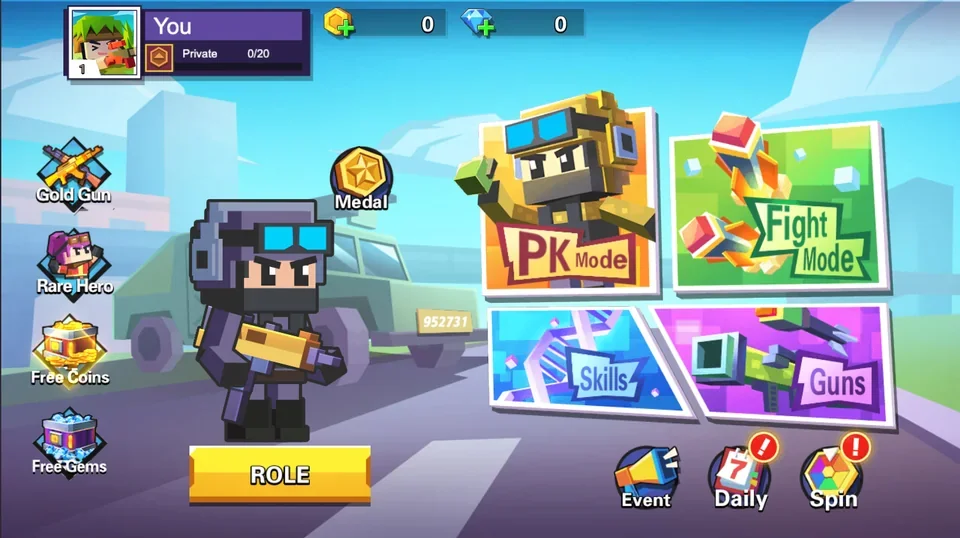
The Pixel Shooter home screen gives you access to your character, equipment, rewards, PK Mode, Fight Mode, Skills, and Guns.
Before entering a match, it is useful to check your available heroes and equipment so that you know what character and weapon setup you are taking into battle.
Rare Hero: Claim Different Characters
Select Rare Hero from the main screen to view special characters that can be claimed when available.
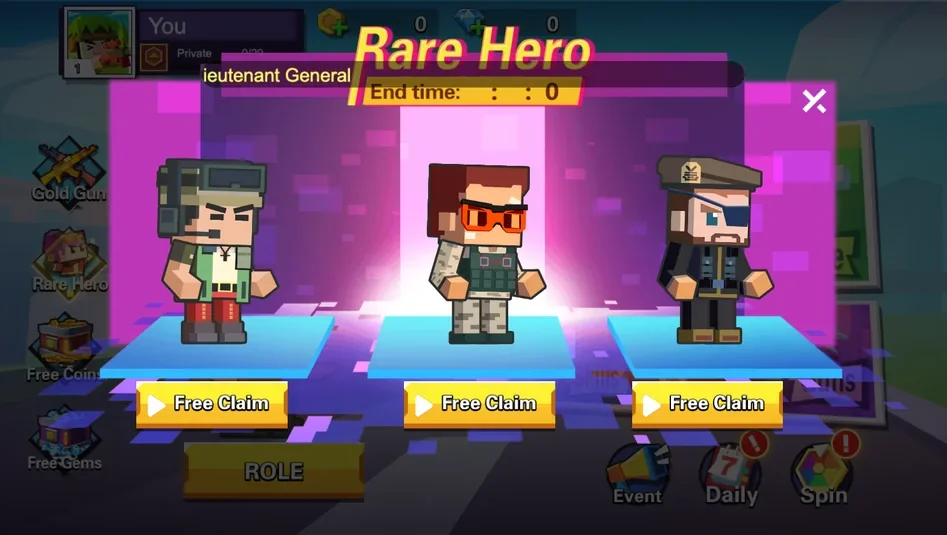
The Rare Hero screen displays different character options and available claim actions.
This gives Pixel Shooter a customization and collection layer beyond the shooting itself. Different hero appearances let you change how your character looks before entering combat.
Role: Manage Characters and Weapons
Select Role on the main screen to open your character management interface.
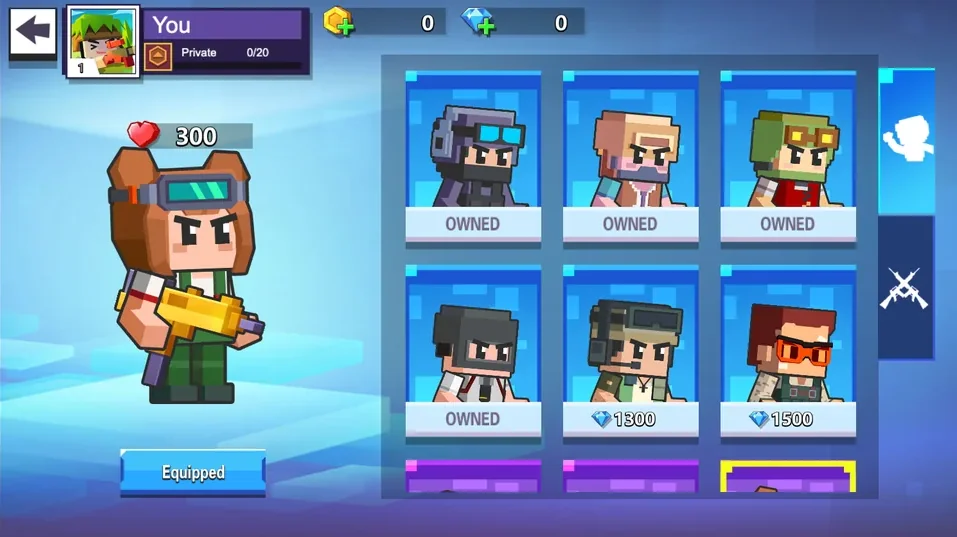
Use the Role screen to manage characters you already own and switch between character and weapon-related equipment sections.
Owned characters are clearly marked, while additional characters can require in-game resources such as diamonds. The side tabs let you move between character and weapon management, making the Role screen one of the main places to prepare your loadout.
Pixel Shooter Controls
Pixel Shooter uses familiar keyboard and mouse controls:
| Control | Action |
|---|---|
| A | Move left |
| D | Move right |
| W | Jump |
| R | Reload |
| Space | Throw grenade |
| Left-click | Shoot |
Movement and jumping are especially important because battles take place across platforms and obstacles rather than on a completely flat arena.
Reloading at the right time also matters. If you empty your weapon while exposed to an opponent, you may lose an important opportunity to attack.
PK Mode
PK Mode focuses on direct combat against other fighters.
The mode selection includes Single Mode, Team Mode, and Bomb Mode. For the standard kill-based Single and Team modes, the objective is to eliminate the required number of enemies before the opposing side reaches its target.
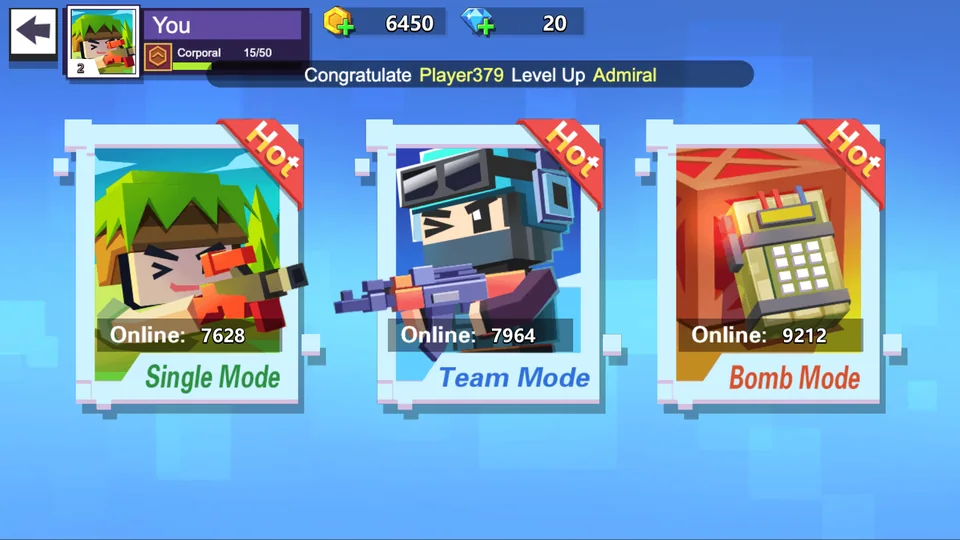
Choose a PK battle type such as Single Mode or Team Mode. Bomb Mode provides another objective-based option.
Single Mode
Single Mode emphasizes individual combat. You need to move through the arena, find opponents, avoid incoming fire, and score the required eliminations.
Because you cannot rely on teammates to create pressure for you, positioning, aiming, movement, and survival become particularly important.
Team Mode
Team Mode places players into opposing sides. Work with your team to eliminate enemies and reach the required kill total before the other team.
The team score at the top of the battle interface makes it easy to see which side is closer to the target.
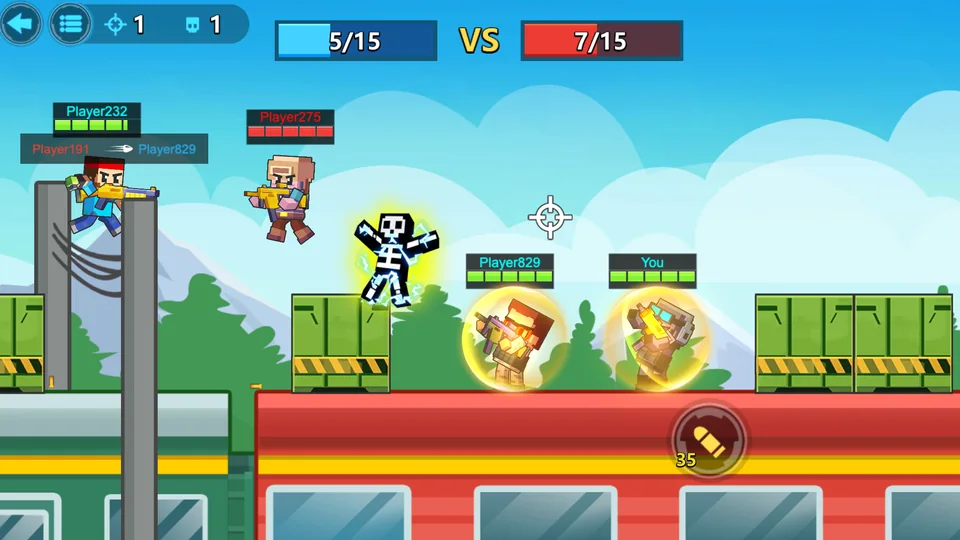
In kill-based PK battles, defeat opponents and help your side reach the required elimination target first.
During combat, pay attention to enemy positions and health indicators. Jumping between platforms can help you avoid shots, reach better firing positions, or chase an opponent.
Grenades provide another offensive option when direct gunfire is not ideal.
Fight Mode
Fight Mode provides a broader collection of scenarios with different objectives and victory conditions.
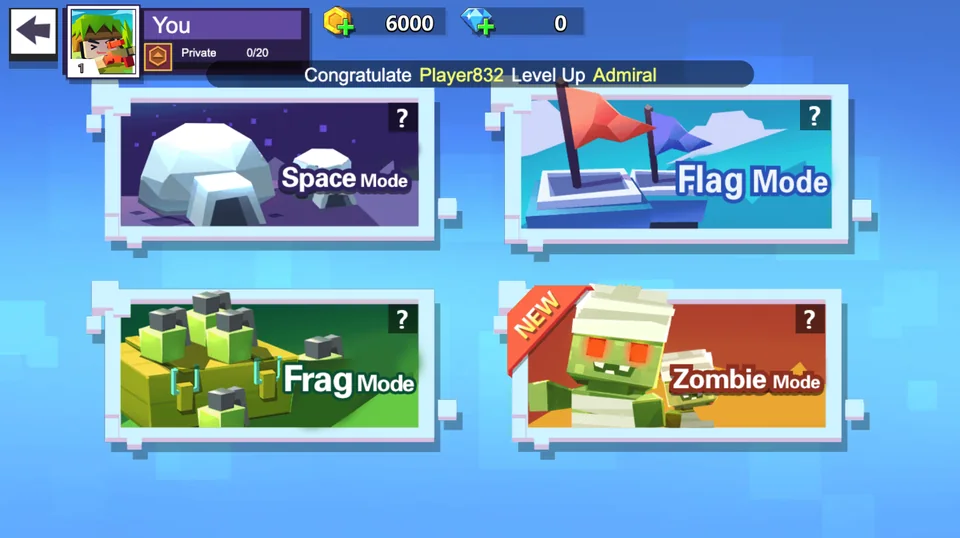
Fight Mode includes several scenario types, each built around its own objective.
The visible Fight Mode options include:
Space Mode
Space Mode changes the battle environment and presents a separate scenario to complete. Pay attention to the mode's objective and map layout rather than assuming every match follows standard PK rules.
Flag Mode
Flag Mode is an objective-oriented scenario centered around flags. Combat remains important, but winning requires you to play according to the mode objective instead of focusing only on eliminations.
Frag Mode
Frag Mode emphasizes combat and defeating opponents. Efficient movement and accurate shooting can help you reach the required objective faster.
Zombie Mode
Zombie Mode changes the type of threat you face and requires you to survive and fight according to the scenario's conditions.
Because Fight Mode contains different rule sets, check the selected mode and adapt your strategy to its victory condition.
How to Play Pixel Shooter
A typical session follows a simple progression:
- Check your character. Open Rare Hero or Role if you want to review or change your hero.
- Manage your equipment. Use the available character and weapon interfaces to prepare your setup.
- Choose PK Mode or Fight Mode. Decide whether you want direct competitive combat or an objective-based scenario.
- Select a specific mode. For example, choose Single or Team in PK Mode, or select one of the available Fight scenarios.
- Move with A and D. Keep changing position instead of becoming an easy stationary target.
- Jump with W. Use platforms and vertical movement to navigate the map and avoid attacks.
- Aim and left-click to shoot. Track opponents and fire when you have a useful angle.
- Press R to reload. Avoid being caught with an empty weapon during a fight.
- Use Space to throw a grenade. Grenades give you another way to pressure enemies.
- Complete the selected objective. The exact victory condition depends on the mode you chose.
Combat Tips
Keep Moving
Standing still makes you easier to hit. Use left/right movement and jumps to make your position less predictable.
Use Platforms
The maps include different elevations and obstacles. Platforms can provide alternate routes, firing angles, and ways to escape enemy fire.
Reload at Safer Moments
Do not wait until an opponent is directly in front of you to discover that your weapon needs reloading. Reload when you have cover or enough distance.
Watch the Match Objective
A high number of eliminations is useful in kill-based modes, but not every Fight Mode uses exactly the same victory condition. Always play toward the current objective.
Use Grenades Situationally
Grenades can pressure enemies around contested areas or force them to move. Save them for situations where they can create an advantage rather than using them without a target.
Work With Your Team
In Team Mode, nearby teammates can create crossfire and make it harder for an opponent to focus on a single target. Pay attention to where both friendly and enemy players are positioned.
Game Features
- Pixel-style shooter combat with colorful characters and environments
- Multiple playable characters through Rare Hero and Role systems
- Character and weapon management
- PK Mode with Single, Team, and Bomb options
- Fight Mode with Space, Flag, Frag, and Zombie scenarios
- Keyboard and mouse controls
- Platform-based movement and jumping
- Gunfire, reloading, and grenades
- Different objectives depending on the selected mode
- Progression, currencies, rewards, and additional unlockable content
What Skills Does Pixel Shooter Practice?
Pixel Shooter is primarily an action game, but its mechanics involve several common gameplay skills.
Hand-Eye Coordination
You need to coordinate character movement with mouse aiming and shooting, often while both you and your target are moving.
Reaction Speed
Enemy attacks can happen quickly. Jumping, changing direction, firing back, or moving behind an obstacle all depend on timely reactions.
Spatial Awareness
Platforms, opponents, teammates, and obstacles can occupy different areas of the screen. Understanding where threats and safe routes are located can improve your survival.
Aim and Target Tracking
Moving enemies are harder to hit than stationary targets. Following an opponent with your aim while controlling your own movement is a central part of combat.
Tactical Decision Making
You constantly decide whether to attack, retreat, jump to another platform, reload, throw a grenade, or pursue the current objective.
Team Awareness
Team Mode adds another layer: your decisions affect not only your own performance but also your team's progress toward the required score.
Frequently Asked Questions
What are the controls in Pixel Shooter?
Use A and D to move, W to jump, R to reload, Space to throw a grenade, and left-click to shoot.
How do I change characters?
You can use Rare Hero to view available special characters and Role to manage characters you already own.
Can I manage weapons?
Yes. The Role interface includes character and weapon-related management sections, and the main screen also provides access to Guns.
What is PK Mode?
PK Mode contains competitive battle types including Single Mode, Team Mode, and Bomb Mode. In standard kill-based Single and Team battles, you need to reach the required elimination objective before the opposition.
What is Fight Mode?
Fight Mode contains scenario-based options such as Space Mode, Flag Mode, Frag Mode, and Zombie Mode. The exact objective changes depending on the selected scenario.
How do I win?
Follow the victory condition of the selected mode. In kill-based PK battles, defeat the required number of opponents before the other side reaches its target. Other scenarios can use different objectives.
Play Pixel Shooter Online
Choose your hero, prepare your equipment, and decide how you want to fight.
Enter PK Mode for direct competitive battles or explore Fight Mode for scenarios with different objectives. Move with A/D, jump with W, aim and left-click to shoot, press R to reload, and use Space when you want to throw a grenade.
Learn the maps, keep moving, use platforms intelligently, and focus on the objective to improve your chances of winning each Pixel Shooter match.