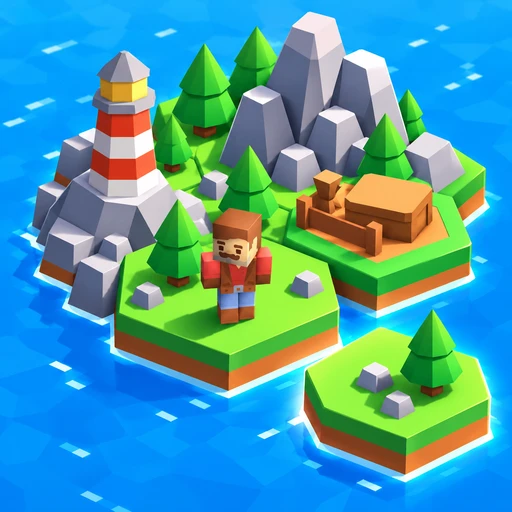
ABOUT THIS GAME
Play Pixel Build Your Island Game Online
Build Your Island starts with a single patch of grass and a choice of terrain cards. Drag a tile into place, grow a forest or mountain cluster, and watch the island take shape around your explorer. When you want to see what you have built from ground level, choose Explore and head toward a treasure chest. Try Build Your Island if you enjoy choosing where the next piece belongs, discovering new terrain, and wandering through a place you made yourself.
| Detail | What to expect |
|---|---|
| Game | Build Your Island |
| Category / tags | Simulation · Island Building · Hex Tiles · Exploration |
| Main activity | Place terrain tiles and group matching attributes for bonuses |
| Explore mode | Control an explorer, visit your island, and open treasure chests |
| Orientation | Portrait and landscape |
| Platform | Web browser |
| Available on Pixel Game | October 29, 2026 |
| Your goal | Grow an island you want to explore, one terrain tile at a time |
How to Play Build Your Island
- Start with the terrain cards. Build Your Island begins with cards such as Forest, Hill, and Lumber along the bottom. Follow the opening drag prompt to place your first tile.
- Choose an outlined hex beside your island. Drag a card onto a valid space to extend the land. Check the placement outline before releasing it.
- Build around matching attributes. Look at the small symbol on a card as well as its name. Place compatible terrain next to a matching group to work toward its bonus.
- Watch the counters after each placement. A label such as Mountains 3/4 tells you how close that group is to its target. Use that feedback to choose where the next compatible tile belongs.
- Follow your island's growth. The bar at the top tracks progress toward the next island milestone. Keep adding land, then collect the reward when a level-up prompt appears.
- Switch to Explore when you want a walk. Guide the character around your creation, open a nearby chest, and use Exit character when you are ready to place more tiles.
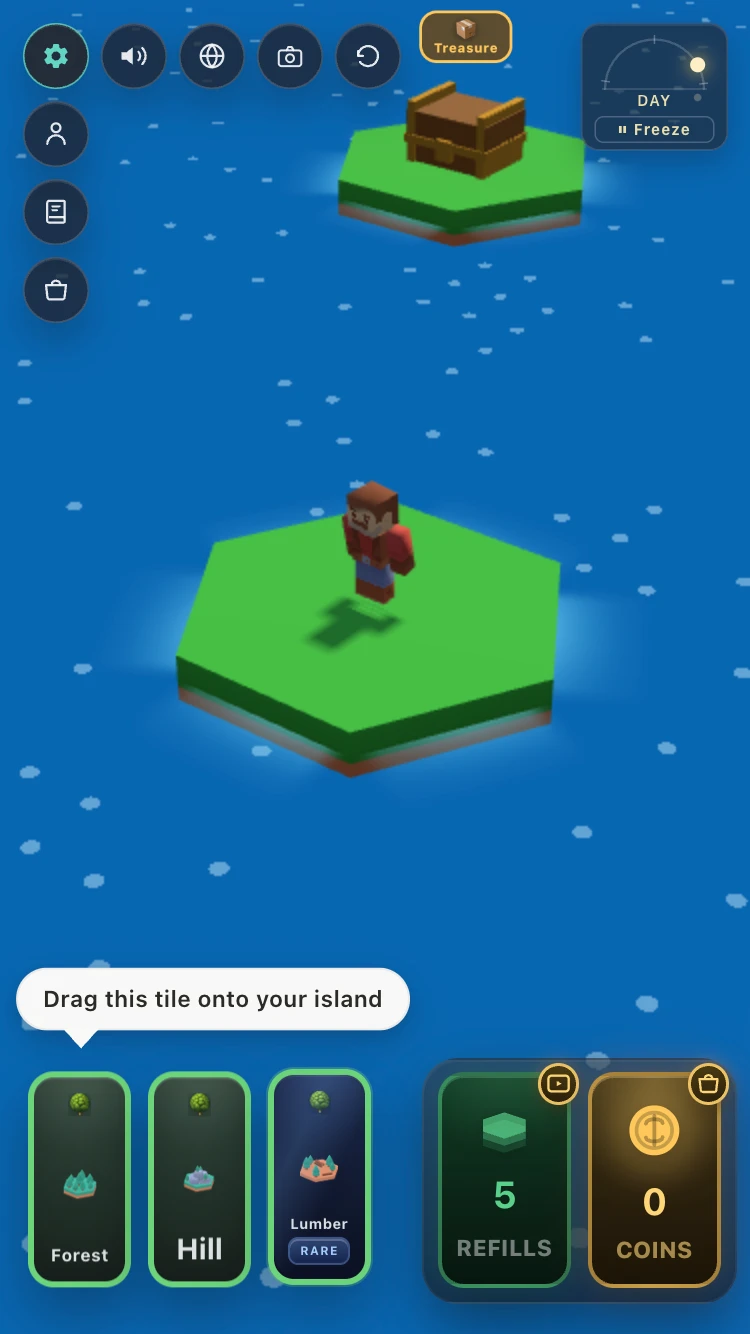
Drag a terrain card onto the island to make your first addition. Check each card's attribute before choosing its neighbors.
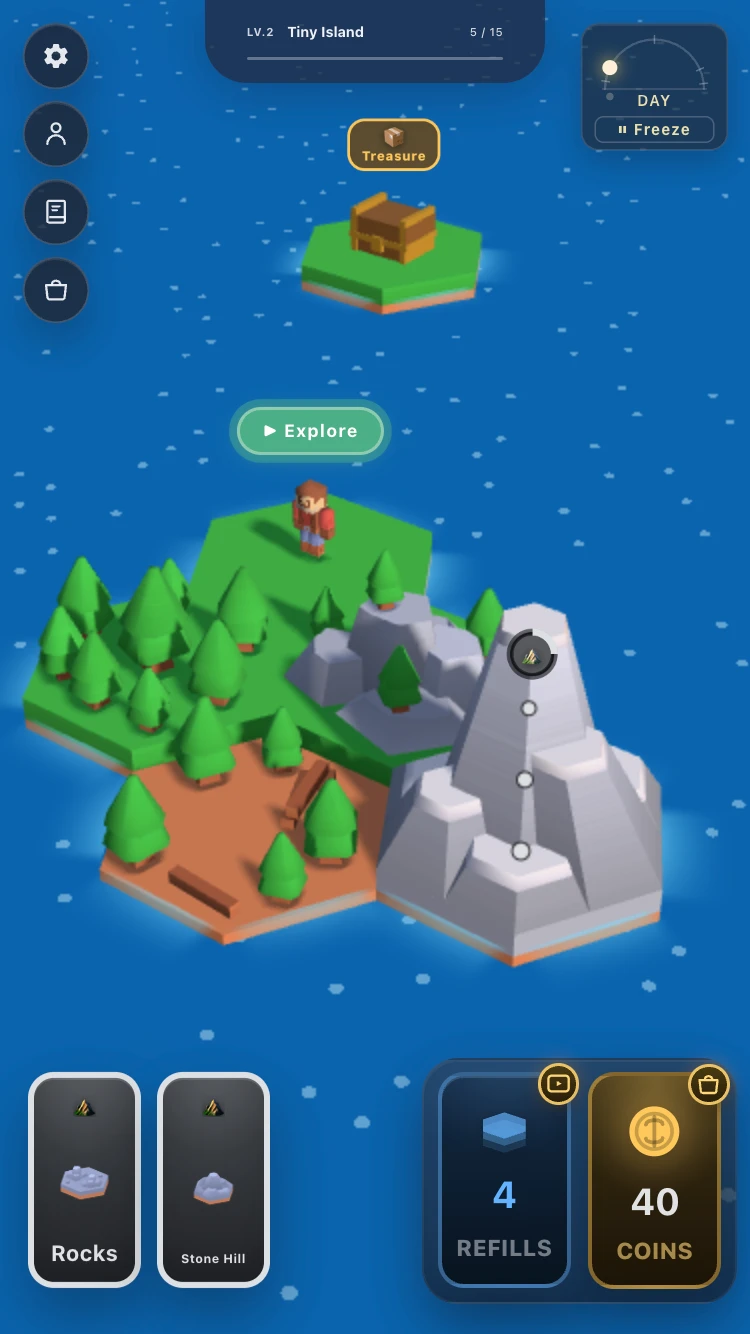
Add land around the starting tile, then choose whether to build a larger group or take a walk.
Build Your Island Controls
Build Your Island uses dragging for construction and an on-screen joystick for exploring. The mode buttons let you move between placing tiles and walking around them.
| Control | Action |
|---|---|
| Drag a terrain card onto a hex | Place a tile in an outlined space beside your island |
| Click / tap Explore | Enter character exploration |
| Drag the on-screen joystick | Move your explorer around the island |
| Click / tap Open near a chest | Open the treasure chest |
| Click / tap Exit character | Leave exploration and return to the building view |
| Click / tap the collection book icon | Check discovered terrain and remaining collection entries |
| Click / tap Freeze on the day dial | Pause the day-and-night cycle |
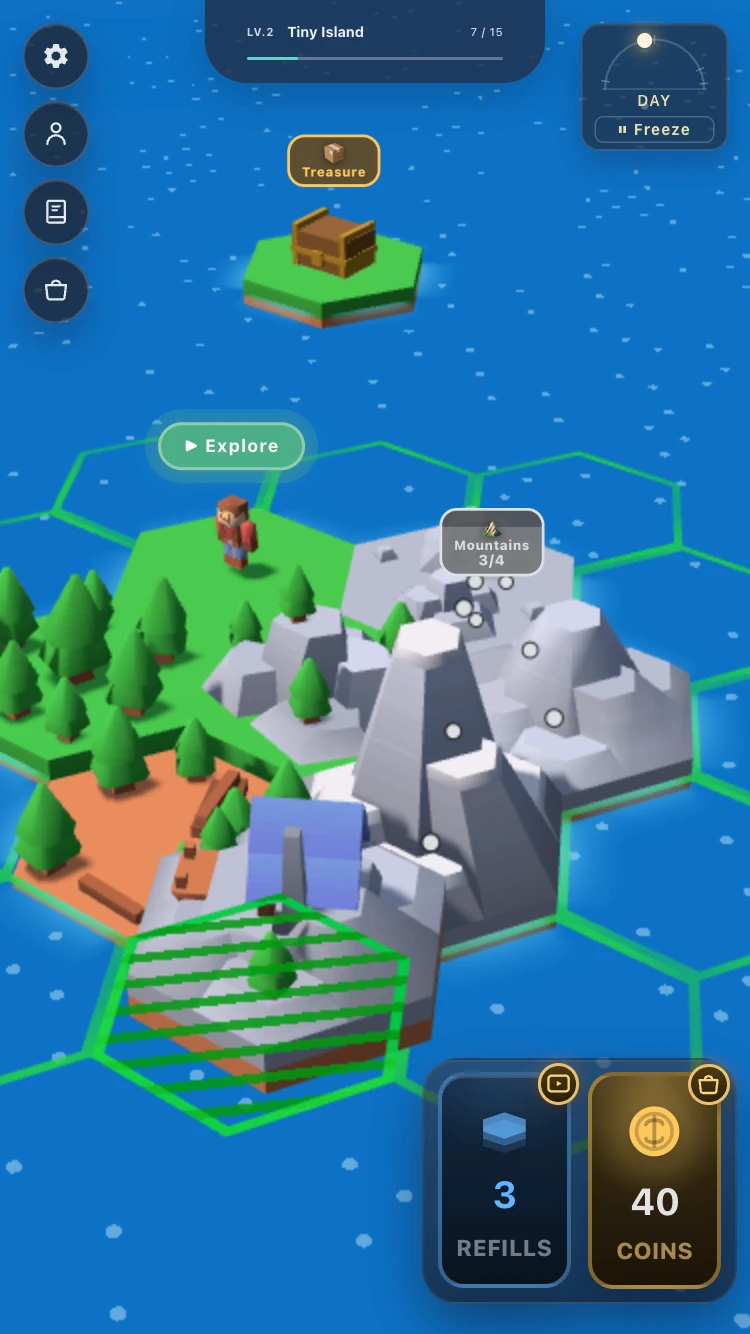
Use the outlined destination and the Mountains counter together: choose a position that helps the group you are building.
Build Your Island Features
Shape the island with terrain cards
Build Your Island gives you forests, hills, rocky ground, and other terrain to fit onto a hexagonal map. The next card changes your choices: extend the shoreline, add to a matching group, or work on another part of the island. A larger island gives you more places to compare before dropping a tile.
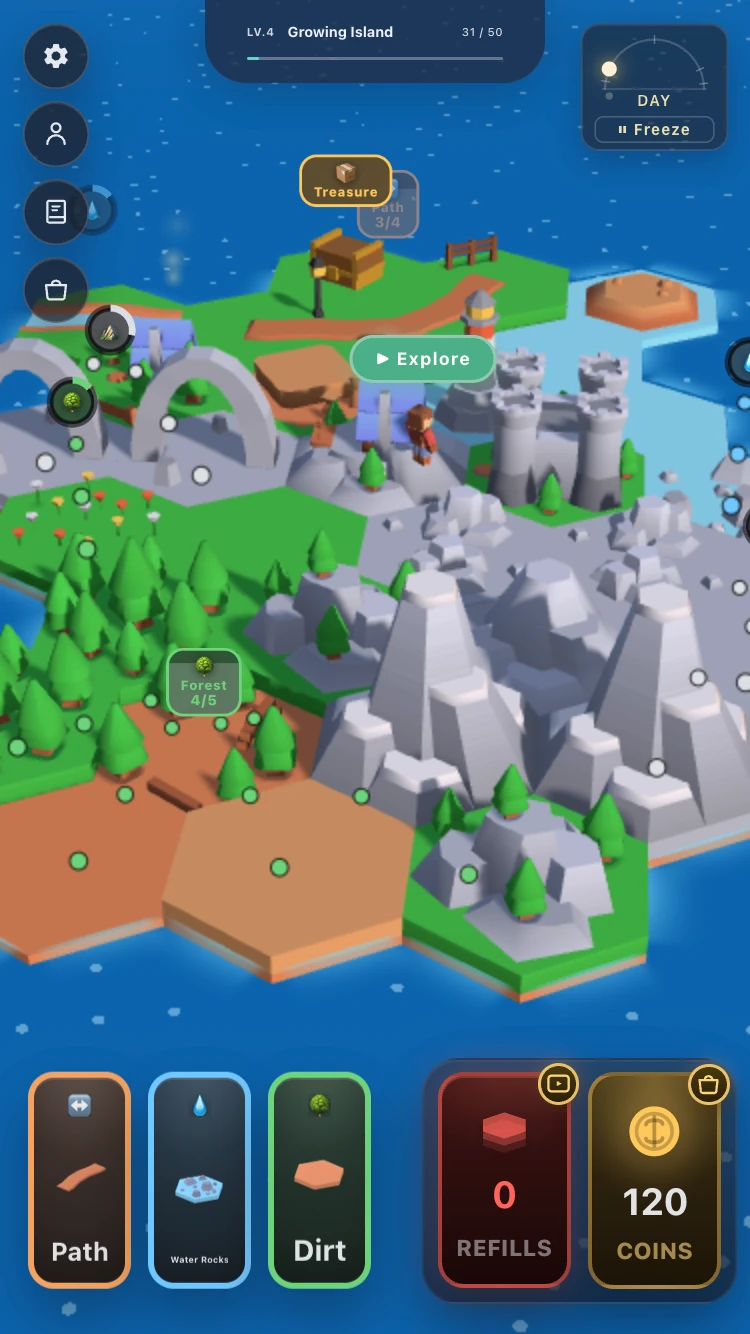
Compare the available Path, Water, and Dirt cards with the groups already on your island before choosing the next placement.
Match attributes and watch the feedback
In Build Your Island, adjacent terrain with the same attribute can unlock special bonuses when a group reaches its required size. Different groups display their own targets. Look at the badge and count beside a group, then check what changes after you place another compatible tile. You do not have to memorize every terrain combination before starting.
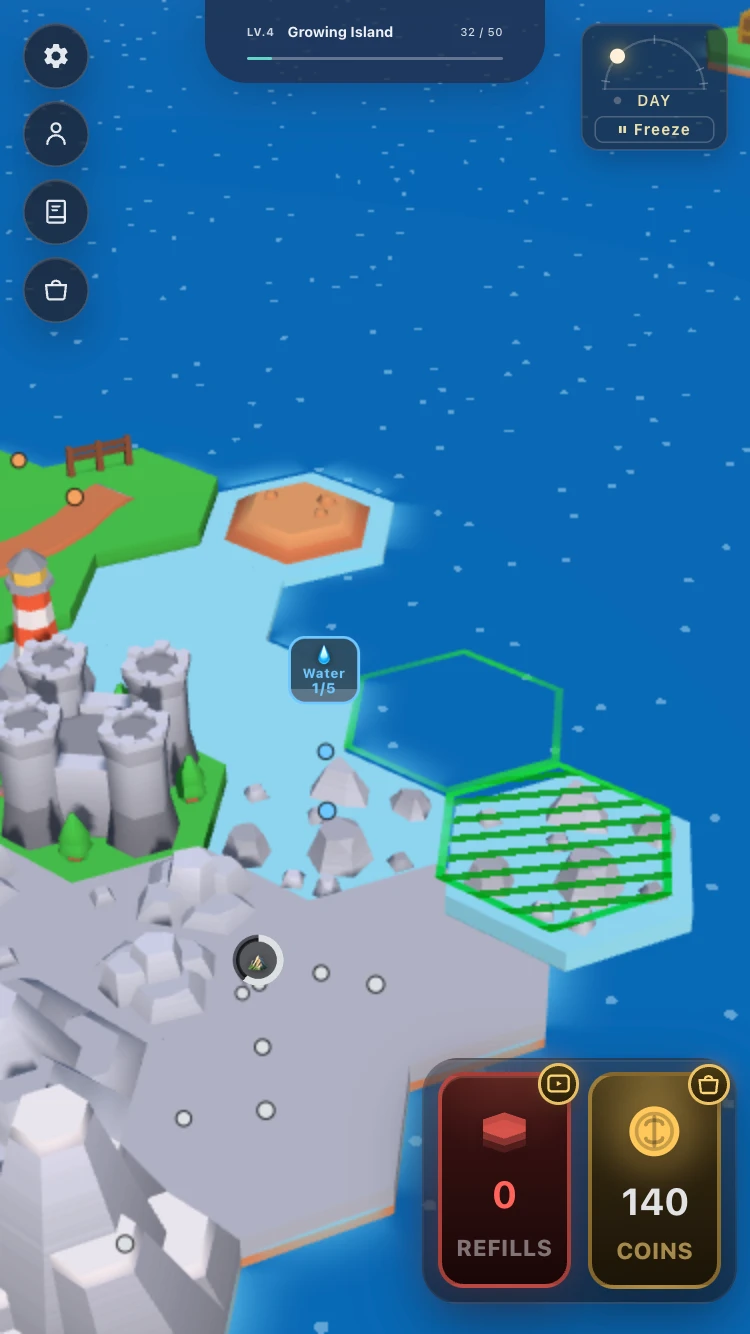
Use the next Stone card to plan another addition along the rocky edge.
Grow from a tiny patch to a varied island
As Build Your Island expands, forest clusters, water, paths, natural arches, and village features give you new areas to build around and explore. The group counters remain useful even when the map becomes busy: choose one nearby target and work toward it a tile at a time.
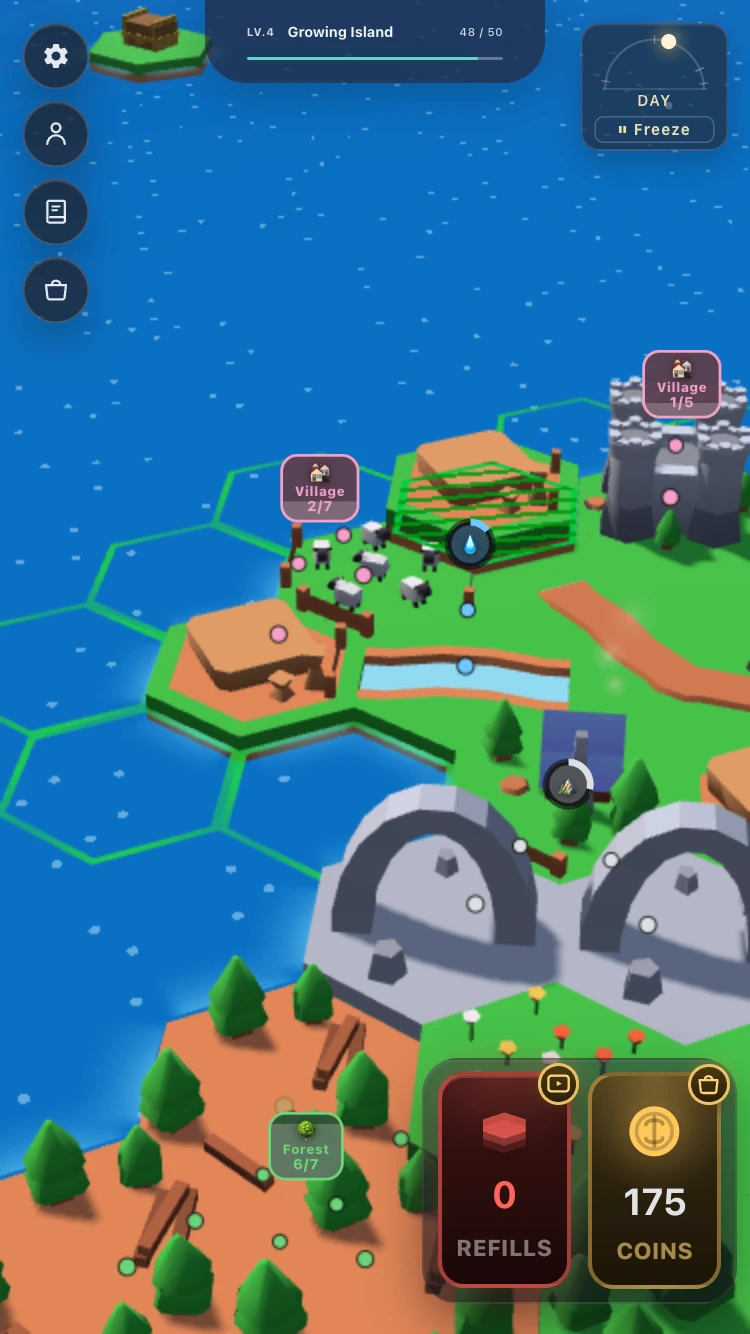
Pick a group to work on next. Forest and Village labels show different targets, so check the count for the area you want to expand.
Explore and Open Chests in Build Your Island
Choose Explore to step into Build Your Island with your character. Drag the joystick to walk through the terrain you placed. A forest that looked like a small cluster from above becomes somewhere to move around, while mountains and landmarks help you recognize different parts of your island.
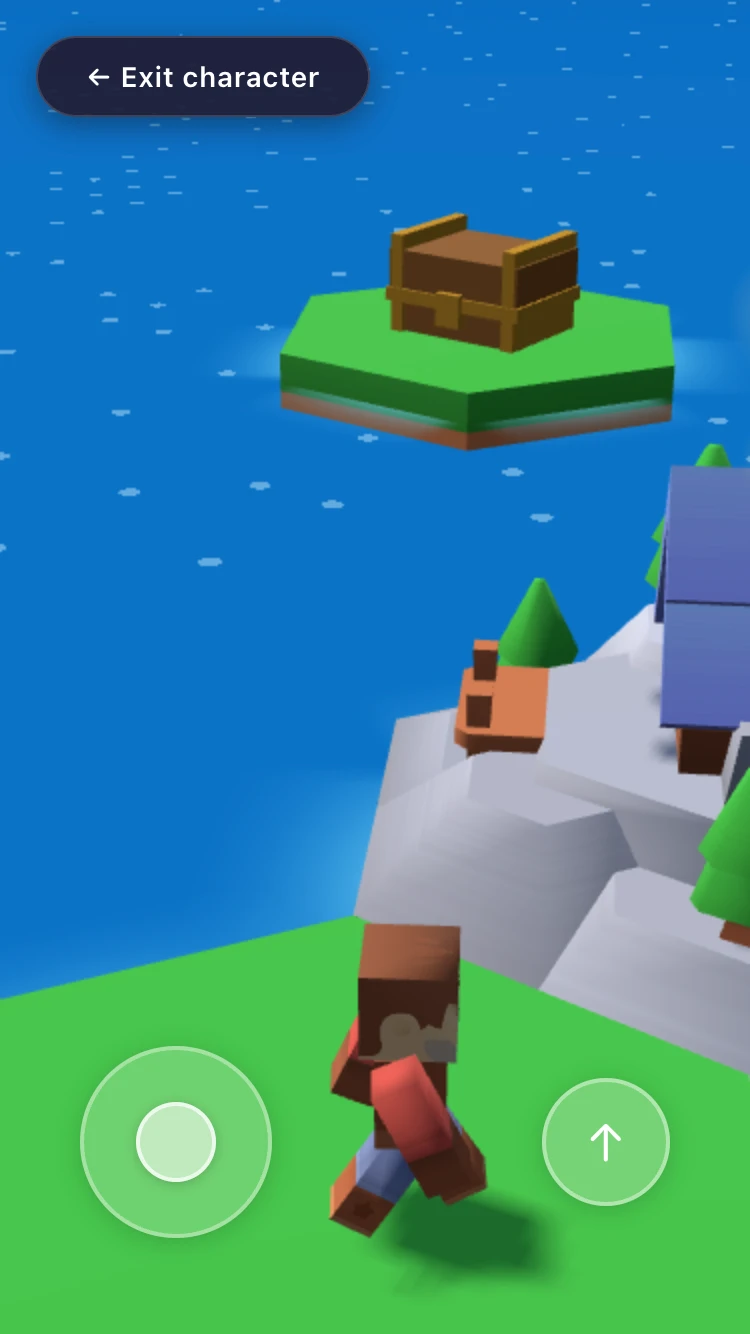
Use the joystick to move around your island. Exit character takes you back to placing terrain.
Head toward a treasure chest and choose Open when the prompt appears. If you want to add more land afterward, use Exit character to return to the building view. Build Your Island lets you alternate between planning from above and enjoying the result on foot.
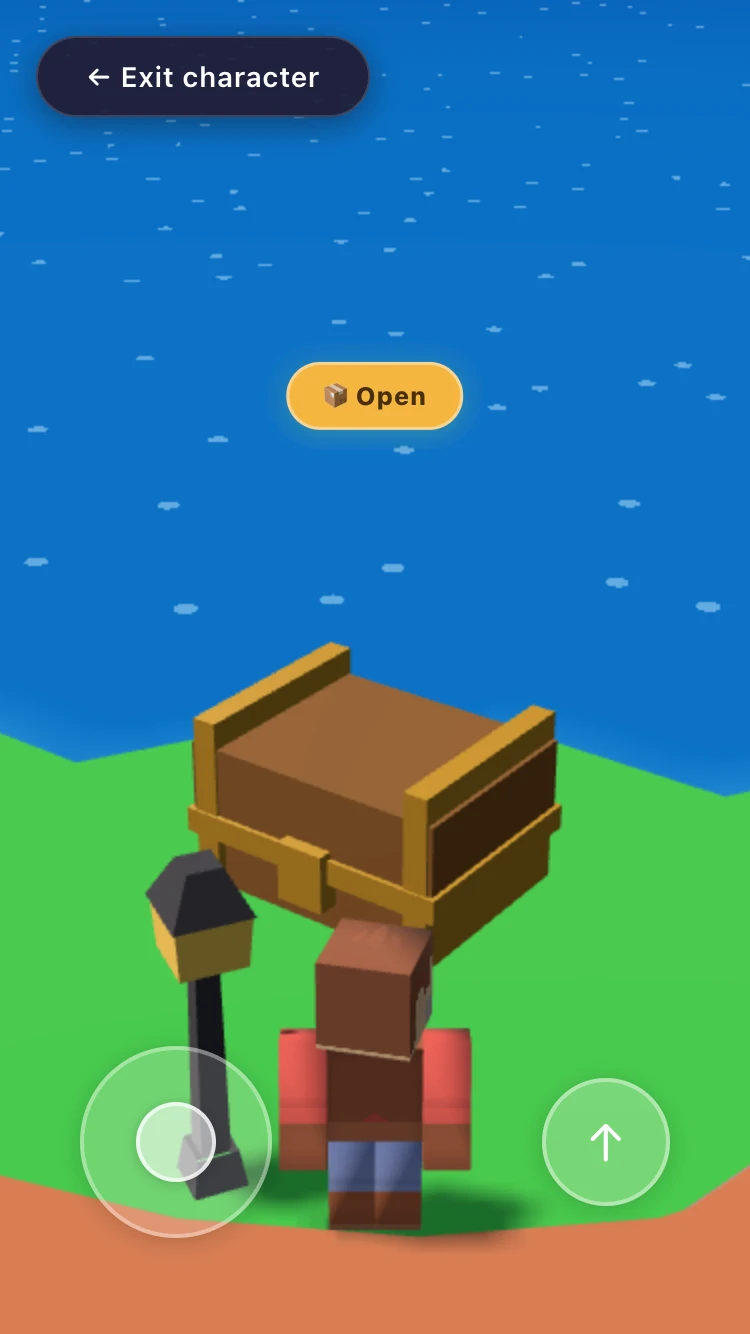
Walk up to the chest, then select Open when you are close enough for the prompt.
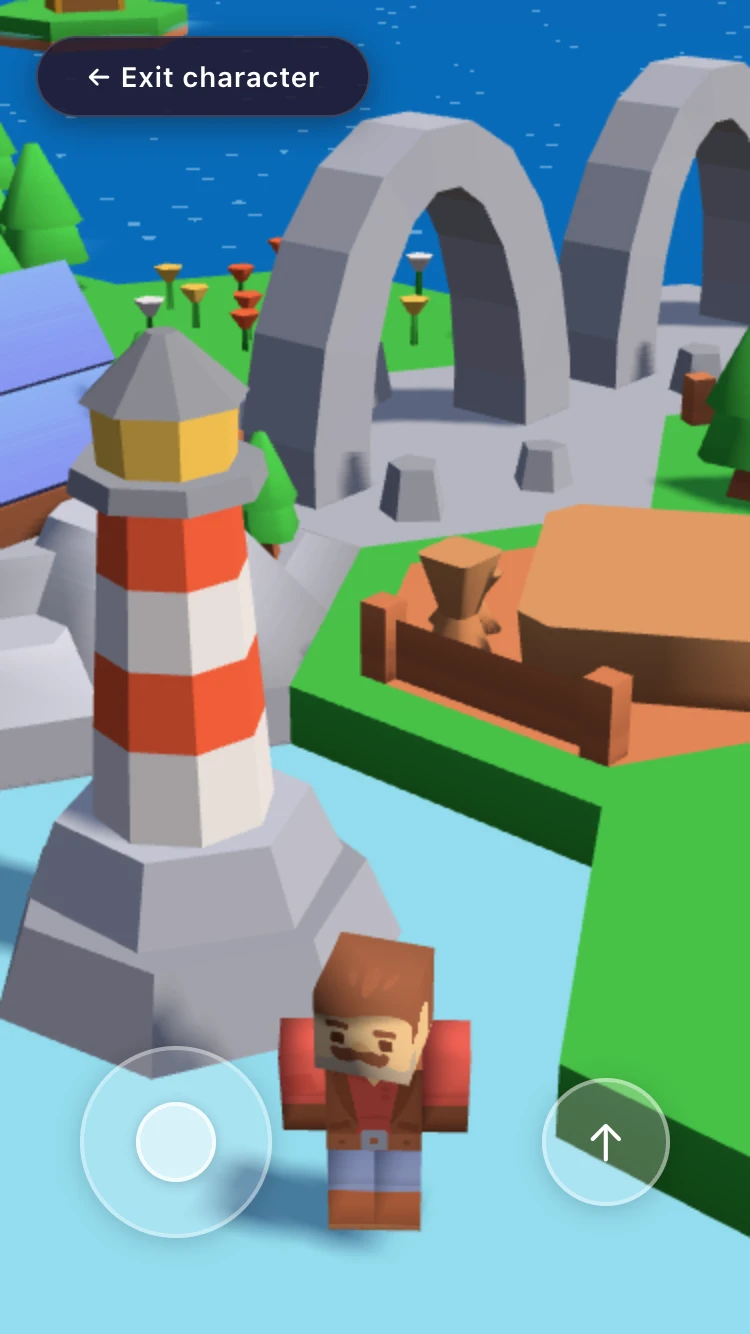
Take a walk past your landmarks before returning to the building view for another round of tile placement.
Build Your Island Collection, Rewards, and Daylight
Use Collection to choose a discovery goal. The book icon opens Build Your Island's terrain collection. Browse groups such as Forest, Mountains, and Water to see what you have found and which entries remain unknown or locked. It is a useful place to look when you want a reason to try a different terrain combination.
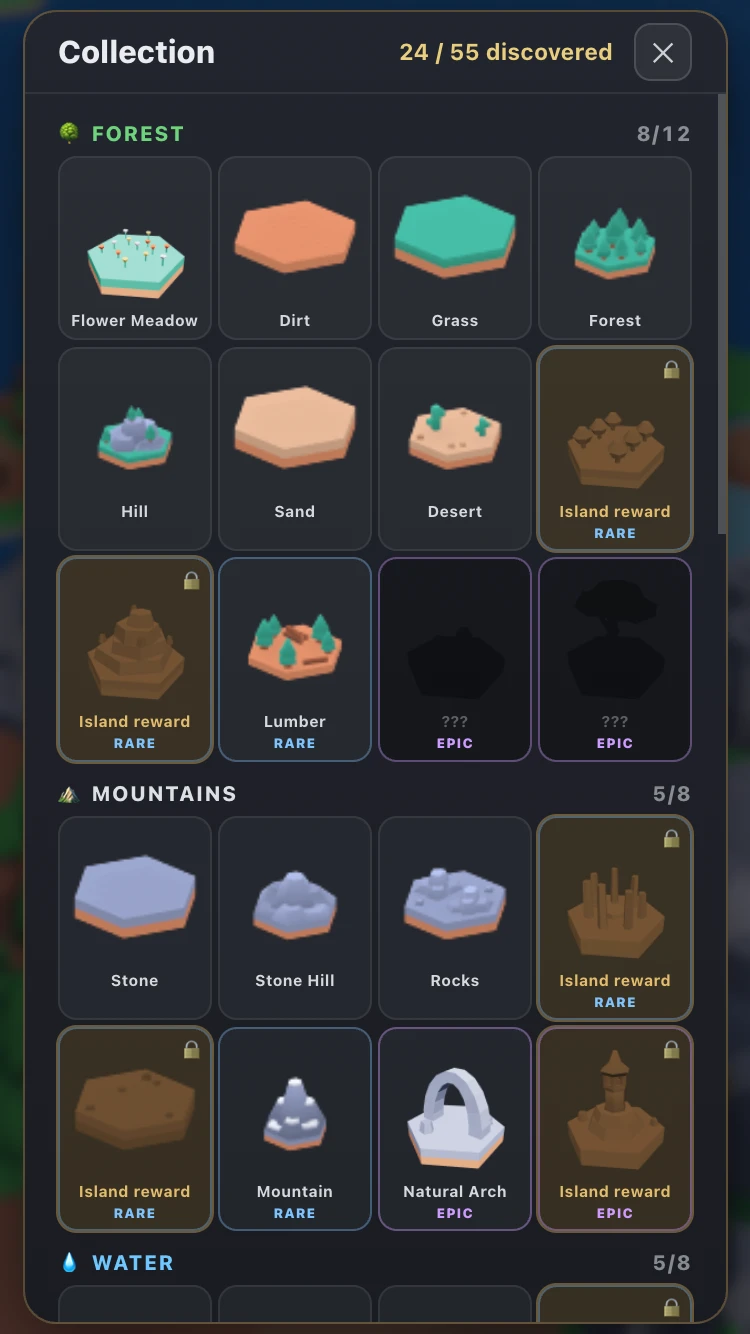
Check discovered tiles and locked entries, then choose a terrain group you want to explore further.
Collect island-growth rewards. Build Your Island tracks placed tiles toward island milestones. Reaching Small Island at 15 tiles unlocks an Orc explorer and offers a +30 Collect reward. The same prompt includes a separate Watch ad +75 coins option; read the button before choosing a reward.
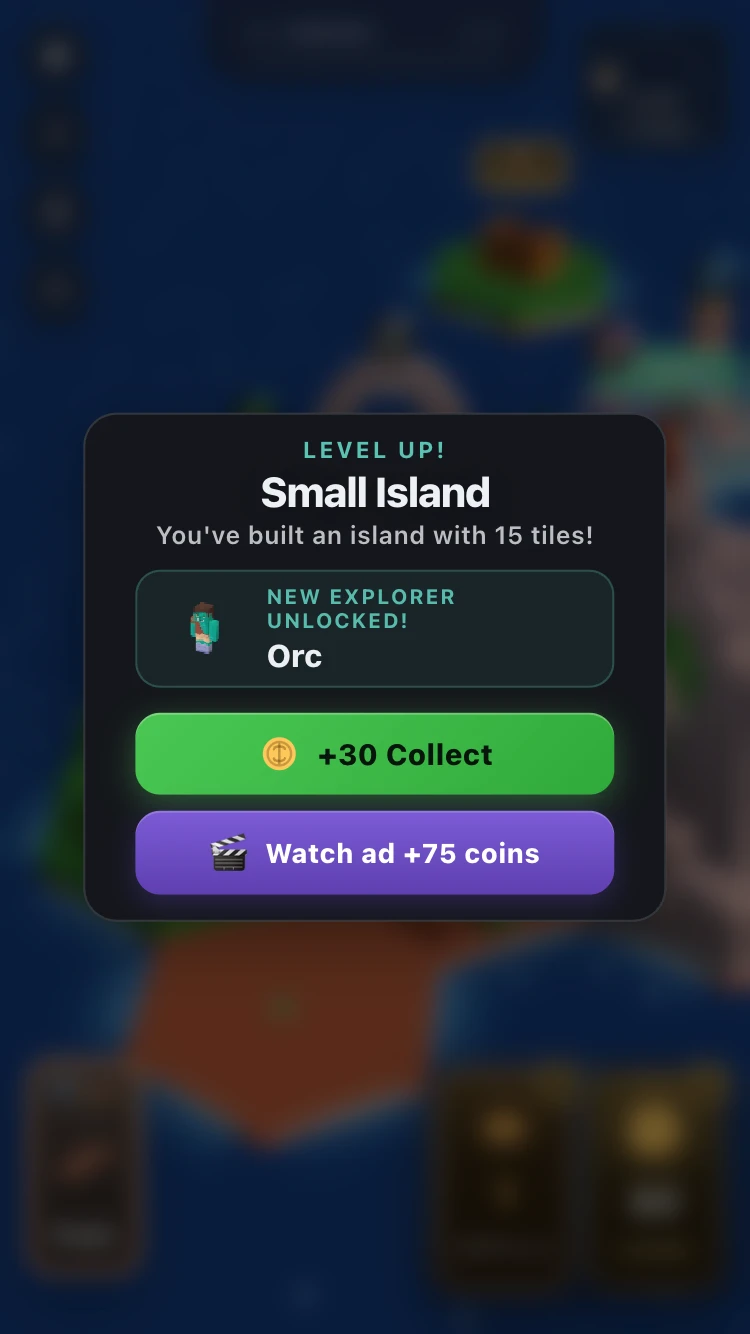
Collect the island milestone reward and check the new explorer unlock before continuing your build.
Choose your daylight. Build Your Island has a day-and-night cycle shown on the dial at the top right. Use Freeze when you want to pause the cycle at the current time, or let it run while you build and explore.
Keep track of refills and coins. Their counters sit beside the terrain cards. Refill and coin buttons carry video or shop symbols, so check each prompt before choosing an option when your supply runs low.
What Can You Practice in Build Your Island?
Build Your Island gives you small spatial decisions: which hex fits the next tile, which neighbors share an attribute, and which group is closest to a bonus? Reading the counters after each move helps you connect a placement with its result. Exploring afterward also lets you compare your overhead plan with the routes and landmarks you created.
Tips for Playing Build Your Island Online
- Read the attribute icon. Build Your Island cards can have different names while sharing a group symbol. Compare that symbol before placing a tile.
- Work toward one nearby target. When a group is close to its required count, look for a compatible card and a neighboring space.
- Watch the placement outline. Check where the tile will land before releasing your drag, especially along a crowded edge.
- Check the result of each addition. Use the group labels and island progress bar to see what your latest placement changed.
- Visit Collection when you want a new goal. Pick an undiscovered terrain group to investigate instead of expanding without a plan.
- Take an exploration break. Walk to a landmark or chest, then return to building with a fresh view of the island.
- Use Freeze for the light you like. Pause the day-and-night cycle when you want the current lighting to stay while you place tiles or wander.
Is Build Your Island Worth Playing?
Build Your Island suits players who enjoy a relaxed building loop with a visible result after each move. Start with a tiny piece of land, make choices about neighboring terrain, and gradually turn it into somewhere worth walking around. Discovering a new tile or reaching a group bonus gives you another small goal along the way.
The reason to click into Build Your Island is the connection between building and exploring. If placing the next forest, watching a mountain group grow, and visiting your own lighthouse sounds enjoyable, try the first few tiles and then switch to Explore. Terrain combinations give you something to figure out while the island gives you something to keep.
Play Build Your Island Online
Start Build Your Island in the player above. Play in portrait or landscape, and use fullscreen if you want more room to compare hex spaces. Drag your first terrain card into place, check its neighbors, and choose Explore when you are ready to walk around. For another building project afterward, browse more simulation games.
Build Your Island FAQs
How do I place tiles in Build Your Island?
Drag a terrain card from the bottom onto an outlined hex beside your island. Check the destination outline before releasing it.
How do terrain bonuses work in Build Your Island?
Adjacent tiles with matching attributes contribute toward group targets. Watch the label and count beside a group, then add compatible terrain to work toward its bonus.
How do I explore and open treasure in Build Your Island?
Select Explore, move with the on-screen joystick, and approach a chest. Choose Open when the prompt appears. Use Exit character to return to building.
What does Freeze do in Build Your Island?
Freeze pauses the day-and-night cycle at the current time. Use it when you want to keep the current lighting while building or exploring.
Can I play Build Your Island on a phone?
Yes. Build Your Island supports portrait and landscape play, with dragging for tile placement and an on-screen joystick for exploring.