TRIVIA GAMES
Play daily pixel trivia games in your browser. Start with Spaceillion, a free daily quiz where rare answers send your pixel rocket farther.
Showing 1 browser games · play instantly, no download.
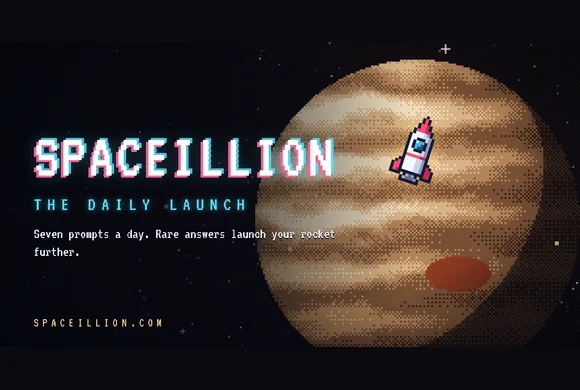
Daily Pixel Trivia Games Online
Looking for a quick quiz you can come back to tomorrow? Start with Spaceillion. Everyone gets the same seven prompts each day, so you can compare flights with a friend even if you play at different times. After each answer, watch your pixel rocket climb. A rare answer that fits can push it past the Moon or toward the outer planets.
Play Today's Spaceillion Quiz
- Open Spaceillion and choose Begin Launch. Read the first prompt as the ignition countdown starts.
- Type one answer in 25 seconds. Think of a clear fit first. If a less obvious answer comes to mind, type it and hit Launch. If the game rejects it, check the spelling or try your backup while time remains.
- Check where you landed. After all seven prompts, compare your final destination with a friend's. Open the Flight Log and tap a round to see what scored and which other answers fit.
Find an Answer the Crowd Might Miss
For a prompt like “name a type of pasta,” you might think of spaghetti first, then remember orecchiette. Go with the one you know fits and can type before time runs out. If your answer comes back as Space Junk, check the Flight Log for other accepted picks. A good answer can earn few points when lots of people think of it.
Keep Playing After the Daily Quiz
- Archive lets you pick an earlier date. Use it to catch up on a missed quiz or get comfortable with timed typing before today's round.
- Themed Packs let you browse subjects you enjoy, such as geography, movies, and music. Spaceillion+ unlocks every pack and unlimited runs.
- Launch Party is for playing together live. Share the room code so friends can join on their own devices.
Is Daily Pixel Trivia for You?
Spaceillion suits players who like open-ended quizzes and can name several things that fit a clue. The challenge is picking one before the timer runs out, then seeing how far it takes your rocket. Try an archived quiz first if you want to see how the 25-second timer feels on your phone or computer.
Daily Pixel Trivia FAQs
When does the next Spaceillion quiz open?
A new Daily Launch opens at midnight UTC. Everyone gets the same seven prompts that day.
Can I play a daily quiz I missed?
Yes. Open Spaceillion, select Archive from the menu, and choose the date you want to play.
Is Spaceillion's daily quiz free?
Yes. Open the game in your browser and select Begin Launch. The daily quiz works without an account or download.