Pixelorama is a free, open-source pixel art editor for drawing and animating sprites in your browser or on Windows, macOS, and Linux. Aseprite is a paid desktop sprite editor that fits teams working with .aseprite files and automated exports. Sprite Fusion’s Tilemap Editor builds levels from existing tiles and exports maps to game engines.
Open Pixelorama online for free to draw, animate, and export in your browser. The editor is at the top of the tool page. You can also launch the official Pixelorama web editor in its own tab.
Pixelorama vs Aseprite vs Sprite Fusion at a glance
| What you need | Pixelorama | Aseprite | Sprite Fusion Tilemap Editor |
|---|---|---|---|
| Draw and animate a character | Pixel canvas, layers, frame timeline, and onion skinning | Pixel canvas, layers, frame timeline, and animation tags | Places tiles from imported artwork onto a map |
| Build a level | Tilemap layers and a built-in tile editor | Tilemap layers for drawing and reusing tiles | Dedicated map canvas with autotiling, layers, and collision options |
| Save or export | Editable .pxo, PNG sprite sheets, GIF, and APNG | Editable .aseprite or .ase, GIF, and PNG sheets with optional JSON metadata | Map exports for engines such as Godot and Unity, plus JSON, TMX, and PNG |
| Access | Free and open source on web, Windows, macOS, and Linux. Paid Steam edition. | Paid on Windows, macOS, and Linux. Free desktop trial with saving disabled. | Free web editor. Paid offline app for Windows and macOS. |
Pixelorama for free sprite drawing and animation
Pixelorama lets you draw a sprite one pixel at a time, duplicate a pose in the timeline, and use onion skinning to compare adjacent frames. Save a .pxo project to keep the frames and layers editable. Export a PNG sprite sheet when the animation is ready for your game, or a GIF to share a preview. The web editor downloads both project files and exports through your browser. Pixelorama save and export guide
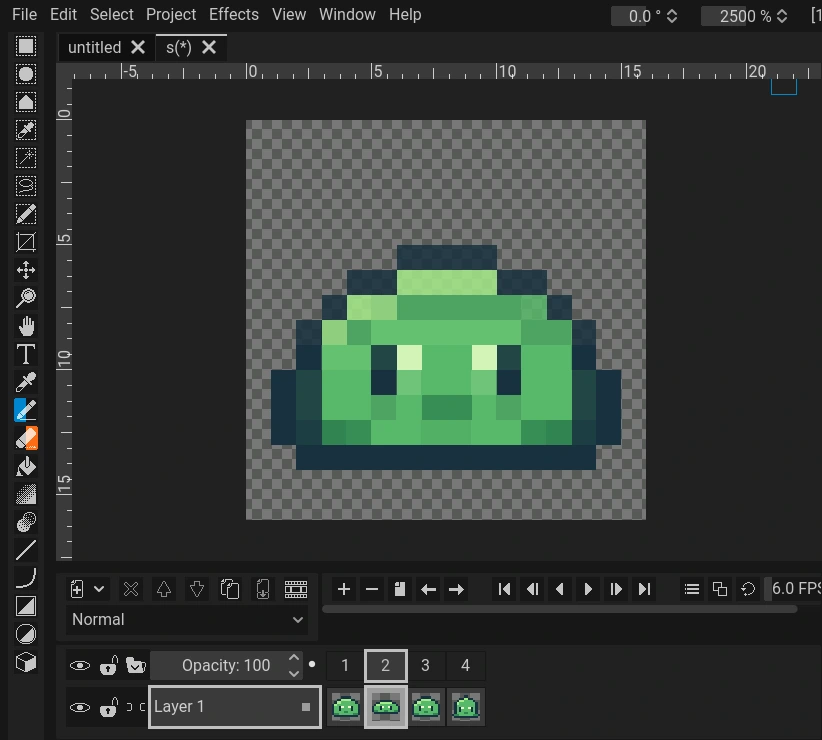
The browser version works without an installation. Orama Interactive publishes free desktop builds on GitHub Releases and itch.io, along with a paid Steam edition. Pixelorama also has tilemap layers, so you can draw terrain tiles and test how they join in the same editor. Official downloads · Pixelorama tilemap layers
Aseprite for desktop sprite workflows and batch exports
Aseprite’s timeline lets you group frames under tags such as idle, walk, and attack. If a project already uses Aseprite files, you can keep the animations in one editable file and use the command-line interface to export PNG sheets and JSON frame data during a build. Aseprite also supports reusable tiles through tilemap layers. Aseprite animation tags · Command-line exports · Tilemap layers
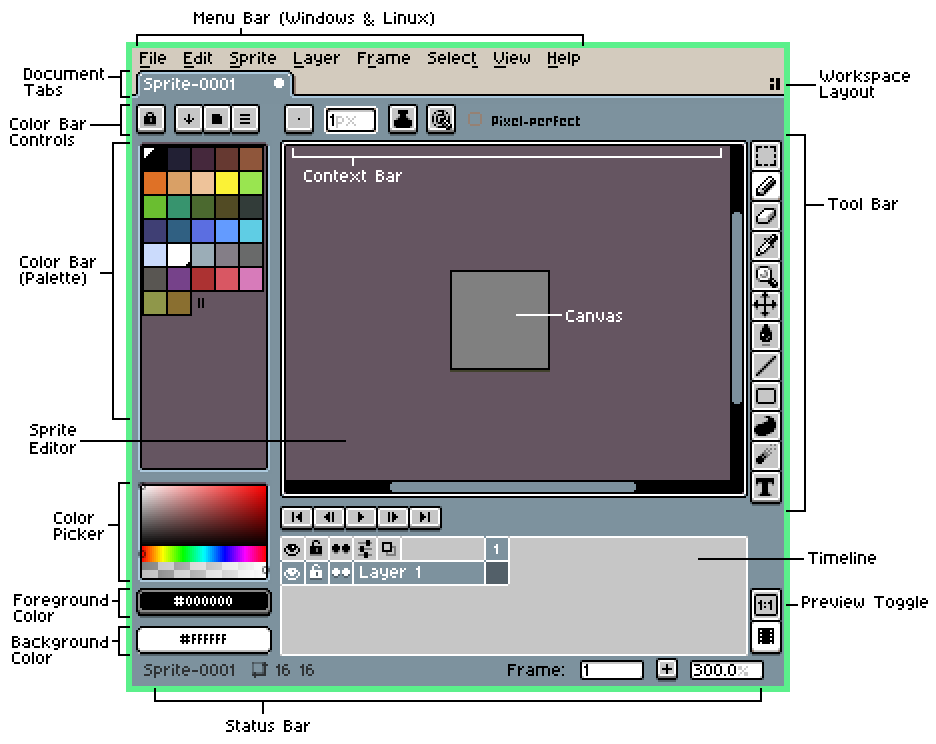
In Aseprite, the palette sits to the left of the canvas and the timeline runs below it. Aseprite workspace guide
Aseprite is a paid desktop editor for Windows, macOS, and Linux. You can explore the workspace with the free trial, which disables saving. If you need to make and export a sprite in your browser, start with Pixelorama. Aseprite official site · Trial download
Sprite Fusion for browser-based tilemap and level design
In Sprite Fusion’s Tilemap Editor, import a tileset PNG, set the tile size, and paint a map with those tiles. Put ground, walls, and decoration on separate layers, then choose an export for your engine. For example, use the Godot 4 export for a Godot level or JSON if your own engine reads tile positions from data. Sprite Fusion editor overview · Map export formats
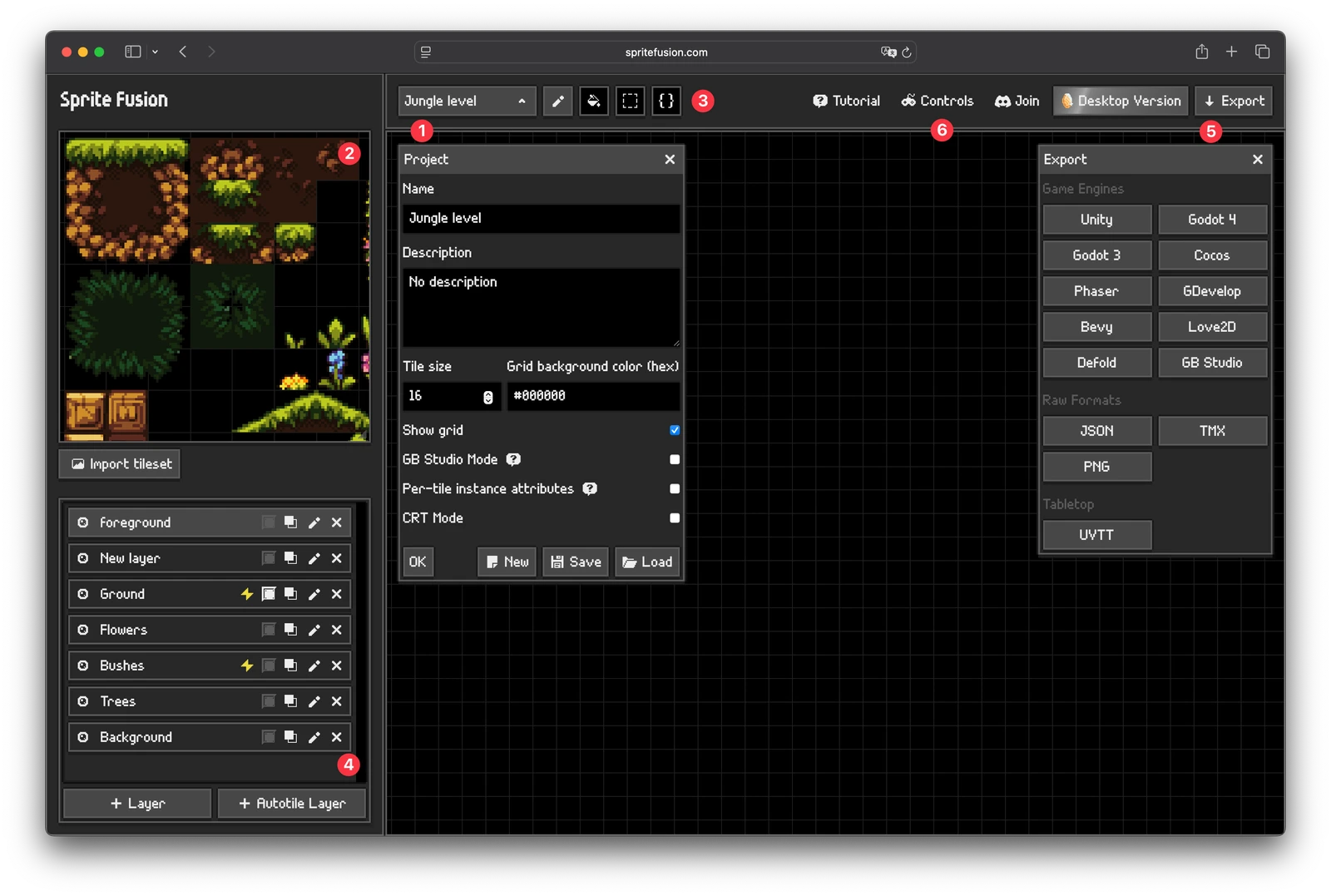
In Sprite Fusion, choose tiles on the left, place them on the map grid, and find export options on the right. Sprite Fusion editor guide
The web editor is free, and there’s a paid offline desktop edition for Windows and macOS. Sprite Fusion also publishes a separate library of 25 open-source pixel art effects. Use an effect such as a hit spark alongside your character animation, while the Tilemap Editor handles the layout of the level. Sprite Fusion tilemap editor · Open-source Pixel Art VFX
Make a 16×16 slime sprite in Pixelorama online
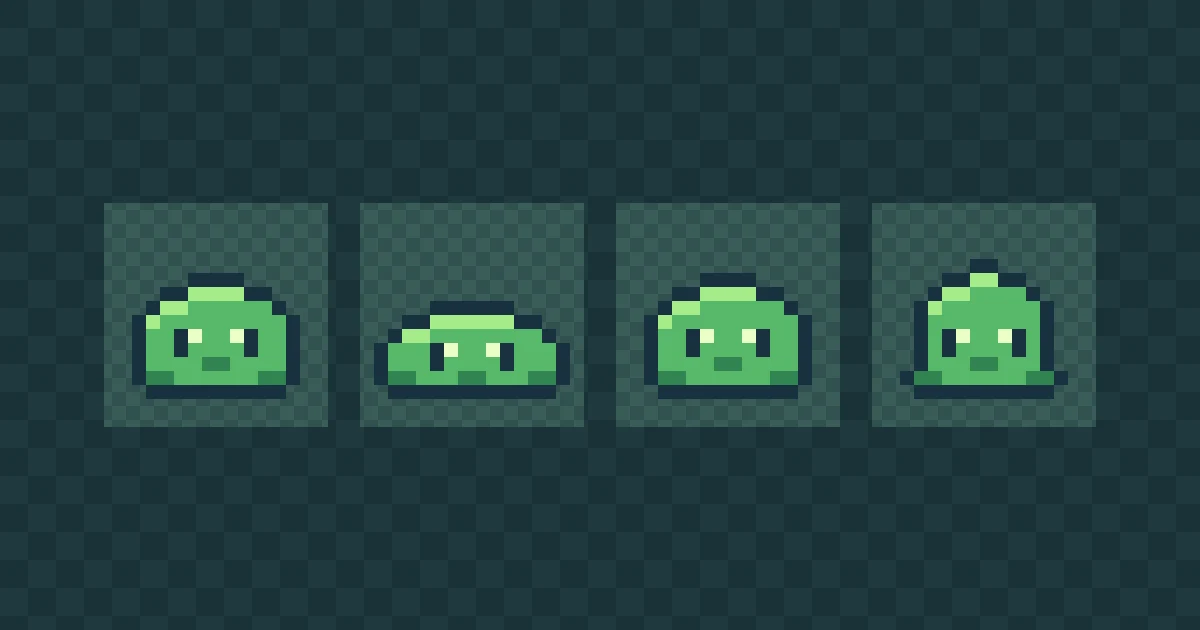
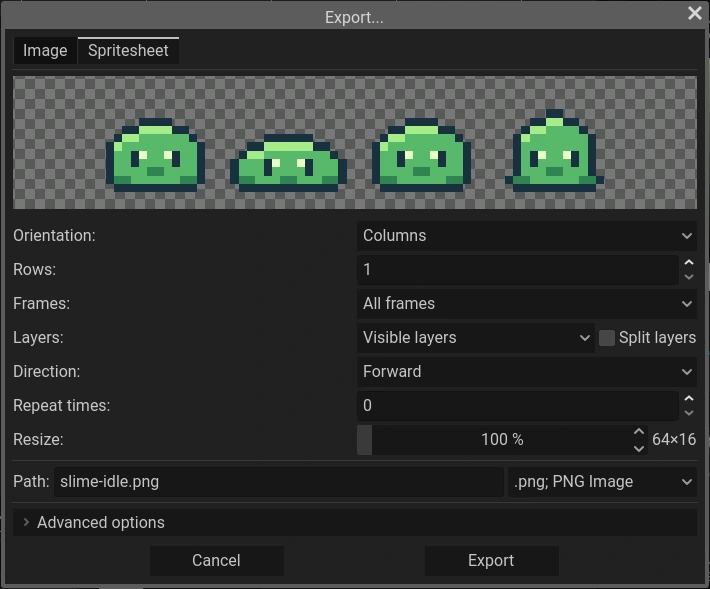
Make a four-frame idle loop for a game character. It starts round, squashes, returns to its first pose, and stretches. Keeping the bottom edge on the same pixel row makes the slime look grounded throughout the loop.
- Create the canvas. Launch Pixelorama on Pixel Game and choose File → New. Set the width and height to 16 px and leave the background transparent.
- Draw the neutral pose. With the 1 px Pencil, draw a dome with a flat base in dark blue (
#18313F). Fill it green (#58B96A), then add two dark eyes and a pale highlight (#EBFFC5). Leave a few transparent rows above the head. - Make four frames. Use Clone Frame to make three copies, then edit frames 2 and 4. Make frame 2 lower and wider and frame 4 taller and narrower. Keep frames 1 and 3 identical. Preview the loop at 6 FPS and check that the base stays in place.
- Save the project and export the sheet. Use File → Save to download the editable
.pxo. Open File → Export → Spritesheet, choose PNG, and pack all four frames into one row at 100% scale. The result should be a transparent 64 × 16 px PNG.

Download the example slime sprite sheet (PNG)
Import the PNG into your game engine as four 16 × 16 px cells, with zero spacing, then loop them left to right at 6 FPS. In Godot, use an AnimatedSprite2D node with a SpriteFrames resource. The PNG carries the frame artwork, so set the playback speed in the engine. Godot 2D sprite animation guide
Use the sprite and tilemap in the same game
For a room where the slime can idle, draw a second PNG containing 16 × 16 grass and wall tiles. Import that tileset into the Sprite Fusion Tilemap Editor, paint the room, and export the map. Import the slime sheet into the engine separately so its animation can play anywhere in the room.
Start drawing in Pixelorama online
Sources
- Orama Interactive (Pixelorama). Supported platforms, free downloads, the paid Steam edition, and how to save editable projects and export sprite sheets. Installation · Save and export
- Aseprite. The trial’s save restriction, frame tags, and how to export PNG sheets and JSON frame data from the command line. Trial version · Animation tags · Command-line reference
- Sprite Fusion. The tilemap workspace, supported map exports, and the separate pixel effects library. Editor overview · Map export formats · Open-source Pixel Art VFX
- Godot Engine. How to slice a sprite sheet into frames and play them with
AnimatedSprite2D. 2D sprite animation
FREQUENTLY ASKED
Is Pixelorama free on Windows, Mac, Linux, and the web?
Yes. Pixelorama is free and open source. The browser editor and the official desktop builds for Windows, macOS, and Linux are free. The separate Steam edition is paid.
Is Pixelorama a free online alternative to Aseprite?
Yes, for drawing pixel art, animating sprites, and exporting PNG sprite sheets. Pixelorama can save editable projects from the browser in its .pxo format. Aseprite uses .aseprite or .ase and supports command-line exports that teams can use in desktop build workflows.
Can I use Pixelorama and Sprite Fusion together?
Yes. Draw a tileset in Pixelorama and import its PNG into the Sprite Fusion Tilemap Editor. Build and export the level there, then import your character's sprite sheet separately into your game engine.