ABOUT THIS GAME
Play Pixel BEN's Playground Game Online
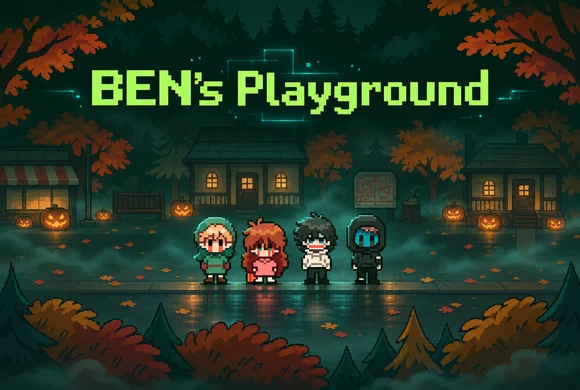
BEN's Playground starts with a room to leave, a Halloween street to explore, and people who need something from you. Follow Sally's trick-or-treating, meet Jeff at the store, and accept EJ's invitation. Then revisit the places you thought you knew. Choose BEN's Playground when you have around 20–30 minutes for a creepy mystery and enjoy noticing how a conversation changes after a reset. Save before using the room's computer so your next decision does not have to be your last.
| Detail | What to expect |
|---|---|
| Game | BEN's Playground |
| Category / tags | Horror · Visual Novel · Adventure · Creepypasta |
| Your first goal | Leave the room, save, and follow a town conversation |
| Session length | Around 20–30 minutes |
| Endings | Eight: four normal and four secret |
| Orientation | Landscape |
| Platform | Web browser |
| Available on Pixel Game | November 2, 2026 |
| Content | Flashing lights, blood / gore, swearing, death, violence |
Before starting BEN's Playground: expect flashing lights, blood and slight gore, swearing, character death, and graphic depictions of violence. Read the warning above the player and continue only if those themes and effects suit you. The video below may also contain horror scenes.
How to Play BEN's Playground
- Choose your starting point. After acknowledging the BEN's Playground warning, let the game load. Choose New Game for your first visit or Continue to resume a save.
- Pass the opening code prompt. Enter the access code before arriving in BEN's room. If you need help, reveal the opening code below. This prompt is separate from the room computer's password.
- Leave the room and save. Find the big red dog on the porch, pet it, and choose a save slot. BEN's Playground saves through the dog; use the menu when you want to load.
- Follow a conversation. Walk up to Sally, Jeff, or EJ and see what they ask you to do. Visit the store, check nearby houses, and return when an errand is finished.
- Look for changes after a reset. Talk again and check doors that were closed before. Use those changes to decide where to go next in BEN's Playground.
- Keep a town save before the computer. When BEN's Playground warns that there is no going back, preserve that earlier slot. Load it later to try a different ending.
Need the BEN's Playground opening access code?
Enter 1031 at the opening prompt. A wrong opening code exits the game. This is not the password for the computer inside BEN's room.
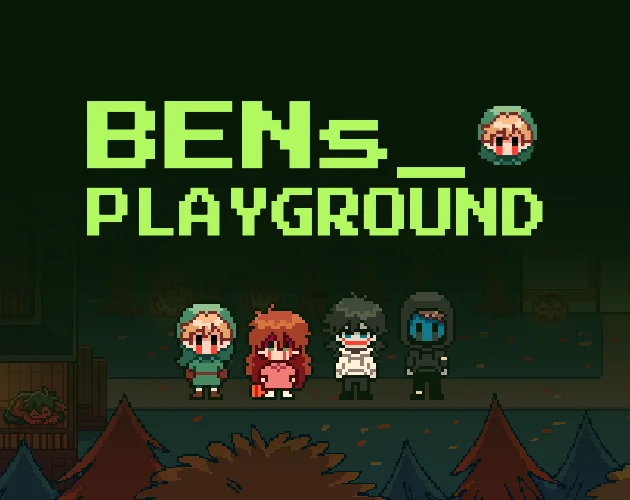
Start BEN's Playground, save at the porch dog, then head into town to find your first conversation.
BEN's Playground Controls
Click inside BEN's Playground before using the keyboard. You can walk by selecting a destination, so choose whichever input makes it easier to follow the street and read dialogue.
| Control / action | What to do in BEN's Playground |
|---|---|
| Click or tap a destination | Walk to that spot |
| Arrow keys | Move your character |
| Enter, Z, or click | Confirm dialogue and interact |
| Escape, X, or right-click | Open or cancel menus |
| Two-finger tap | Open or cancel menus on a touchscreen |
| Pet the big red porch dog | Open the save slots during town exploration |
| Load in the menu | Return to an earlier save |
| Click the in-game window X buttons | Close windows during the timed final challenge |
On a phone, turn BEN's Playground sideways and use fullscreen for more room to read dialogue and tap small buttons. Keep a finger ready to move during a chase; some moments ask for more than advancing the next line.
What Can You Do in BEN's Playground?
Follow BEN's Playground conversations into town
Sally's Halloween errands give you a reason to check the houses. Jeff takes you toward the store. EJ's dinner invitation leads to another visit, then a moment when you need to move quickly. Read what each character asks before leaving, and talk again when the street changes. BEN's Playground makes revisiting a familiar place part of finding your next step.


Meet Jeff at the store and pay attention when the conversation changes.
Use BEN's Playground saves to keep another outcome within reach
Pet the dog before a risky decision and keep an earlier slot. BEN's Playground has eight endings, including four secret endings, so a single visit will not show every outcome. After reaching an ending, load your town save and change a decision instead of starting the whole trip again.
Return to the BEN's Playground computer when you are ready
The room's computer can push BEN's Playground toward an ending. Explore town first if you want to follow the conversations before committing. After EJ's chapter, look for the USB near the warning sign; it gives you another choice later. When the final window challenge starts, click the X buttons inside BEN's Playground before the countdown finishes.

Check the houses and store in BEN's Playground, then revisit the street after a reset.
Watch BEN's Playground Before You Play
Use the BEN's Playground video to decide whether its Halloween atmosphere and horror scenes suit your session. Expect possible flashing effects and violent imagery. Press play when you are ready; the video does not start automatically.
Watch the BEN's Playground video on YouTube.
What Can You Practice in BEN's Playground?
BEN's Playground gives you a reason to remember a conversation, check a place again, and compare what changed. Keep track of an errand before setting off, then use a save to test a different decision. The chase and timed windows also ask you to switch from reading to moving or clicking when the game changes pace.
Tips for Playing BEN's Playground Online
- Make your first BEN's Playground save at the dog. The main menu offers Load, Options, and Game End; return to the dog when you want to save.
- Keep one BEN's Playground town slot. Avoid replacing every save after committing to the computer sequence.
- Revisit before guessing. If you are unsure where BEN's Playground wants you to go, talk again and check which doors have opened.
- Treat the chase and the window challenge differently. Move toward a doorway during EJ's chase. Click X buttons during the final countdown.
- Read the warning before a final choice. BEN's Playground may take you to an ending; return to an earlier save to try something else.
- Write down ending codes. Some BEN's Playground endings open a bonus page in a new tab. Check the browser's blocked-pop-up notice if that page does not appear.
- Give BEN's Playground time to load. If the browser version remains slow or runs into bugs, the Windows download is another option. Browser saves do not transfer automatically.
Is BEN's Playground Worth Playing?
Try BEN's Playground if you enjoy Creepypasta characters, pixel-art Halloween streets, and a friendly conversation becoming unsettling. Set aside around 20–30 minutes for a visit and more time if comparing endings sounds fun. Watching a familiar town change is a good reason to keep exploring.
BEN's Playground mixes dialogue with walking, errands, a chase, and quick clicking. If your ideal session is uninterrupted reading or a romance-focused dating sim, consider those interruptions before starting. Check your comfort with flashing lights, blood and gore, swearing, character death, and graphic violence as well.
Play BEN's Playground Online
Read the BEN's Playground warning in the player above, acknowledge it if you are comfortable, and choose New Game. Enter the opening code, pet the dog, and follow your first town conversation. Keep a save before returning to the computer so you can come back for another outcome.
Want another story afterward? Browse visual novel games or the horror collection. If you prefer desktop play, download BEN's Playground for Windows.
BEN's Playground FAQs
How do I start BEN's Playground, and which code do I use?
Read and acknowledge the BEN's Playground content warning, then choose New Game. The opening access code is available in the folded help box under How to Play. It is different from the password for the room's computer.
How do I save and retry in BEN's Playground?
Pet the big red porch dog during BEN's Playground town exploration and choose a slot. Open the menu with Escape, X, right-click, or a two-finger tap, then choose Load to try another decision from that save.
How many endings does BEN's Playground have?
BEN's Playground has eight endings: four normal and four secret. Keep a save before the computer's final choices so you can reload after an ending and compare another outcome.
Can I play BEN's Playground on a phone?
BEN's Playground supports tapping to walk and interact. Turn your phone to landscape and use fullscreen for more room, especially during the timed window challenge. If the browser version remains slow or buggy, consider the Windows download; saves do not carry over automatically.
What horror content should I expect in BEN's Playground?
BEN's Playground contains flashing lights, blood and slight gore, swearing, character death, and graphic depictions of violence. Read the notice before starting and choose another game if those themes or effects exceed your comfort level.